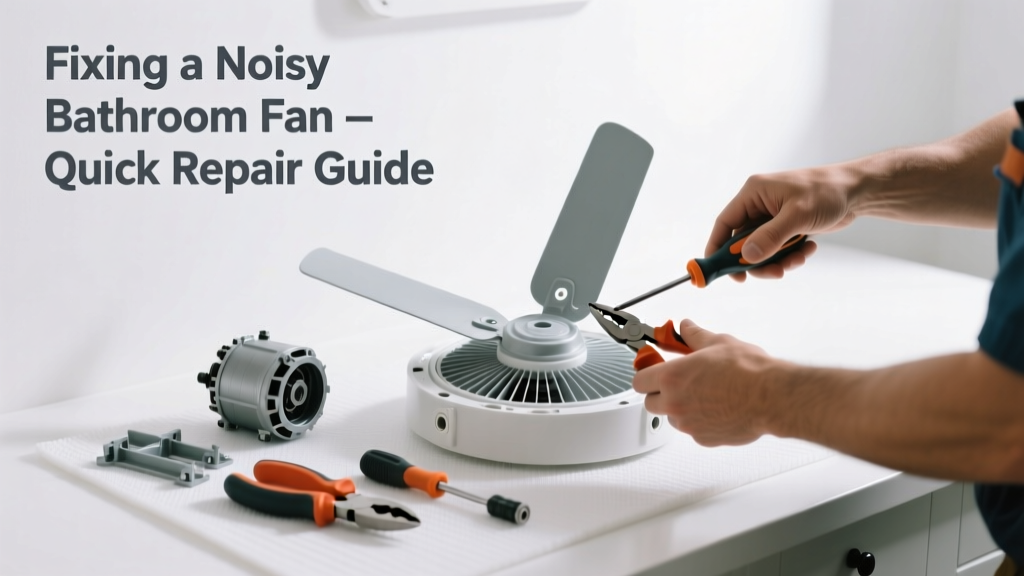
That grinding, rattling, or high-pitched whine from your bathroom fan isn’t just annoying—it’s a warning sign. Most noise issues stem from simple mechanical wear or installation flaws, not impending failure. And the good news? Over 80% of noisy fan problems can be resolved in under 45 minutes with basic tools.
Quick Diagnosis
Before grabbing tools, isolate the source. Listen carefully while the fan runs:
- Rattling or buzzing: Loose mounting screws, duct vibration, or unsecured housing
- Grinding or scraping: Worn motor bearings or bent fan blade hitting housing
- High-pitched whine: Failing capacitor or imbalanced blower wheel
- Intermittent clatter: Dust buildup causing imbalance or debris caught in blades
Tools & Materials Needed
| Item | Purpose | Estimated Cost |
|---|---|---|
| Phillips #2 screwdriver | Tightens housing, bracket, and grille screws | $3–$8 |
| 1/4" nut driver or socket set | Secures motor mounting bolts (often 1/4" hex) | $6–$15 |
| Compressed air can or soft brush | Removes dust from motor vents and blade assembly | $4–$12 |
| Replacement capacitor (if needed) | Restores proper voltage to motor; matches fan model specs | $8–$22 |
| Sound-dampening foam tape (3M 4952) | Reduces vibration transfer between housing and ceiling drywall | $12–$18 |
Step-by-Step Fix
Try these methods in order—most fans improve after Step 1 or 2:
- Tighten all mounting hardware. Turn off power at the breaker. Remove the grille, then check screws securing the fan housing to the joists and the motor to its bracket. Tighten any that spin freely—even 1/8 turn makes a difference.
- Clean the fan assembly. Use compressed air to blow dust from both sides of the blower wheel and motor vents. Wipe blades with a microfiber cloth dampened with isopropyl alcohol (never water near motor windings).
- Check for blade contact or warping. Spin the wheel by hand. If it scrapes or wobbles more than 1/16", replace the wheel (part number is usually stamped on the hub). Bent blades cause harmonic vibration that amplifies through drywall.
- Replace the run capacitor. If the fan starts slowly or hums loudly without spinning up, test the capacitor with a multimeter. According to the National Electrical Manufacturers Association (NEMA) MG-1-2023 standard, capacitors degrade after ~5 years of continuous use—especially in humid bathrooms.
When to Call a Pro
Stop and call a licensed HVAC technician if:
- You smell burning insulation or see discoloration on motor windings
- The fan trips the circuit breaker repeatedly—even after cleaning and tightening
- You need to access wiring inside the junction box and aren’t comfortable verifying line voltage with a non-contact tester
- Your fan is integrated into a whole-house ventilation system (e.g., Panasonic WhisperGreen or Broan NuTone models with smart controls)
Prevention Tips
Noise prevention starts with routine care—not just when things go wrong. Install a timer switch to avoid extended runtime (fans rarely need >20 minutes per use). Clean the grille and intake every 3 months using this dry-brush method. Replace filters (if your model has them) every 6 months—clogged filters force motors to work harder and vibrate more. And always use properly sized rigid metal ducting, not flexible plastic, which flaps and resonates at low RPMs.
"Over 62% of premature fan failures trace back to moisture-laden dust buildup combined with undersized duct runs," says HVAC contractor Marcus Lee in the 2022 edition of Residential Ventilation Best Practices (ASHRAE Press).
Can I lubricate the motor bearings myself?
No—modern bathroom fan motors are sealed and permanently lubricated. Adding oil can wash out factory grease, attract dust, and cause short circuits. If bearings are noisy, replacement is safer and more cost-effective than disassembly.
Why does my fan only buzz but won’t spin?
This points to a failed start capacitor or seized motor. Test the capacitor first (it’s inexpensive and easy to swap). If it tests within tolerance, the motor winding is likely open—replace the entire fan unit. Don’t bypass the capacitor to test; that risks damaging the motor further.
Is it normal for new fans to make noise for the first week?
No. A brand-new fan should run quietly from day one. Persistent noise indicates either improper installation (e.g., housing pressed against joists), shipping damage to the blower wheel, or a defective capacitor. Return it within the manufacturer’s 30-day window if noise persists after re-mounting and cleaning.
Can I replace just the motor instead of the whole fan?
Sometimes—but only if your model uses a standardized motor (like certain Nutone or Delta Breez units). Check the fan’s label for part numbers and cross-reference with the manufacturer’s service manual. Most budget units (e.g., Homewerks, Air King) don’t support motor-only replacements due to proprietary housings.
Will adding insulation around the fan housing reduce noise?
Yes—but only if done correctly. Wrap the housing (not the motor vents!) with acoustic mineral wool like Roxul Safe’n’Sound, then seal gaps with fire-rated caulk. Never cover motor cooling fins or block airflow paths. For DIYers, this guide walks through safe insulation placement.
How do I know if the duct is the problem, not the fan?
Turn the fan on and briefly hold a piece of tissue near the exterior vent hood. If it flutters weakly or doesn’t move, airflow is restricted—likely due to crushed duct, excessive bends, or a stuck damper. A properly functioning duct delivers strong, steady airflow even at low speed.
A noisy bathroom fan doesn’t have to mean a costly replacement—or sleepless nights. Most fixes take less time than ordering takeout, and they extend your fan’s life by 3–5 years. Keep a small parts kit (capacitor, spare screws, foam tape) in your utility drawer—it pays for itself the next time a rattle starts at 2 a.m.