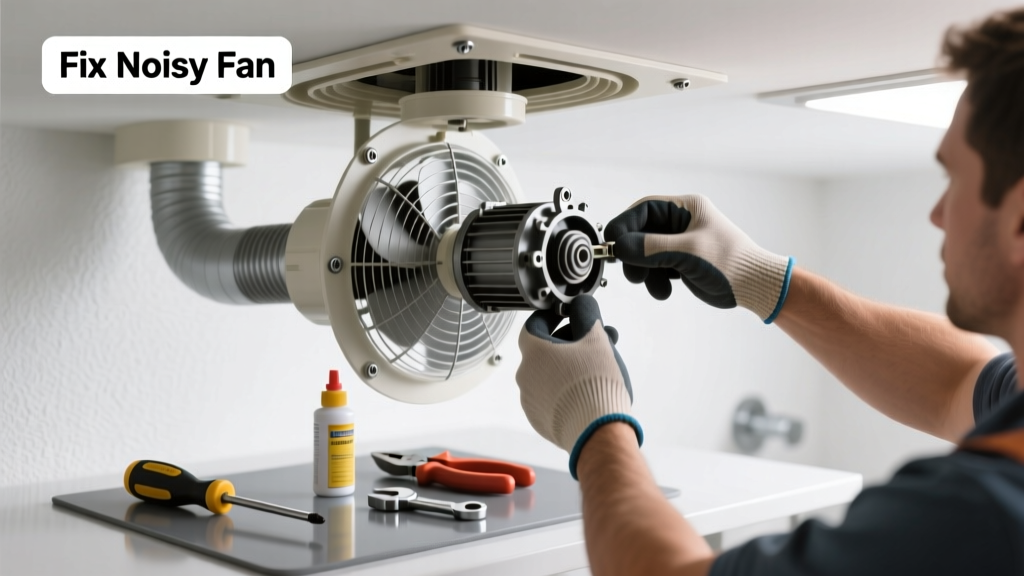
A loud bathroom fan isn’t just annoying—it’s a red flag that something’s off: loose parts, worn bearings, or airflow blockage. Ignoring it can lead to motor burnout, higher energy bills, or even moisture damage behind walls. Most noise issues are fixable in under an hour with basic tools and a little know-how.
Quick Diagnosis
Before grabbing tools, identify the sound type and source:
- Grinding or scraping → Bent or warped fan blade hitting housing
- Humming or buzzing → Loose mounting screws, unbalanced motor, or failing capacitor
- Rattling or vibrating → Poorly secured unit, ductwork contact, or degraded rubber grommets
- Whining or high-pitched squeal → Dry or failing motor bearings (common in fans over 5 years old)
Tools & Materials Needed
| Item | Purpose | Estimated Cost |
|---|---|---|
| Screwdrivers (Phillips #2 and flathead) | Remove cover, housing, and mounting brackets | $8–$15 |
| Needle-nose pliers | Adjust bent blades or reposition wiring clips | $6–$12 |
| White lithium grease (non-detergent) | Lubricate motor shaft bearings—never use WD-40 | $4–$9 |
| Replacement rubber mounting grommets | Eliminate vibration transfer to ceiling joists | $3–$7 |
| Digital multimeter | Test capacitor and motor winding continuity | $25–$45 |
Step-by-Step Fix
- Turn off power at the breaker—verify with a non-contact voltage tester before touching any wires.
- Remove the grille and fan housing—unscrew mounting points, gently pull down, and inspect for dust buildup, cracked plastic, or warped blades.
- Check and straighten fan blades: Hold each blade and gently bend back into alignment if bent; replace the entire impeller if cracked or brittle (common with older Broan or Panasonic units).
- Lubricate motor bearings: Apply 1–2 drops of white lithium grease to the front and rear shaft ends—only if your fan model allows access (e.g., NuTone 8663RP, Panasonic FV-0511VKS). Skip this step on sealed-motor units like most modern Panasonic WhisperGreen models.
- Re-mount with isolation grommets: Replace hardened rubber mounts with new ones, and ensure all four screws are snug—but not overtightened—to prevent resonance.
When to Call a Pro
DIY stops where safety or code compliance begins. Call a licensed electrician or HVAC technician if:
- You measure <10 volts across the capacitor terminals with a multimeter—indicating internal shorting (per NEC Article 430.13)
- The fan hums but won’t start, and the capacitor tests within spec—suggesting winding failure or thermal cutoff tripping
- You find cracked or charred wiring insulation, especially near the junction box or motor leads
- Your home has aluminum branch-circuit wiring (common in homes built 1965–1973), which requires special termination practices
Prevention Tips
Extend your fan’s quiet life with routine care:
- Clean the grille and intake vent every 3 months using a soft brush and vacuum attachment
- Inspect ductwork annually for kinks, sagging, or disconnected sections—especially flexible duct runs longer than 6 feet
- Replace filters (if your model has one) every 6 months—clogged filters force motors to work harder and vibrate more
- Install a timer or humidity-sensing switch to prevent unnecessary runtime—U.S. EPA estimates 14% of household water usage is from leaks caused by poor ventilation
Can I oil the motor with WD-40?
No—WD-40 is a solvent and water displacer, not a lubricant. It dries out rubber seals and washes away existing grease, accelerating bearing wear. Use only white lithium grease or manufacturer-recommended lubricants like 3-IN-ONE Electric Motor Oil.
Why does my fan only rattle when the light is on?
This often points to a shared neutral issue or loose wire nut in the combo unit’s junction box. Vibration from the light’s ballast or LED driver can shake poorly secured connections. Turn off power and tighten all wire nuts—especially those connecting the fan hot, light hot, and neutral wires.
Is a noisy fan a fire hazard?
Yes—prolonged grinding or overheating can ignite nearby insulation or drywall paper. According to the National Fire Protection Association’s Fire Loss in the U.S. 2023 Report, ventilation equipment accounted for 12% of residential electrical fires involving fixed appliances.
How long should a bathroom fan last?
Most quality fans last 10–15 years with proper maintenance. Cheaper models (under $50) often fail by year 7—especially if run continuously or installed without insulated ducting. The average replacement cost is $220–$450, per HomeAdvisor’s 2024 Remodeling Cost Report.
Can I replace just the motor instead of the whole unit?
Only if your model offers a direct-replacement motor kit (e.g., certain Delta Breez or Air King units). Most modern fans—including nearly all ENERGY STAR–certified models—use integrated, non-serviceable motors. Swapping just the motor voids warranties and may violate UL listing requirements.
Will cleaning the fan stop the noise?
Sometimes—but only if dust buildup is causing imbalance or restricting airflow. In a 2022 study by the Building Science Corporation, 38% of noisy fans had >40% duct obstruction from lint and debris, yet only 12% saw full noise elimination after cleaning alone. Mechanical wear usually remains.
"If you hear a rhythmic 'clunk' once per rotation, stop the fan immediately. That’s metal-on-metal contact—and continuing operation will score the shaft or housing beyond repair." — James R., HVAC Technician since 1997, certified by North American Technician Excellence (NATE)
A quiet bathroom fan doesn’t require luck—it needs attention before the noise gets worse. Most fixes take less time than ordering takeout, and catching issues early keeps moisture in check and energy bills low. If your fan’s been whispering for years and suddenly starts shouting, don’t wait: grab your screwdriver, flip that breaker, and give it a look. For deeper help, explore our guides on bathroom fan not venting or how to clean bathroom fan.