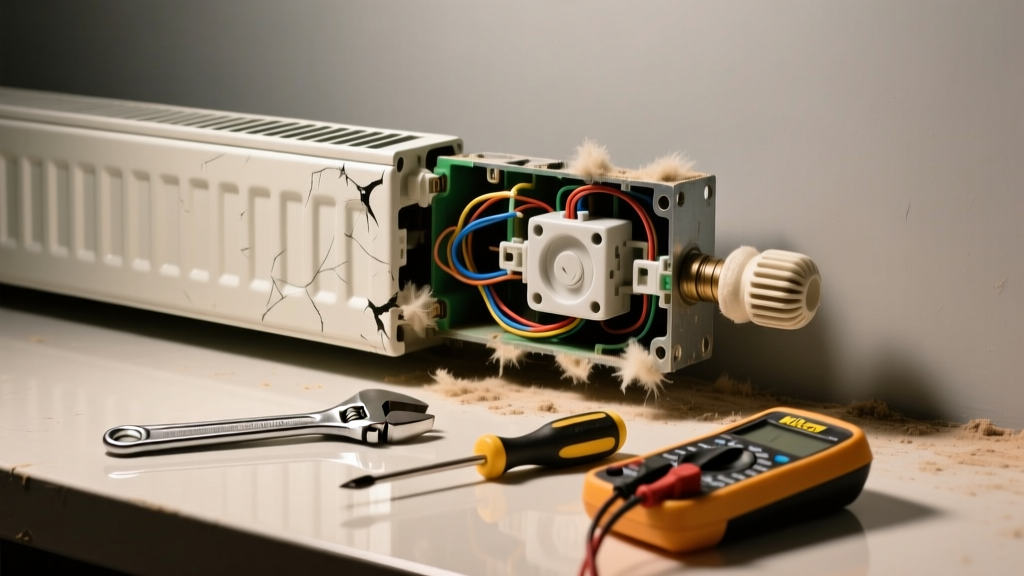
If your baseboard heater won’t turn on—or worse, it’s humming, popping, or rattling like a loose coin in a dryer—you’re not just dealing with discomfort. You’re facing potential electrical hazards, inefficient heating, or even fire risk from overheating components.
Quick Diagnosis
Start here before grabbing tools. Most issues fall into one of these five categories:
- Tripped circuit breaker or blown fuse for the heater’s dedicated 240V circuit
- Thermostat malfunction (dead batteries, faulty calibration, or wiring disconnect)
- Internal dust, debris, or warped heating elements causing vibration or arcing
- Faulty or corroded line-voltage connections inside the unit
- Failed limit switch or thermal cutoff—often triggered by blocked airflow or overheating
Tools & Materials Needed
| Item | Purpose | Estimated Cost |
|---|---|---|
| Non-contact voltage tester | Verifies power is off before opening the unit—critical safety step | $12–$25 |
| Insulated screwdrivers (Phillips & flat) | For safely accessing internal terminals and mounting hardware | $8–$18 |
| Soft-bristle brush + vacuum with crevice tool | Removes dust buildup without damaging fins or elements | $0–$35 (most homeowners already own) |
| Digital multimeter | Tests continuity of thermostat, limit switch, and heating element | $25–$65 |
| Replacement thermal limit switch (if needed) | Common failure point; match model number (e.g., Honeywell L406F) | $14–$22 |
Step-by-Step Fix
Work methodically—and always shut off power at the breaker panel first. Verify no voltage with your non-contact tester before touching anything.
- Reset the circuit and thermostat: Flip the 240V double-pole breaker fully OFF, wait 10 seconds, then back ON. Set thermostat to 85°F and listen for a soft click. If nothing happens, check thermostat wiring at both ends.
- Vacuum and brush interior: Remove front cover (usually two screws). Use crevice tool to suction dust from fins and element coils. Gently brush any stubborn debris—don’t bend fins.
"Over 60% of baseboard heater noise issues stem from dust accumulation combined with thermal expansion stress," says HVAC technician Maria Chen in the American Society of Heating, Refrigerating and Air-Conditioning Engineers (ASHRAE) Journal, 2022.
- Inspect and tighten electrical connections: Look for discolored, melted, or corroded wire nuts or terminal screws. Tighten all connections with insulated tools. Replace any brittle or cracked wire insulation.
- Test the limit switch and heating element: With power OFF, use multimeter in continuity mode. A good limit switch reads near-zero ohms when cool. A functional element reads 10–25Ω (varies by wattage). Infinite resistance means replacement is needed.
When to Call a Pro
Stop and call a licensed electrician or HVAC technician if you encounter any of these:
- You measure voltage at the heater terminals but no heat output—even after cleaning and resetting
- You smell burning plastic or ozone, or see scorch marks on wiring or the housing
- The breaker trips immediately upon reset (indicates short circuit or ground fault)
- Your home has aluminum wiring—splicing or termination requires special anti-oxidant paste and COPALUM crimps
Prevention Tips
Maintain performance and silence year after year with these habits:
- Vacuum baseboards twice yearly—once before heating season, once midwinter
- Keep furniture, rugs, and curtains at least 12 inches away from the front and top openings
- Replace mechanical thermostats with programmable digital models (like the Honeywell RTH7600D) for more stable cycling
- Label your breaker panel clearly—baseboard circuits are often mislabeled as "laundry" or "kitchen"
Why does my baseboard heater make a loud pop when it turns on?
This is usually normal thermal expansion—the metal housing or fins rapidly heating and shifting against mounting brackets. But if the pop is sharp, repeated, or accompanied by flickering lights, it could indicate arcing at a loose connection. Turn off power and inspect terminals.
Can I replace the heating element myself?
Yes—if you’re comfortable working with 240V wiring and can match the exact wattage, voltage, and physical dimensions (e.g., 2500W, 240V, 72" long). Order from the manufacturer (e.g., Cadet, Marley) using your model number. Never substitute with generic elements—they may overheat or underperform.
Is it safe to run the heater if it’s buzzing but still heating?
No. A persistent 60Hz buzz often means a failing transformer (in electronic thermostats) or loose laminations in the magnetic contactor. Continued operation risks coil burnout or fire. Shut it down and test voltage at the thermostat leads.
How do I know if the thermostat is the problem—not the heater?
Bypass the thermostat: Turn power OFF, remove its two low-voltage wires (if line-voltage, consult manual), twist them together, restore power, and wait 5 minutes. If the heater kicks on, the thermostat is faulty. For line-voltage models, use a jumper across the thermostat’s load terminals instead.
What’s the average lifespan of a baseboard heater?
Most last 15–25 years with proper maintenance. According to the U.S. Department of Energy’s Residential Energy Consumption Survey (2023), baseboard systems installed before 2005 account for nearly 40% of reported noise-related failures—often due to outdated thermal cutoff designs and lack of dust management.
Can I install a quieter baseboard heater as a replacement?
Absolutely. Modern units like the Cadet Com-Pak Twin use enclosed elements and dampened mounting systems to cut operational noise by up to 70%. Pair with a solid-state relay thermostat to eliminate mechanical clicking.
Baseboard heaters shouldn’t sound like a construction site—or stay cold when you need heat most. Most noise-and-failure combos have simple roots: dust, loose parts, or aging controls. Tackle the basics first, verify every connection, and respect the 240V danger zone. When in doubt, a pro’s $125 diagnostic call beats risking a $2,000 drywall repair after an arc flash.