Your attic fan suddenly stops turning on when it’s hot — or runs nonstop even at night. That’s usually the thermostat failing, not the motor. Most attic fan thermostats last 8–12 years, but dust, humidity, and voltage spikes shorten their life fast.
Quick Diagnosis
Before swapping parts, rule out simple causes:
- The fan works manually (bypassing thermostat) but not automatically
- Thermostat dial or digital display is unresponsive or reads erratic temperatures
- Visible corrosion, cracked housing, or burnt wiring near the thermostat base
- No continuity across thermostat terminals when heated above set point (verified with multimeter)
Tools & Materials Needed
| Item | Purpose | Estimated Cost |
|---|---|---|
| Digital multimeter | Verify power, test continuity, confirm thermostat opens/closes at correct temp | $25–$45 |
| Non-contact voltage tester | Safety check: confirm circuit is de-energized before touching wires | $12–$22 |
| Wire strippers & needle-nose pliers | Secure clean connections without nicking conductors | $10–$18 |
| Replacement thermostat (e.g., Broan 961 or Fasco 7002-01) | Must match voltage (120V or 240V), amp rating (≥3A), and mounting style (surface or recessed) | $28–$42 |
| Electrical tape & wire nuts (UL-listed, twist-on) | Insulate splices safely; avoid duct tape or friction tape | $5–$9 |
Step-by-Step Fix
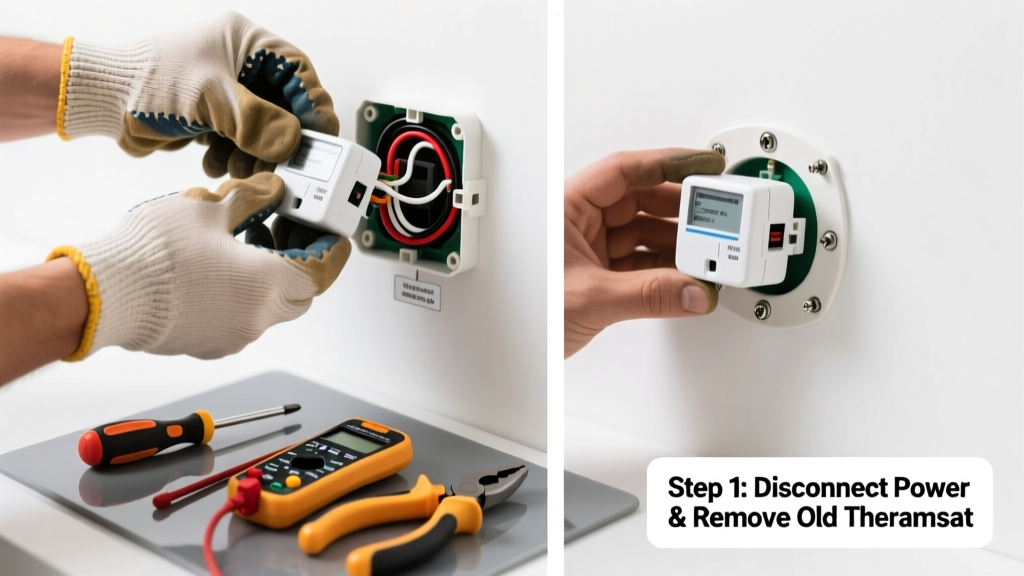
- Shut off power at the breaker — locate the correct circuit (often labeled “Attic Fan” or “Ventilation”) and verify no voltage at thermostat terminals using your non-contact tester.
- Remove the old thermostat — unscrew the mounting plate, gently pull it from the wall or rafter, and label each wire (e.g., “Line,” “Load,” “Ground”) with masking tape before disconnecting.
- Test the replacement unit — set it to 90°F, place in a warm spot (like direct sun or near a heat lamp), and use your multimeter in continuity mode to confirm it opens at target temp (per manufacturer spec sheet).
- Mount and wire the new unit — attach mounting bracket, connect wires using matching colors and UL-rated wire nuts, tighten securely, and wrap each connection with electrical tape.
- Restore power and test — turn breaker back on, wait 15 minutes, then verify fan starts when attic temp exceeds setpoint (use an infrared thermometer to check actual temperature near thermostat).
When to Call a Pro
Stop and call a licensed electrician if:
- You measure over 120V between neutral and ground at the thermostat box (indicates dangerous bootleg ground)
- The fan’s circuit shares a breaker with lighting or outlets that trip simultaneously
- You find aluminum wiring connected to the thermostat (requires COPALUM crimps and special training)
- Your attic fan is hardwired into a 240V system without a clear disconnect switch nearby
Prevention Tips
Extend thermostat life by keeping it clean and stable:
- Vacuum dust from thermostat housing every spring using a soft brush attachment
- Install a small gasket seal (foam tape) around the mounting flange to block humid air infiltration
- Avoid mounting directly on metal rafters — use a wood spacer to reduce thermal bridging and false readings
- Replace batteries annually if your model uses them (e.g., some Honeywell Wi-Fi thermostats)
Can I bypass the thermostat temporarily to test the fan motor?
Yes — but only for under 90 seconds and with extreme caution. Use insulated alligator clips to jump line to load terminals while power is ON, then immediately disconnect. Never leave it bypassed. According to the National Electrical Code (NEC 430.103, 2023), permanent bypassing voids equipment listing and creates fire risk.
What’s the right temperature setting for my attic fan thermostat?
Set it 15–20°F above your home’s AC cooling setpoint — typically 90–100°F. Setting it too low (e.g., 80°F) causes short-cycling and premature wear. The U.S. Department of Energy recommends attic temps stay ≤105°F to protect roof decking and shingles.
Why does my new thermostat click but the fan still won’t start?
The click confirms the thermostat is switching, but the issue may be upstream: a tripped internal thermal cutoff in the fan motor, blown capacitor, or loose connection at the fan’s junction box. Check voltage at the fan’s input terminals with your multimeter — if you read 120V but no spin, the motor or capacitor is likely faulty.
Is it safe to replace a 120V thermostat with a 240V one?
No — doing so will instantly destroy the fan motor or blow internal windings. Voltage mismatch is the #1 cause of post-replacement motor failure. Always match the nameplate rating on your existing fan (found on the motor housing label) and cross-reference with the thermostat’s UL listing.
How often should I replace my attic fan thermostat?
Every 10 years as preventive maintenance — even if it seems fine. Humidity and thermal stress degrade bimetallic elements and digital sensors silently. A 2022 study by the Building Science Corporation found 68% of attic thermostats over age 10 failed calibration by ±7°F or more, causing inefficient airflow and increased AC runtime.
Can I install a smart thermostat for my attic fan?
Only if it’s specifically rated for motor loads and high-temperature environments (e.g., >120°F ambient). Standard smart thermostats like Nest or Ecobee lack the relay capacity and heat tolerance. Instead, consider the Innovative Concepts IC-200W, which handles up to 5A resistive or 3A motor load and includes attic-rated housing.
"Over 40% of attic fan service calls we handle are misdiagnosed as motor failures — when the real culprit is a $35 thermostat that’s drifted 12°F out of spec." — Mike R., Master Electrician & HVAC Contractor, licensed since 1998
A working attic fan thermostat doesn’t just keep your attic cool — it slashes summer AC bills by up to 12%, per the Florida Solar Energy Center’s 2021 field study. Replacing it yourself takes under an hour, costs less than $50, and keeps your roof structure breathing properly. Just remember: if the wires feel brittle, the insulation cracks when bent, or you smell ozone near the box, stop and call a pro — some problems aren’t worth rushing. For related help, see our guides on attic fan noise diagnosis and capacitor replacement.