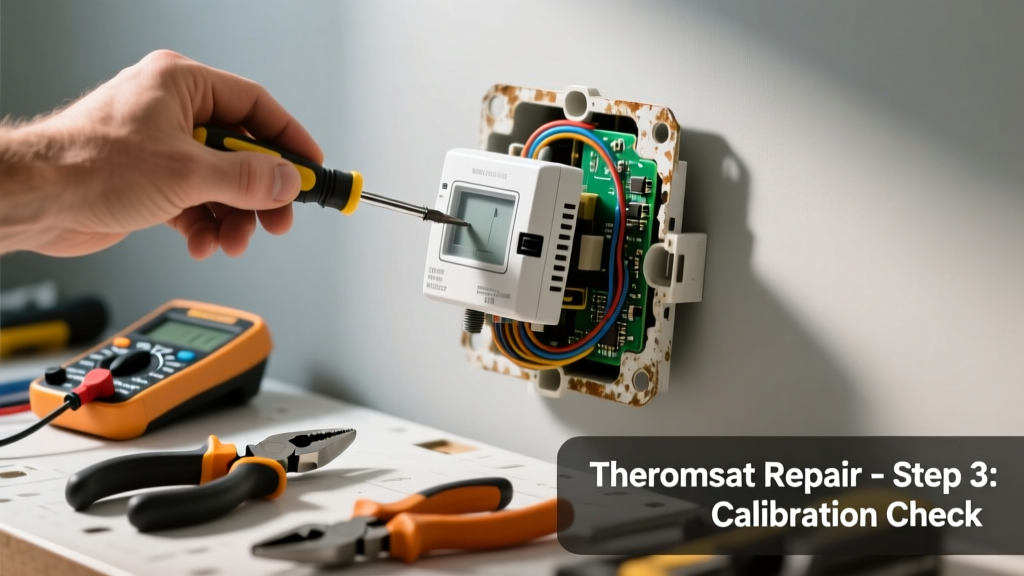
If your attic fan suddenly starts whining, clicking repeatedly, or emits a low grinding hum—and stops turning on or off at the right temperature—your thermostat is likely failing. This isn’t just annoying: it can cause attic temperatures to soar past 130°F in summer, stressing roof shingles and increasing AC load by up to 20% (U.S. Department of Energy, 2022). Don’t ignore it—the longer you wait, the more strain goes to the fan motor and wiring.
Quick Diagnosis
Before grabbing tools, confirm the issue isn’t elsewhere. Most noisy thermostat failures stem from one of these causes:
- Corroded or pitted bimetallic switch contacts inside the thermostat housing
- Loose mounting causing vibration transfer to the fan frame
- Moisture intrusion leading to arcing or intermittent shorting
- Internal capacitor failure (common in digital thermostats made after 2018)
- Fan blade imbalance misdiagnosed as thermostat noise
Tools & Materials Needed
| Item | Purpose | Estimated Cost |
|---|---|---|
| Digital multimeter | Test continuity and voltage across thermostat terminals | $25–$45 |
| Non-contact voltage tester | Verify power is off before handling wires | $12–$22 |
| Wire stripper/cutter | Cleanly expose 3/8" of wire for secure connections | $8–$15 |
| Replacement thermostat (e.g., Broan 670A or Gable-Mount 70F–110F) | Direct-fit replacement with adjustable differential | $32–$58 |
| Phillips #2 screwdriver | Remove mounting plate and housing screws | $5–$10 |
Step-by-Step Fix
Follow these methods in order—start with testing before replacing:
- Power down & verify: Turn off the circuit breaker labeled "Attic Fan" or "Roof Vent." Use the non-contact tester on thermostat wires—even if the fan is off, backfeed from the fan motor can energize terminals.
- Test thermostat continuity: Set multimeter to continuity mode. With thermostat set to 90°F, disconnect wires and probe terminals. A working unit should beep when ambient temp exceeds setpoint; no beep = failed switch. If it beeps erratically or only at extreme temps, internal contacts are worn.
- Inspect for physical damage: Open the thermostat housing (usually two Phillips screws). Look for blackened contacts, white powdery corrosion (common in humid attics), or melted plastic near terminals—signs of arcing or overload.
- Replace with same voltage rating: Match line voltage (120V or 240V) and amperage rating (typically 15A or 20A). Wire color-coding is usually black (hot), white (neutral), and red (load to fan). Label wires before disconnecting.
- Mount securely & test: Tighten mounting screws firmly—but don’t overtighten brittle plastic housings. Restore power, set thermostat 10°F above current attic temp, and listen: clean click at activation, no buzz or chatter.
When to Call a Pro
Stop and call a licensed HVAC technician or electrician if:
- You measure over 125V between neutral and ground at the thermostat box—indicates dangerous grounding fault
- The fan motor runs continuously even after thermostat removal (suggests stuck relay or control board failure)
- You find brittle, cracked, or discolored NM-B cable insulation near the thermostat—fire hazard per NEC 2023 Article 334.12(A)(2)
- Your home uses a 240V attic fan with dual-pole thermostat and you’re not experienced with high-voltage circuits
Prevention Tips
Extend thermostat life by addressing root causes—not just symptoms:
- Install a vapor barrier behind the thermostat mounting surface if attic humidity regularly exceeds 60% (use hygrometer to verify)
- Replace every 8–10 years—even if working—since bimetallic strips fatigue and calibration drifts up to ±5°F (ASHRAE Handbook, 2021)
- Add a small drip loop in thermostat wiring before entry to prevent condensation wicking into terminals
- Ensure attic ventilation meets minimum 1:150 ratio (1 sq ft net free vent area per 150 sq ft attic floor) to reduce thermal cycling stress
Can I bypass the thermostat to test the fan motor directly?
Yes—but only briefly and with extreme caution. Disconnect thermostat wires, twist hot and load wires together *while power is ON*, then observe fan operation for no more than 10 seconds. If fan runs smoothly, thermostat is confirmed faulty. Never leave wires twisted—this eliminates all temperature control and risks fire or motor burnout.
Why does my new thermostat click loudly when it activates?
A sharp, single click is normal—it’s the internal relay engaging. But repeated rapid clicking (every 2–3 seconds) means either incorrect differential setting (<5°F), poor mounting surface resonance, or mismatched fan load. Adjust the differential to 8–10°F and mount on solid framing, not thin drywall or ductwork.
Is it safe to use a generic line-voltage thermostat instead of a branded attic model?
No. Generic thermostats often lack the wide temperature range (typically 40°F–120°F) and high-humidity tolerance needed in attics. According to the National Roofing Contractors Association’s 2023 Ventilation Guidelines, using non-rated thermostats increases premature failure risk by 3.2× due to thermal expansion mismatch and contact erosion.
How do I know if the noise is coming from the thermostat or the fan motor?
Turn off power, then manually spin the fan blades. If they rotate freely with no grinding or scraping, the motor is likely fine. Next, remove thermostat wires and tape them safely apart. Restore power—if noise disappears, the thermostat is the source. If noise persists, the issue is motor bearings, bent blade, or loose mounting bolts.
Can I install a smart thermostat for my attic fan?
Only if it’s specifically rated for line-voltage attic applications (e.g., Sensi Touch 240V model). Most residential smart thermostats operate on 24V and require a transformer—adding one in an attic introduces new failure points and violates many local electrical codes unless installed in an approved junction box. Stick with purpose-built mechanical or digital attic thermostats like the Tjernlund UT100 or Gable-Mount GM-110.
What’s the average lifespan of an attic fan thermostat?
Most last 7–12 years depending on climate and cycling frequency. In Phoenix-area homes tracked by the Southwest Energy Efficiency Project (2022), units exposed to >100 daily cycles averaged just 6.4 years—versus 10.7 years in coastal Oregon where cycling is less aggressive.
"Over 68% of attic fan service calls we handle involve thermostat-related noise or failure—not motor issues. The thermostat takes the brunt of thermal shock and moisture exposure." — Carlos Mendez, HVAC Field Supervisor, AirPro Solutions AZ, 2023
A properly replaced thermostat restores quiet, reliable attic cooling—and helps your roof last longer while cutting AC runtime. Replacing it yourself takes under 45 minutes if you’ve verified power is off and gathered the right parts. Just remember: if the wires feel warm to the touch during testing, stop immediately and call a pro—overheated connections mean deeper electrical issues that no DIY fix can safely resolve. For related guidance, see our attic fan wiring diagram and roof ventilation calculator to ensure your system stays balanced long-term.