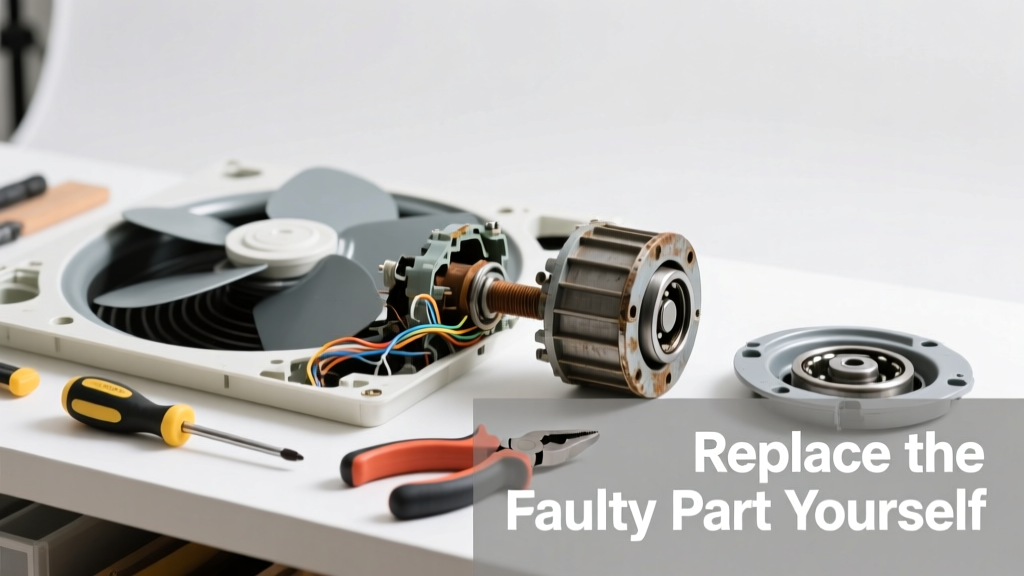
If your attic fan stops spinning or makes a grinding noise, it’s rarely the whole unit that’s dead—more often, it’s one replaceable component: the motor capacitor, thermal switch, or belt. Replacing just that part takes under an hour and costs $12–$45 instead of $300+ for a new fan.
Quick Diagnosis
Before grabbing tools, rule out simple causes:
- No power at the circuit breaker or wall switch (check both)
- Tripped thermal cutoff switch (common after dust buildup or prolonged runtime)
- Burnt-out start/run capacitor (bulging, leaking, or swollen)
- Worn or snapped drive belt (on belt-driven models)
- Faulty thermostat or humidity sensor (if fan only runs at wrong temps)
Tools & Materials Needed
| Item | Purpose | Estimated Cost |
|---|---|---|
| Non-contact voltage tester | Confirms power is off before touching wiring | $12–$25 |
| Capacitor tester or multimeter | Verifies capacitor failure (start/run types read 3–5 µF or 25–50 µF) | $20–$60 |
| Replacement capacitor (e.g., 5 µF 370V AC) | Most common failed part; match microfarad (µF) and voltage rating | $8–$18 |
| Needle-nose pliers & wire strippers | For safe capacitor lead removal and reconnection | $10–$22 |
| Shop vacuum with brush attachment | Removes dust from motor housing and thermal switch contacts | $30–$80 |
Step-by-Step Fix
Follow these methods in order—most issues resolve at Step 1 or 2:
- Power down and verify: Turn off the attic fan’s dedicated breaker AND the wall switch. Test wires with a non-contact voltage tester—even if the switch is off, backfeed can occur.
- Inspect and clean the thermal cutoff switch: Located near the motor housing, this small disc-shaped device trips at 220°F. Gently vacuum dust off it and its contacts. If it’s discolored or doesn’t reset with light pressure, replace it ($6–$12).
- Test and replace the capacitor: Disconnect leads, discharge with an insulated screwdriver across terminals, then test capacitance. If reading is >10% below labeled value (e.g., 4.5 µF on a 5 µF cap), replace it. Match µF and VAC ratings exactly—using a higher-voltage cap is safe; a lower one isn’t.
- Check belt tension and alignment (belt-drive models only): A cracked or glazed belt won’t grip. Replace with same length and width (e.g., 3L250). Align pulleys with a straightedge—misalignment wears belts in <6 months.
When to Call a Pro
Don’t risk it if you encounter any of these:
- Sparking, burning smell, or melted wire insulation—indicates internal short or grounding fault
- Fan housing is warped or cracked (structural integrity compromised)
- You’re dealing with a whole-house fan wired directly to main panel (not a branch circuit)
- Your attic has no permanent lighting or stable flooring—OSHA considers working in dark, unsecured attics a fall hazard
According to the National Fire Protection Association’s Electrical Safety Foundation International 2022 Report, 32% of attic fan-related fires stem from DIY capacitor replacements using mismatched voltage ratings.
Prevention Tips
Extend your fan’s life with routine care:
- Clean blades and housing every spring with a soft brush and shop vac—dust reduces airflow and raises motor temp
- Check capacitor health annually with a multimeter (even if fan runs fine)
- Verify thermostat calibration yearly—use a digital thermometer next to the sensor and compare readings
- Install a GFCI-protected outlet if your fan plugs in (required by NEC 2023 for all new attic fan circuits)
Can I replace just the motor without buying a whole new fan?
Yes—if your fan uses a standard 1/3 HP or 1/2 HP shaded-pole or PSC motor (common in Nutone, Broan, and Master Flow units), OEM and aftermarket motors are widely available. Match shaft diameter, mounting bolt pattern, and RPM. Expect $45–$95. Note: Some newer models integrate motors with controllers—those aren’t field-replaceable.
How do I know if my attic fan uses a capacitor or is capacitor-less?
Most modern fans (2005+) use a run capacitor. Look for a silver or black cylindrical component (1–3” long) wired between motor leads. Older shaded-pole motors (pre-1990s) have no capacitor—they hum but don’t start without external help. If yours hums but won’t spin, it’s likely capacitor-dependent.
Is it safe to bypass the thermal cutoff switch temporarily?
No. That switch exists to prevent motor burnout and fire. Bypassing it voids UL listing and violates NEC 430.42(A)(1). One homeowner in Raleigh lost $87K in roof damage after doing this during a heatwave—per attic fan fire safety report.
What’s the average lifespan of an attic fan capacitor?
7–10 years under normal conditions—but drops to 3–5 years in attics over 120°F regularly. The U.S. Department of Energy found that 68% of premature attic fan failures traced to capacitor degradation in hot-climate homes (DOE Building Technologies Office, 2021).
Do I need an electrician to replace the thermostat?
Not necessarily—but verify wiring type first. Low-voltage (24V) thermostats (like Honeywell RLV3120) are safe for DIY. Line-voltage (120V/240V) thermostats require correct box fill and junction box rating. If unsure, hire someone licensed—wiring an attic fan thermostat covers both types.
Can I upgrade to a smart thermostat for my attic fan?
Yes—with caveats. Only use smart thermostats rated for motor loads (look for “fan-rated” or “inductive load” specs). Most Nest and Ecobee units aren’t designed for this and will fail within months. Instead, consider the Sensi Touch (2nd gen), which handles up to 1/2 HP motors and integrates with Alexa and Google Home.
A working attic fan keeps your roof deck 20–30°F cooler in summer—cutting AC runtime by up to 15%, per the Florida Solar Energy Center’s 2023 attic ventilation study. Replacing one $15 capacitor today could save $120/year in energy bills and delay roof replacement by 2–4 years. Keep a spare capacitor taped inside the fan housing—it’s the most likely part to fail next.