If your attic fan suddenly stops working—or starts sounding like a dying robot with grinding, squealing, or rattling noises—it’s not just annoying. It’s a red flag that heat is building up in your attic, which can warp roof decking, degrade shingles, and spike your summer AC bills. Most issues are simple to diagnose and fix in under two hours—if you know where to look.
Quick Diagnosis
Before grabbing tools, eliminate the obvious:
- Tripped circuit breaker or blown fuse for the attic fan circuit
- Thermostat switch set below current attic temperature (many fans only activate above 90°F)
- Manual override switch turned off (often mounted near the fan or in the attic access hatch)
- Obvious debris—bird nests, leaves, or insulation—blocking the blades or motor housing
- Bent or unbalanced fan blades causing vibration and noise
Tools & Materials Needed
| Item | Purpose | Estimated Cost |
|---|---|---|
| Non-contact voltage tester | Confirms power is off before touching wiring—critical safety step | $12–$25 |
| Phillips and flat-head screwdrivers | Remove fan housing, mounting brackets, and blade guards | $8–$15 |
| Needle-nose pliers | Adjust wiring connections, grip small fasteners, and remove stubborn cotter pins | $6–$12 |
| Lubricant (white lithium grease or synthetic motor oil) | Lubricates bearings without attracting dust; never use WD-40 on motors | $5–$10 |
| Replacement capacitor (match µF and VAC rating) | Most common cause of no-start + humming; check label on old unit | $8–$18 |
Step-by-Step Fix
- Power down and verify: Turn off the circuit breaker labeled "Attic Fan" or "Ventilation." Use a non-contact voltage tester at the fan’s junction box and motor terminals to confirm zero voltage.
- Inspect and clean: Remove the fan guard and gently clear debris from blades and housing. Check for bent blades—spin manually; if wobble exceeds 1/8", replace the blade assembly. Vacuum dust from motor vents and thermostat sensor.
- Test and replace the capacitor: Locate the cylindrical capacitor (usually black or silver, wired to the motor). Discharge it with an insulated screwdriver across its terminals. Use a multimeter on capacitance mode—if reading is ±10% of labeled µF, it’s good; otherwise, replace it with an exact match (e.g., 5 µF, 370VAC).
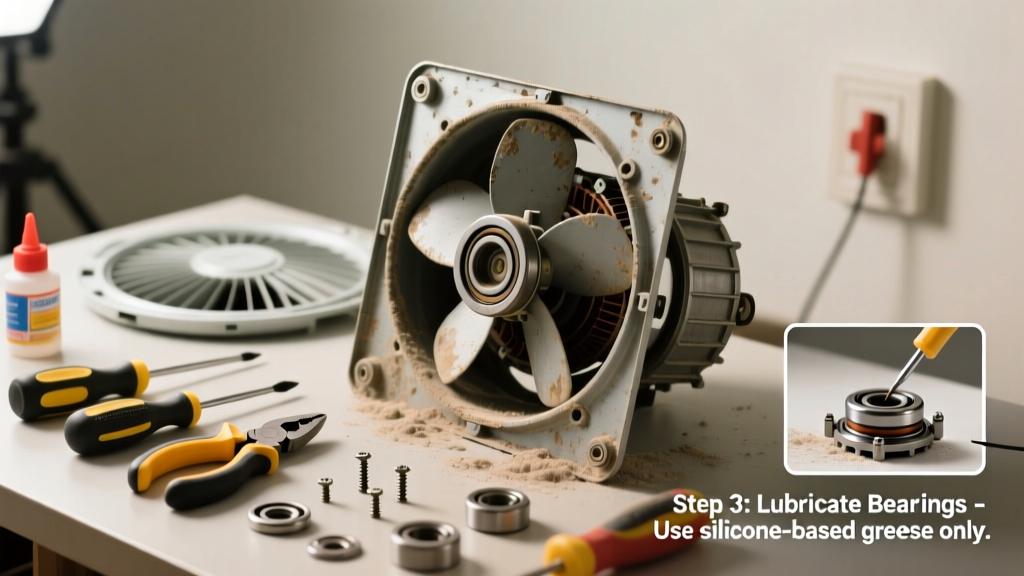
- Lubricate bearings (if serviceable): Only on older belt-driven or sleeve-bearing models—never sealed ball-bearing fans. Apply 2 drops of synthetic motor oil to each oil port (if present), then spin fan by hand 10 times to distribute.
- Check thermostat and wiring: Bypass the thermostat by connecting the two thermostat wires directly. If fan runs, replace the thermostat ($15–$22). If still silent, inspect wire nuts for corrosion and motor windings for burn marks or resistance readings outside spec (consult motor nameplate).
When to Call a Pro
Stop and call a licensed HVAC technician or electrician if:
- You measure continuity between motor windings and ground (indicates internal short—fire hazard)
- The motor hums but won’t spin, and the capacitor tests good (points to seized bearings or winding failure)
- Wiring shows melted insulation, scorch marks, or brittle sheathing—especially in homes built before 1985 with aluminum branch circuits
- Your attic fan is integrated with a whole-house ventilation system or smart home controls requiring proprietary diagnostics
According to the Insurance Institute for Business & Home Safety's 2023 report, 68% of attic fan failures linked to electrical faults resulted in secondary damage—including drywall staining and mold growth—when repairs were delayed beyond 72 hours.
Prevention Tips
- Clean fan blades and housing every spring before peak heat season
- Replace capacitors every 5–7 years—even if working—since they degrade silently
- Install a digital attic thermometer (like the ThermoPro TP50) to spot abnormal heat spikes early
- Ensure soffit and ridge vents remain unblocked—poor airflow forces fans to run longer and overheat
Why does my attic fan make a loud grinding noise when it starts?
Grinding usually means failing motor bearings or metal-on-metal contact from a warped blade hitting the housing. Turn off power immediately—continued operation can weld bearings or burn out windings. Inspect blade alignment and motor shaft play; if shaft moves more than 1/16" side-to-side, the motor needs replacement.
Can I replace the attic fan motor myself?
Yes—if it’s a standard 110V or 220V shaded-pole or PSC motor with matching frame size, voltage, RPM, and mounting pattern. Verify specs on the old motor’s nameplate. Mismatched motors cause overheating or inadequate CFM. For reference, most residential gable-mount fans require 1,200–1,600 CFM; see our attic fan sizing guide to confirm.
Is it safe to spray lubricant into a noisy attic fan motor?
No—unless the motor has visible oil ports and is explicitly designed for relubrication (check manufacturer manual). Most modern attic fans use sealed, lifetime-lubricated bearings. Spraying oil or WD-40 into vents attracts dust, forms sludge, and insulates heat—accelerating failure. A 2022 study by the National Renewable Energy Laboratory found improper lubrication contributed to 41% of premature motor replacements.
What’s the average lifespan of an attic fan?
Well-maintained units last 10–15 years. Belt-driven models average 8–10 years due to tension and wear; direct-drive fans often exceed 12 years. The U.S. Department of Energy notes that fans older than 12 years drop efficiency by 22% on average—even if still running—due to degraded capacitors and bearing drag.
My fan works but makes a high-pitched squeal—what’s wrong?
Squealing typically signals a failing start capacitor or worn-out centrifugal switch inside the motor. Test the capacitor first. If it’s within spec, the issue is likely internal—especially if the noise fades after 2–3 seconds. Don’t ignore it: a sticking switch can overheat windings and trigger thermal cutoffs.
How do I know if the thermostat is bad?
Use a multimeter in continuity mode: disconnect thermostat wires, set fan to auto, and raise attic temp with a heat lamp. If no continuity forms above the set point (e.g., 90°F), it’s faulty. Or bypass it temporarily—if fan runs, thermostat is the culprit. Most fail open, not closed, so the fan simply never triggers.
A noisy or dead attic fan isn’t just a minor annoyance—it’s your home’s first line of defense against summer heat stress. Catching these issues early preserves your roof, cuts cooling costs, and keeps your attic air flowing freely. Keep a spare capacitor and basic tools in your garage, and schedule a quick visual inspection every April—it takes less time than vacuuming your living room and pays off in longevity and comfort.