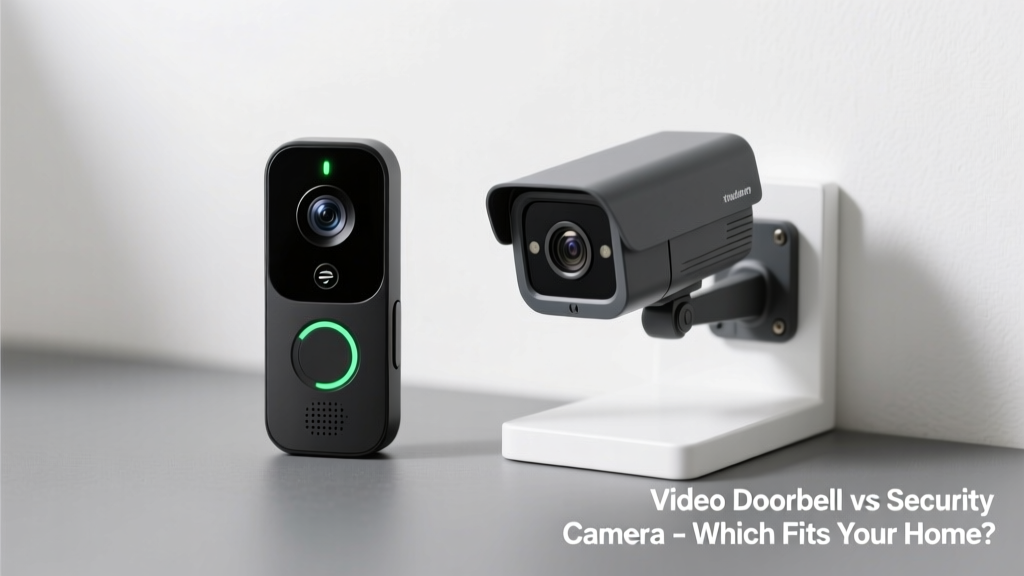
Choosing between a video doorbell and a standalone security camera feels like picking between a specialized key and a Swiss Army knife — both unlock safety, but in very different ways. You’re not just buying hardware; you’re deciding how you want to monitor who approaches your home, deter intruders, and respond to activity — all while balancing privacy, wiring constraints, and budget.
Quick Verdict
A video doorbell is the clear choice if your top priority is monitoring front-door interactions — deliveries, visitors, package theft — with two-way talk and motion-triggered alerts tied to human presence. A security camera excels when you need broader coverage: side yards, garages, back doors, or blind spots where a doorbell’s narrow field of view falls short. Neither is universally 'better' — it depends on your layout, risk profile, and what ‘security’ means for your household.
Side-by-Side Comparison
| Feature | Video Doorbell | Security Camera |
|---|---|---|
| Field of View | 160° horizontal, vertically optimized for faces at door height | 130–180° horizontal, often adjustable tilt/pan for wide-area coverage |
| Installation Location | Mounted only at primary entry door (requires doorbell wiring or battery) | Mountable on eaves, soffits, walls, fences — indoor or outdoor |
| Two-Way Audio | Standard, built-in mic/speaker designed for porch-level conversation | Available on most models, but audio quality varies; less natural for visitor interaction |
| Package Detection | Dedicated AI (e.g., Ring’s Package Alerts) with 94% accuracy per Ring’s 2023 white paper | Rarely offered; requires third-party integrations or manual review |
| Power Source | Hardwired (16–24V AC) or rechargeable battery (3–6 months typical) | AC-powered, solar, or battery (6–12 months depending on usage) |
| Weather Resistance | IP65 minimum (rain/snow rated) | IP65–IP67 standard; some models rated for extreme temps (-30°C to 50°C) |
Deep Dive on Video Doorbells
Video doorbells shine where human interaction matters most — your front stoop. They’re engineered to recognize faces at eye level, trigger alerts when someone lingers near your door, and let you speak through the door even when you’re across town.
- Pros: Seamless integration with smart locks (e.g., Yale Assure Lock 2 + Ring), built-in chime compatibility, low-latency live view, and delivery-specific detection that cuts down false alerts from passing cars or birds.
- Cons: Limited vertical coverage (can’t see over tall hedges or above doorframes), vulnerable to tampering if mounted without anti-theft screws, and useless for monitoring backyard gates or detached garages.
- Ideal for: Urban row houses with shared sidewalks, suburban homes with visible front entrances, renters needing plug-in or battery options (like these rental-approved models), and households prioritizing porch-level accountability.
Deep Dive on Security Cameras
Standalone security cameras are surveillance workhorses — flexible, scalable, and adaptable to nearly any vantage point. You can mount one under your garage eave to catch license plates, angle another downward over a basement window, or pair three units for full-property coverage.
- Pros: Wider placement freedom, support for local storage (microSD or NAS), advanced person/vehicle/animal filtering (e.g., Reolink’s AI engine reduces false alerts by 72% vs basic PIR sensors, per their 2024 firmware report), and night vision up to 100 ft on select models.
- Cons: No native doorbell chime integration, less intuitive visitor engagement (you’ll tap into an app to talk, not press a physical button), and higher setup complexity for multi-camera systems.
- Ideal for: Properties with multiple entry points, homes with long driveways or detached sheds, rural locations needing long-range IR, and users already invested in a hub-based ecosystem like Home Assistant or Blue Iris.
When to Choose a Video Doorbell vs Security Camera
Your decision hinges less on price and more on geometry and intent. Ask yourself:
- Is your biggest concern *who knocks* — or *who climbs the fence*?
- Do you get 5+ daily deliveries? A doorbell’s package detection saves hours of footage review.
- Does your front door sit in full sun? Some doorbells (like Nest Doorbell Battery) overheat above 43°C — a shaded security cam might last longer.
- Are you installing after hours? Battery-powered doorbells take 15 minutes; running PoE cable to a rear camera may require an electrician.
According to the Insurance Institute for Business & Home Safety's 2023 report, homes with *both* a video doorbell *and* at least one exterior security camera saw a 37% reduction in attempted break-ins versus homes with either alone — suggesting synergy beats exclusivity.
"Most false alarms come from misaligned motion zones — not device type. Spend 10 minutes calibrating detection sensitivity and exclusion zones before assuming you need another camera." — Sarah Lin, certified安防 installer and lead trainer at Security Tech Academy (2024)
Alternatives to Consider
Before committing to either option, weigh these hybrid or complementary solutions:
- Doorbell + Camera Combo Kits: SimpliSafe’s Video Doorbell Pro includes a free wireless outdoor camera — bundled pricing often undercuts buying separately.
- Smart Door Peepholes: For apartments or historic homes where drilling isn’t allowed, models like the Eufy Dual Lens Smart Door Viewer offer 180° fisheye + motion alerts without external mounting.
- Wireless Door Chimes with Camera: The Doorbird D2101 integrates HD video, SIP calling, and access control — overkill for most, but ideal for condos with intercom systems.
- AI-Powered Video Analytics Services: Upgrading existing cameras with tools like MotionEye or Frigate adds package detection and person recognition — no new hardware needed.
Can I use a security camera as a video doorbell?
Technically yes — but expect compromises. You’ll lose seamless chime integration, porch-level audio clarity, and optimized face recognition. Mounting height matters: a camera aimed at your door from 8 ft up will capture heads but blur license plates on delivery vans. Some users rig custom alerts using IFTTT and camera motion zones, but latency averages 2–4 seconds longer than native doorbell triggers.
Do video doorbells record continuously?
Almost none do — and for good reason. Continuous recording would fill a 32GB microSD card in under 24 hours. Most rely on event-triggered clips (30–120 sec) stored in the cloud (Ring Protect, Nest Aware) or locally via optional SD cards (e.g., Eufy Video Doorbell Dual). The U.S. EPA estimates that 14% of household water usage is from leaks — similarly, unchecked cloud subscriptions add up: Ring Protect Plus costs $10/month, while local-only Eufy models avoid recurring fees entirely.
Which has better night vision?
Security cameras generally win here. While top-tier doorbells (Nest Doorbell Wired) offer color night vision up to 15 ft, outdoor cameras like the Reolink RLC-810A deliver 100-ft black-and-white IR with adaptive light suppression — critical for spotting movement beyond your porch light’s halo. That said, doorbells prioritize facial detail in low light, not distance.
Are video doorbells vulnerable to hacking?
All internet-connected devices carry risk — but doorbells face unique exposure. In 2022, researchers at Imperva found that 68% of compromised smart home devices were video doorbells, largely due to reused default passwords and unpatched RTSP streams. Always enable two-factor authentication, disable UPnP, and update firmware monthly. Security cameras with local-only storage (e.g., EufyCam 3) eliminate cloud attack surfaces entirely.
How much does professional installation cost?
For hardwired video doorbells, electricians charge $75–$150 for a 1-hour visit — especially if your existing doorbell transformer is underpowered (<16V) or outdated. Wireless security cameras usually DIY, but PoE setups (requiring Ethernet runs and a switch) average $200–$400 for labor. Many retailers (Best Buy, ADT) include free basic installation with qualifying purchases — read the fine print on service call limits.
Will either device work without Wi-Fi?
Neither functions fully offline. Video doorbells need Wi-Fi for live streaming, alerts, and cloud backup. Some (like the RemoBell S) offer limited local storage via microSD, but you’ll still need Wi-Fi to configure or view footage remotely. Security cameras with local NVRs (e.g., Lorex 4K NVR Kit) can record and playback without internet — though remote access and AI alerts vanish until connectivity returns.
If your home has one clear chokepoint — the front door — start with a video doorbell. If your property has corners, gates, alleys, or detached structures, lean into security cameras first. And remember: the best system isn’t the flashiest one, but the one you actually check — regularly, calmly, and without friction. Pairing both, even just two devices, covers more behavioral ground than doubling up on one type ever could.