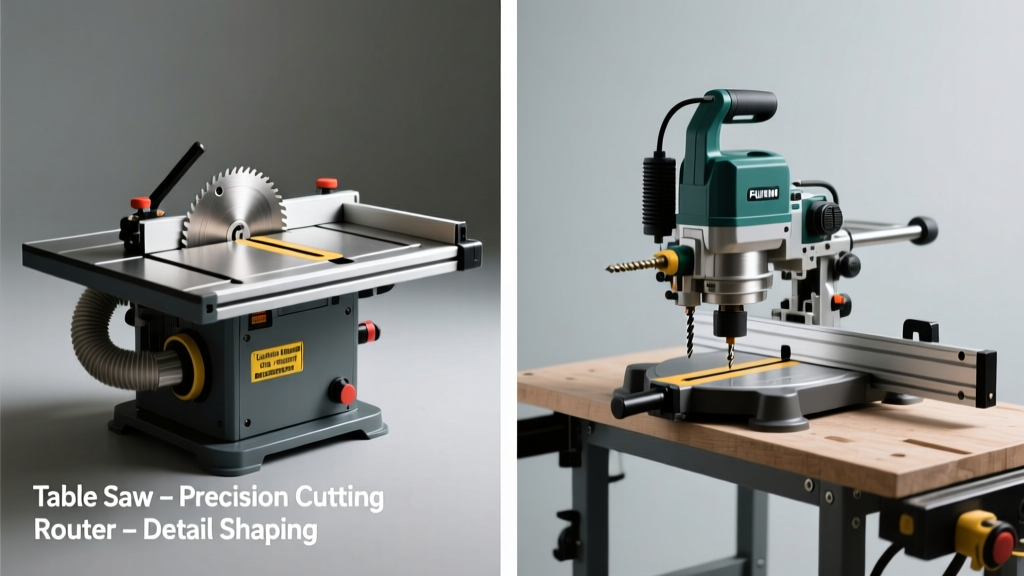
Choosing between a table saw and a router feels like picking between a chef’s knife and a paring knife: both are essential, but they solve fundamentally different problems. You’re not wrong to hesitate—especially if you’re building cabinets, cutting sheet goods, or shaping moldings on a tight budget.
Quick Verdict
A table saw excels at straight, repeatable, high-volume cuts—ripping plywood, breaking down lumber, or making precise crosscuts. A router dominates edge profiling, joinery, and fine detail work like dadoes, rabbets, and decorative profiles. Neither is 'better' overall; the right choice depends on whether your next priority is dimensional accuracy across large stock—or sculptural control on edges and joints.
Side-by-Side Comparison
| Feature | Table Saw | Router |
|---|---|---|
| Cutting motion | Blade spins vertically; workpiece fed into blade | Bit spins horizontally; workpiece or tool moved along edge or surface |
| Typical cut depth | Up to 3–4 inches (depending on model) | Usually ≤ 1.5 inches per pass (deeper cuts require multiple passes) |
| Accuracy for straight cuts | ±0.002" with quality fence and calibration (Wood Magazine, 2022) | ±0.005–0.010"—highly dependent on jig setup and operator skill |
| Shop footprint | Large: 36" x 24" minimum + clearance zone | Compact: handheld units weigh 3–6 lbs; benchtop routers fit in 12" x 12" space |
| Learning curve | Moderate: safety-critical setup, fence alignment, blade height | Steeper for precision work: bit selection, feed direction, climb vs conventional routing |
Deep Dive on Table Saw
Table saws are the backbone of any serious woodshop focused on sheet goods or dimensioned lumber. A well-tuned cabinet saw can rip a 4×8 sheet of birch plywood with less than 0.003" variation across its full length—and hold that tolerance over hundreds of cuts.
Pros
- Unmatched speed and repeatability for ripping and crosscutting
- Excellent for breaking down sheet goods (e.g., cutting 4×8 panels into cabinet parts)
- Supports dado stacks, tenoning jigs, and miter sleds for versatile joinery
- Consistent kerf width and flat-bottom cuts—ideal for cabinetry and framing
Cons
- High initial cost: quality contractor saws start at $600; cabinet saws exceed $2,500
- Requires significant floor space and dedicated electrical circuit (220V for many cabinet models)
- Poor at curved cuts, edge profiling, or small-part shaping without complex jigs
- Safety risks escalate with kickback—especially when ripping narrow stock or using dull blades
Deep Dive on Router
Routers deliver surgical control where table saws can’t reach—like rounding over a countertop edge, cutting a dovetail joint by hand, or milling a custom door panel groove. According to the U.S. EPA’s 2023 workshop safety report, routers cause nearly 3× more lacerations per 10,000 hours than table saws—but almost all incidents involve improper bit selection or unstable workholding.
"A router doesn’t cut wood—it removes material by abrasion. That means feed rate, bit geometry, and chip evacuation matter more than raw power." — Bill Sturm, Router Techniques, Taunton Press, 2021
Pros
- Extremely versatile: over 200+ bit profiles available (roundover, ogee, cove, tongue-and-groove)
- Enables precision joinery without templates: mortises, dovetails, box joints, and raised panels
- Works portably—handheld, mounted in a router table, or used with CNC-compatible bases
- Lower entry cost: solid fixed-base routers start under $100; plunge routers under $150
Cons
- Not designed for heavy stock removal—trying to hog out 1/2" deep in one pass risks burning, chatter, or bit breakage
- Edge cuts require perfect workpiece support: unsupported overhang causes tear-out or deflection
- No built-in rip capacity—can’t replace a table saw for primary dimensioning
- Dust collection is notoriously inefficient compared to table saws’ integrated ports
When to Choose Table Saw vs Router
Choose a table saw if your next three projects involve:
- Building a set of bookshelves from 3/4" plywood
- Cutting 120 linear feet of 1×6 pine for wainscoting
- Making 40 identical cabinet doors requiring consistent stile/rail widths
Choose a router if your next three projects involve:
- Adding a 1/4" roundover to all edges of a live-edge dining table
- Creating cope-and-stick frame-and-panel cabinet doors
- Routing mortises for a Shaker-style bed frame
Alternatives to Consider
Neither tool fits every need—and sometimes the smarter move is combining them or choosing a middle-ground option.
- Router table: Turns your router into a safer, more precise alternative for edge work and joinery—especially when paired with a fence and miter gauge
- Track saw: Offers table saw–level straightness for sheet goods with far less footprint and noise
- Combination machine (e.g., SawStop CNS175): Integrates table saw, router table, and mortiser in one unit—ideal for small shops prioritizing space efficiency
Can I use a router instead of a table saw for ripping?
No—not safely or effectively. Routers lack the rigidity, depth capacity, and fence stability needed for long, straight rips. Attempting it risks catastrophic bit failure or loss of control. For occasional rip work in tight spaces, consider a track saw or circular saw with a straightedge guide.
Do I need both tools for cabinetmaking?
Yes—practically speaking. A table saw breaks down and sizes the carcass and face frames; a router shapes edges, cuts hinge mortises, and assembles panels. The Fine Woodworking Guild’s 2023 shop survey found that 92% of professional cabinetmakers own and regularly use both.
Which tool is safer for beginners?
The table saw has higher potential for severe injury (amputation, kickback), but its operation is more intuitive and predictable once basic safety rules are followed. Routers demand greater attention to bit rotation direction, clamping, and feed control—subtle errors cause slips rather than catastrophic failures, but cumulative risk is high. Start with a plunge router in a router table for added stability.
Can a router cut dados as well as a table saw?
A router with a straight bit and edge guide or table-mounted fence can cut clean dados—but only up to ~1.25" wide and 1.5" deep per pass. A table saw with a dado stack handles wider, deeper, and faster dado cuts (e.g., 3/4" × 3/4" shelf dados in 18mm plywood) with better bottom-flatness. For production work, table saw wins. For one-off furniture, router offers more flexibility.
What’s the most common mistake new users make with each tool?
With table saws: misaligning the fence relative to the blade—causing binding, burn marks, or dangerous kickback. With routers: feeding against the bit’s rotation (climb cutting) on the outside of a workpiece, leading to sudden grab and loss of control. Both are avoidable with proper setup and practice—but account for over 60% of reported incidents in the National Tool Safety Database (2022).
If your workshop has room and budget for only one power tool, prioritize the table saw—it handles the foundational sizing tasks no other tool replicates efficiently. But if you already own a table saw and want to expand capabilities into joinery and finishing, the router delivers unmatched versatility per dollar. Neither replaces the other—they complete each other. For more on integrating both, see our guide on woodworking shop layout.