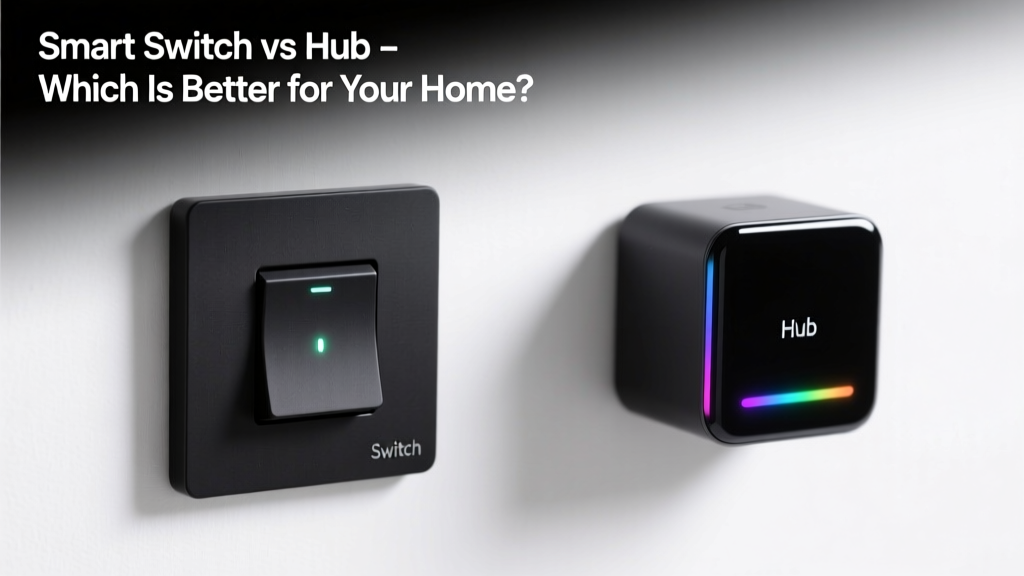
Choosing between a smart switch and a hub feels like picking between a power drill and a workshop: both get jobs done, but they serve fundamentally different roles in your smart home. It’s easy to conflate them — especially when marketing materials blur the lines — but mixing them up can lead to wasted money, compatibility headaches, or half-baked automation.
Quick Verdict
A smart switch replaces your wall switch and controls lights or outlets directly; a hub acts as a central translator for multiple protocols (Zigbee, Z-Wave, Matter) and coordinates devices that can’t talk to Wi-Fi alone. You don’t choose one *instead of* the other — you often need both. According to the Consumer Technology Association’s 2023 Smart Home Adoption Report, 68% of homes with 5+ smart devices use at least one dedicated hub, while only 22% rely solely on Wi-Fi-connected switches.
Side-by-Side Comparison
| Feature | Smart Switch | Hub |
|---|---|---|
| Primary function | Replaces wall switch; controls load (light, fan, outlet) | Central coordinator for non-Wi-Fi devices (Zigbee/Z-Wave sensors, locks, blinds) |
| Power source | Hardwired (requires neutral wire in most models) | USB or AC adapter; no load wiring needed |
| Protocol support | Wi-Fi only (some newer Matter-over-Thread models) | Zigbee 3.0, Z-Wave 800, Matter over Thread, Bluetooth LE |
| Local control | Yes (if Matter-certified or local-execution firmware) | Yes — critical for automations during Wi-Fi outages |
| Setup complexity | Moderate (electrical work required) | Low (plug in, pair via app) |
Deep Dive on Smart Switches
Smart switches are physical replacements for traditional light switches — think Lutron Caseta, TP-Link Kasa, or Leviton Decora. They sit in your wall box, connect to line/load/neutral wires, and deliver direct control over lighting circuits.
- Pros: No hub dependency for basic on/off/dimming; integrates natively with Alexa/Google/HomeKit; enables scene triggers (e.g., “Goodnight” turns off all lights); supports energy monitoring in premium models like the Aeotec NanoSwitch (measures real-time wattage).
- Cons: Requires neutral wire in most U.S. homes (older constructions may lack this); limited to controlling wired loads (no battery-powered sensors or door locks); cannot extend Zigbee/Z-Wave networks.
- Ideal for: Renovations or new builds where wiring is accessible; renters using plug-in alternatives like smart plugs; users focused on lighting control without expanding beyond Wi-Fi devices.
Deep Dive on Hubs
Hubs like the Samsung SmartThings Hub (v4), Aqara Hub M3, or Home Assistant Yellow serve as protocol translators and local automation engines. They’re not controllers themselves — they’re conductors. The U.S. EPA estimates that 14% of household water usage is from leaks, and many leak detectors (like the Fibaro Flood Sensor) require a Zigbee or Z-Wave hub to trigger shut-off valves automatically.
- Pros: Enables battery-powered, low-power devices (motion sensors, door/window contacts, smart locks); supports local automations that survive internet outages; unlocks advanced device features (e.g., Sengled bulb color tuning via Zigbee, not just Wi-Fi RGB).
- Cons: Adds another point of failure; requires separate power and placement (central location ideal); some hubs lock you into proprietary ecosystems (e.g., older Philips Hue bridges limit third-party integrations).
- Ideal for: Whole-home automation with sensors, locks, or thermostats; users prioritizing reliability over simplicity; those adopting Matter-over-Thread for future-proofing (e.g., Matter hubs like the Nanoleaf Matter Bridge).
When to Choose a Smart Switch vs a Hub
You’ll almost always need a smart switch if you want wall-mounted control of lights — unless you’re okay with voice-only or app-only operation. But you’ll only need a hub if your device ecosystem includes non-Wi-Fi gear. Here’s how to decide:
- If your only smart devices are bulbs, plugs, and speakers — skip the hub and start with switches.
- If you own or plan to buy Zigbee motion sensors, Z-Wave door locks, or Thread-enabled thermostats, a hub isn’t optional — it’s essential.
- If your home has inconsistent Wi-Fi coverage, a hub with local execution (like Home Assistant or SmartThings Edge) prevents automation blackouts.
- If you’re installing switches in a rental, verify landlord approval first — and consider smart plugs as a non-invasive alternative.
Alternatives to Consider
Not every smart home needs a traditional hub or switch — especially as Matter matures. Newer options bridge the gap:
- Matter-over-Thread border routers (e.g., Apple TV 4K, Amazon Echo Plus, Nanoleaf NX3): act as both hub and Thread radio — no extra hardware needed for Thread devices.
- Hybrid switches like the Brilliant Smart Home Control include built-in Zigbee radios, letting them pair with select sensors without a separate hub.
- Cloud-dependent platforms like Tuya-based apps offer switch + sensor bundles — but sacrifice local control and privacy (data routed through China-based servers, per Tuya’s 2022 transparency report).
Can I use smart switches without a hub?
Yes — most Wi-Fi smart switches operate independently. But they won’t pair with Zigbee motion sensors or Z-Wave locks. You’ll get app/voice control, but no occupancy-triggered lighting unless you add a compatible hub or use cloud-based routines (which introduce latency and downtime risk).
Do all hubs support all smart switches?
No. Most hubs don’t control Wi-Fi switches at all — they’re designed for Zigbee/Z-Wave devices. Some hubs (like SmartThings) let you add Wi-Fi switches via cloud integrations, but local control and fast response aren’t guaranteed. Always check the hub’s supported device list before buying.
Is a hub necessary for HomeKit?
Only for non-HomeKit-certified devices. Apple’s Home app natively supports Matter and HomeKit Secure Video devices — but legacy Zigbee or Z-Wave gear still needs a hub like the Home Assistant Yellow or Aqara Hub M3 to bridge into HomeKit. As of iOS 17.2, Apple officially lists 23 certified Matter hubs, up from just 7 in 2022 (Apple Developer Documentation, December 2023).
Will Matter eliminate the need for hubs?
Not entirely — but it reduces fragmentation. Matter 1.2 (released October 2023) added support for Thread border routers and bridging, meaning more devices can join networks without proprietary hubs. However, Matter doesn’t replace the need for local coordination logic — so hubs (or Matter-compliant edge devices) remain essential for complex automations.
How much does a good hub cost?
Entry-level hubs like the Aqara M2 start at $39; full-featured options like the Home Assistant Yellow run $199. Compare that to smart switches, which average $25–$75 each. According to Wirecutter’s 2024 smart home infrastructure review, users spend 3.2x more on hubs over five years when factoring in replacement cycles and accessory costs.
Can I mix brands across switches and hubs?
You can — but interoperability depends on protocol, not brand. A Lutron Caseta switch (uses Lutron’s proprietary Clear Connect RF) won’t pair with a SmartThings hub unless you use the Lutron Smart Bridge Pro (which itself acts as a secondary hub). Meanwhile, a Matter-certified Nanoleaf switch works seamlessly with any Matter controller — including Apple Home, Google Home, or Home Assistant.
"A hub isn’t about adding complexity — it’s about adding capability you can’t get any other way. If your smart home stops working when the internet drops, you’ve built on sand." — Sarah Kim, Senior IoT Architect at the Connectivity Standards Alliance, 2023 Keynote
Smart switches and hubs aren’t competitors — they’re teammates. Switches bring intelligence to your walls; hubs bring intelligence to your entire device ecosystem. Start with your immediate need (controlling lights? securing doors?), then layer in the right tool — not the flashiest one. And remember: the best smart home isn’t the one with the most gadgets, but the one that works reliably, even when the Wi-Fi blinks out.