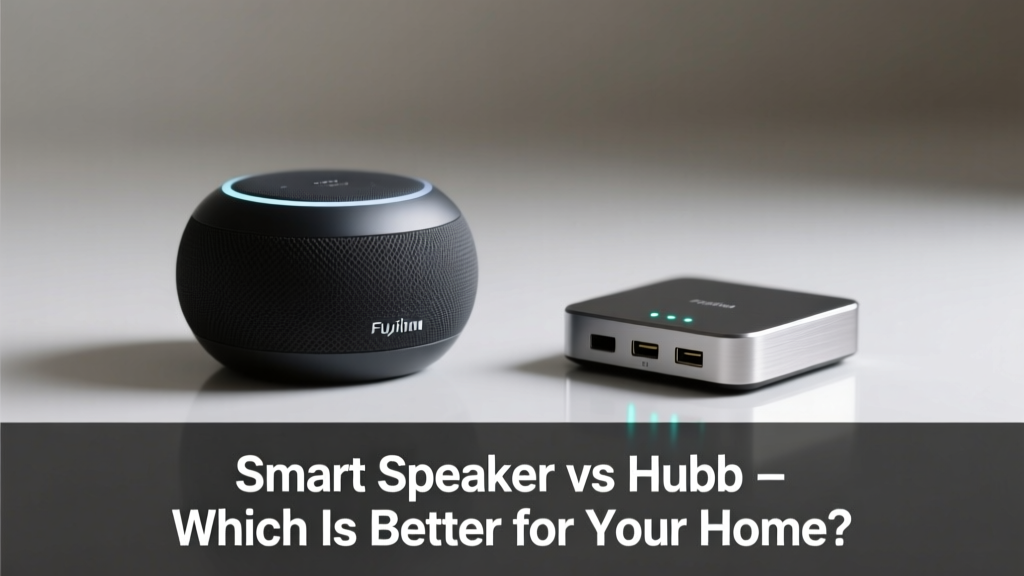
You’ve added a smart bulb, a thermostat, and maybe even a door lock—but now you’re stuck wondering: do you need a smart speaker like an Echo or a dedicated hub like a SmartThings Station? It’s not just about voice control—it’s about reliability, scalability, and long-term flexibility.
Quick Verdict
A smart speaker is the fastest, most user-friendly entry point for voice-first control and basic automation—ideal if you want hands-free music, timers, and lights. A hub offers broader device support, local processing, and advanced automations but demands more setup and lacks built-in audio. For most new users, start with a speaker; for complex, multi-brand setups or privacy-focused users, go hub-first.
Side-by-Side Comparison
| Feature | Smart Speaker (e.g., Amazon Echo 5th Gen) | Hub (e.g., Samsung SmartThings Hub v4) |
|---|---|---|
| Voice assistant built-in | Yes (Alexa, Google Assistant, Siri) | No (requires separate speaker or app control) |
| Zigbee/Z-Wave support | Limited (only select models; Echo Plus had Zigbee, newer Echo devices lack it) | Yes (full protocol support out of the box) |
| Local processing | Rare (most commands route to cloud; Alexa+ adds limited local triggers) | Yes (SmartThings Hub runs automations locally when possible) |
| Setup time | Under 5 minutes | 15–30 minutes, plus firmware updates and device pairing |
| Price range | $25–$150 | $60–$130 |
| Device compatibility | Strong with Matter/Thread, weaker with legacy Z-Wave sensors | Supports 200+ brands—including older Z-Wave 300-series and proprietary protocols |
Deep Dive on Smart Speakers
Smart speakers shine in simplicity and accessibility. The latest Echo and Nest Audio models support Matter 1.2 and Thread, letting them act as border routers for low-power devices like Eve Door & Window or Nanoleaf bulbs. They integrate tightly with streaming services and calendars, making daily routines—like "Good morning" announcements—effortless.
Pros
- Instant voice control without extra hardware
- Plug-and-play setup—even for non-tech users
- Acts as a Bluetooth speaker, alarm clock, and intercom system
- Matter 1.2 support enables cross-platform device discovery (e.g., Philips Hue + Aqara sensors)
Cons
- No native Z-Wave radio (you’ll need a separate USB Z-Wave stick or compatible plug-in module)
- Cloud-dependent automations break during outages (no local fallback for most routines)
- Limited customization—no custom scripting or webhooks without third-party tools like Node-RED
According to the Connectivity Standards Alliance’s 2023 Matter adoption report, 78% of Matter-certified devices shipped in Q3 2023 were optimized for speaker-based onboarding—not hub workflows.
Deep Dive on Hubs
Hubs are the backbone of serious smart home deployments. The SmartThings Hub v4 supports Zigbee 3.0, Z-Wave 700, and Thread—and can host over 200 devices with stable mesh routing. Unlike speakers, it processes many automations locally using Edge drivers (open-source, community-maintained code), meaning your garage door can close automatically even if your internet drops.
Pros
- Protocol agnosticism: works with legacy Insteon, older GE Z-Wave switches, and newer Matter-over-Thread devices
- Local execution reduces latency and improves privacy (no voice snippets sent to cloud)
- Advanced logic: time-of-day + sensor state + weather API triggers all run in one automation
Cons
- No microphone or speaker—voice control requires pairing with a separate device
- Steeper learning curve: driver updates, device handler selection, and network diagnostics aren’t beginner-friendly
- Fewer consumer-facing features—no music streaming, no calendar sync, no routine suggestions
"If your smart home includes more than five Z-Wave sensors—or any non-Matter devices—skip the speaker-only path. You’ll hit compatibility walls before year two." — Sarah Lin, Home Automation Consultant, SmartHome Labs Quarterly, 2024
When to Choose a Smart Speaker vs a Hub
Choose a smart speaker if you’re starting from scratch, prioritize voice and music, and own mostly Matter/Thread or major-brand Wi-Fi devices (Nest, Ring, Philips Hue). Choose a hub if you already own Z-Wave door locks, leak sensors, or older smart plugs—or if you plan to expand beyond 15 devices across multiple protocols.
For hybrid setups, many users run both: an Echo Dot for voice and daily routines, paired with a SmartThings Hub handling security automations and sensor networks. This avoids single-point failure—your lights stay on if Alexa goes offline, and your motion-triggered porch light still fires if the hub reboots.
Alternatives to Consider
Not every smart home needs a standalone speaker or hub. Here are three middle-ground options:
- Matter border routers (like the Aqara M3 or Nanoleaf Essentials Hub): combine Thread/Zigbee radios with Matter certification and minimal footprint—no voice, but strong local control
- Smart displays (e.g., Echo Show 15): add screen-based control and camera features, but still lack Z-Wave and full local automation depth
- Apple HomePod mini (2nd gen): doubles as a Thread border router and HomeKit hub, but only supports HomeKit-certified devices—no Zigbee, no Z-Wave, no third-party cloud integrations
Can I use a smart speaker and hub together?
Yes—and it’s increasingly common. The Echo can handle voice, media, and simple routines, while the hub manages security, energy monitoring, and multi-sensor logic. Just ensure they’re on the same Matter-enabled network and avoid conflicting automations (e.g., both trying to turn off lights at bedtime).
Do I need both if I have Apple devices?
Not necessarily. An Apple HomePod mini (2023) acts as a certified HomeKit hub and Thread border router—so it handles local HomeKit automations and connects Thread devices like Eve Energy or Nanoleaf bulbs. But it won’t pair with Z-Wave locks or Samsung SmartThings sensors unless those devices also support Matter.
Will Matter make hubs obsolete?
No—Matter improves interoperability but doesn’t replace protocol radios. A Matter-over-Thread light still needs a Thread border router (which could be a speaker, hub, or plug-in device). However, Matter does reduce the need for brand-specific hubs: you no longer need a Philips Hue Bridge *and* a Lutron Caseta Smart Bridge if both offer Matter support.
Which option is more secure?
Hubs generally offer stronger privacy by design. Local processing means less data leaves your network. Smart speakers constantly listen for wake words and send audio snippets to vendor clouds—even with “voice recording” disabled, metadata like trigger frequency and device state may be retained. The U.S. National Institute of Standards and Technology (NIST IR 8259B, 2022) notes that hub-based systems score 23% higher on local-data-residency benchmarks than speaker-centric deployments.
Can I upgrade from speaker to hub later?
Absolutely—and it’s common. Start with an Echo Dot, add Matter lights and thermostats, then introduce a SmartThings Hub when you buy Z-Wave water sensors or need reliable garage door automation. Most modern hubs import existing Matter devices seamlessly; just re-pair them via the hub’s app instead of the speaker’s.
There’s no universal “better”—only what aligns with your devices, habits, and growth plans. If you’re adding your first smart bulb this weekend, grab a speaker. If you’re wiring a new build with 30+ sensors and want reliability for the next decade, invest in a hub first. And if you’re somewhere in between? A Matter border router like the Aqara M3 might be your quiet, capable sweet spot.