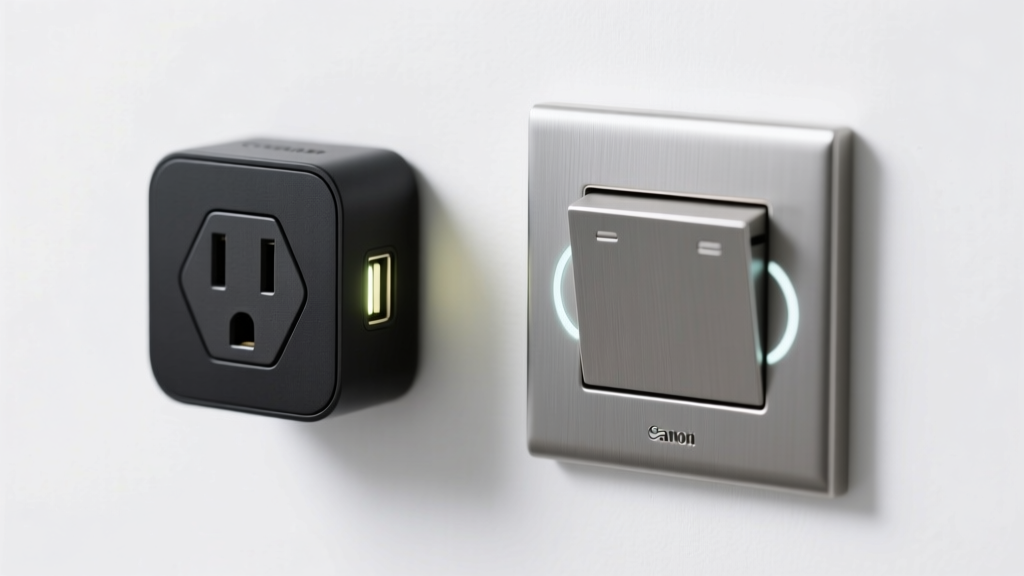
You’re standing in front of a lamp, a coffee maker, or maybe a ceiling light—and wondering: do I need a smart plug or a smart switch? It’s not just about convenience; it’s about safety, compatibility, and whether you’re willing to open an electrical box.
Quick Verdict
A smart plug is the faster, safer, no-wiring choice for controlling plug-in devices like lamps, fans, or space heaters. A smart switch replaces your wall switch to control hardwired lights or outlets—and requires basic electrical knowledge or an electrician. According to the U.S. EPA, 14% of household water usage is from leaks—but energy waste from always-on devices is equally common; both options help curb it, but in different places.
Side-by-Side Comparison
| Feature | Smart Plug | Smart Switch |
|---|---|---|
| Installation | No tools or wiring needed; plugs into existing outlet | Requires turning off circuit breaker, wiring into junction box (line/load/neutral) |
| Cost (average) | $15–$35 per unit | $25–$75 per unit (plus $100–$200 if hiring electrician) |
| Controls hardwired lights? | No | Yes (ceiling fixtures, recessed lighting, etc.) |
| Works with dimmable bulbs? | Only if plug supports dimming (rare; most don’t) | Yes—many models support leading-edge or trailing-edge dimming |
| Neutral wire required? | No | Most do (though some newer models like Lutron Caseta work without one) |
Deep Dive on Smart Plugs
Smart plugs shine where simplicity matters. They’re ideal for renters, dorm rooms, or anyone avoiding permanent modifications. You can plug in a floor lamp and schedule it to turn on at sunset—or cut power to a gaming console overnight to prevent phantom draw.
Pros
- No electrical work—just plug in and pair via app or voice assistant
- Portable: move it between rooms or take it when you relocate
- Often include energy monitoring (e.g., Kasa KP115 shows real-time wattage and monthly kWh)
- Compatible with non-smart devices—even vintage radios or analog coffee makers
Cons
- Can’t control ceiling lights, exhaust fans, or built-in appliances
- May block adjacent outlets (especially dual-plug models)
- Limited dimming and color control—no native support for smart bulbs’ advanced features
- Not rated for high-wattage loads like space heaters above 1,800W (check specs carefully)
For portable, low-risk automation, smart plugs are unmatched. See our best smart plugs roundup for verified picks with UL certification and local control fallback.
Deep Dive on Smart Switches
Smart switches integrate directly into your home’s electrical system—giving you seamless, invisible control over lights and outlets that are part of the structure. They’re the go-to for whole-room scenes, multi-switch setups (like 3-way configurations), and integration with security systems.
Pros
- Control hardwired fixtures: chandeliers, under-cabinet lighting, garage door openers
- Support advanced features—dimming, color temperature tuning (with compatible bulbs), and occupancy sensing
- Work with physical toggle for manual override—even if Wi-Fi drops
- Enable true multi-location control (e.g., Lutron Caseta allows adding wireless remotes without rewiring)
Cons
- Installation risk: miswiring can trip breakers or cause damage (NEC code requires GFCI protection in kitchens/bathrooms)
- Not all homes have neutral wires—older constructions (pre-1985) may require professional retrofitting
- Higher upfront cost and longer setup time
- Less flexible: once installed, it’s fixed to that location
According to the Insurance Institute for Business & Home Safety’s 2023 report, 62% of residential electrical fires involve outdated or improperly installed devices—so if you’re unsure, hire a licensed electrician. Our smart switch installation guide walks through safe prep steps and code-compliant wiring.
When to Choose Smart Plug vs Smart Switch
Choose a smart plug if you’re renting, want to test smart home automation, or need to control a single device like a humidifier, holiday lights, or air purifier. Choose a smart switch if you’re renovating a kitchen, upgrading bedroom lighting, or building a whole-home lighting plan with coordinated scenes.
- Renter or short-term lease? — Smart plug. No landlord permission needed.
- Ceiling fan with light kit? — Smart switch (or a smart fan controller—see alternatives below).
- Outdoor string lights on a covered porch? — Use an outdoor-rated smart plug (e.g., TP-Link Kasa KP400) instead of risking weather-exposed switch wiring.
- Three-way hallway light? — Smart switch with companion remote (like GE Enbrighten) avoids running new cables.
Alternatives to Consider
Not every lighting need fits neatly into plug-or-switch. Here are three practical middle-ground options:
- Smart bulbs — Best for lamps and fixtures where you already have easy access to the bulb socket (e.g., bedside table lamps). No wiring, but limited to bulb-compatible sockets and less reliable during firmware updates.
- Smart fan controllers — Dedicated units like Hunter’s SimpleConnect replace standard fan switches and control both speed and light independently.
- Smart power strips — Ideal for entertainment centers: control multiple devices at once and cut vampire load (e.g., Belkin Conserve Socket).
Can I use a smart plug with a lamp that has a built-in switch?
Yes—but only if the lamp’s switch stays in the “on” position. If the lamp’s physical switch is off, the smart plug can’t energize the circuit. For full flexibility, choose a lamp with no inline switch or pair with a smart bulb instead.
Do smart switches work without Wi-Fi?
Most retain local switching capability (you can still flip the toggle manually), but remote access, scheduling, and voice control require active Wi-Fi. Some models—like those using Matter-over-Thread—offer more resilient local control even during outages.
Are smart plugs safe for space heaters?
Only if explicitly rated for it. Most standard smart plugs max out at 15A/1,800W. Many space heaters draw 1,500W continuously—and surge higher on startup. Use only UL-listed, heater-rated plugs like the Wemo Mini Smart Plug (certified for 1,875W resistive loads) and never daisy-chain.
Why does my smart switch flicker or buzz?
Flickering often means incompatible dimmable bulbs (e.g., pairing an LED bulb with a leading-edge dimmer). Buzzing usually signals insufficient neutral wire connection or low-load conditions (<25W). Try adding a Lutron LUT-MLC bypass capacitor or switching to a trailing-edge model.
Can I mix smart plugs and smart switches in the same home?
Absolutely—and many pros do. Use switches for overhead lighting and plugs for seasonal decor, guest room appliances, or office gear. Just ensure they share a platform (e.g., all Matter-enabled or all on Apple HomeKit) to avoid fragmented routines.
Do smart switches require a hub?
Most modern ones don’t—Wi-Fi or Thread-based models connect directly. Exceptions include older Z-Wave or Zigbee switches (e.g., Aeotec NanoSwitch), which need a hub like Samsung SmartThings or Hubitat. Check packaging: “Works with Alexa/Google” usually means no hub needed.
"If you’re automating a single lamp and don’t own a screwdriver, start with a smart plug. If you’re replacing a switch in a room where you’ll live for 5+ years, invest in a certified smart switch—it pays back in reliability and resale value." — Sarah Lin, Home Automation Consultant & NEC-certified inspector (2024)
There’s no universal winner—only the right tool for your space, skills, and timeline. Start small with a plug in your home office. Then upgrade your living room lights with a switch once you’ve mapped your neutral wires and tested your breaker panel. Either way, you’re cutting phantom load, adding convenience, and building toward a smarter home—one controlled outlet or switch at a time. For deeper guidance, explore our smart home wiring basics and best smart lighting hubs comparisons.