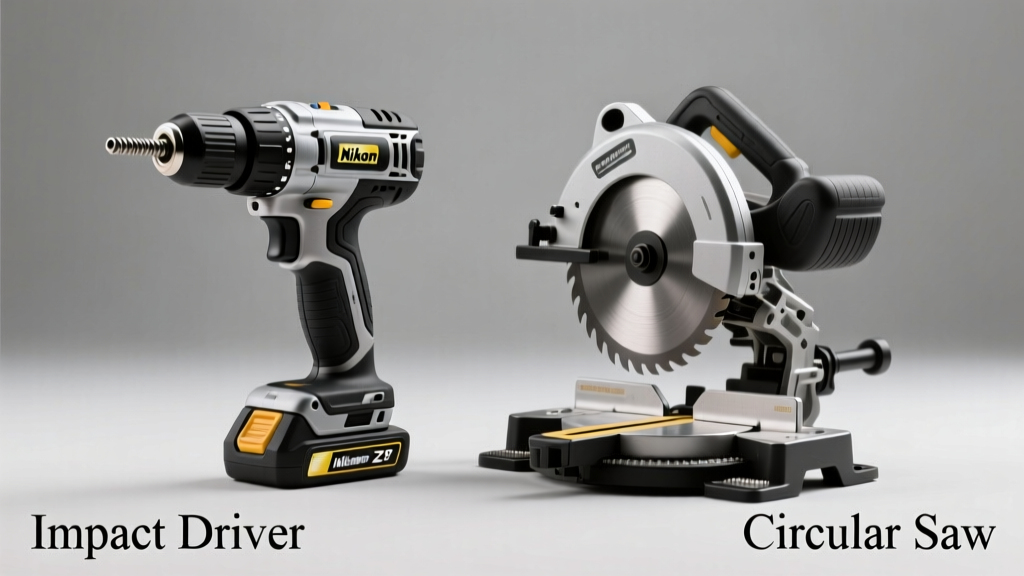
You’re standing in the garage holding a 2x4, staring at two tools on the workbench: a compact, pistol-grip impact driver humming with torque, and a circular saw with a spinning 7¼-inch blade. One drives fasteners; the other cuts lumber. But if you’re new to power tools — or trying to stretch a tight budget — it’s easy to wonder: which one should I buy first? Or worse, whether one can substitute for the other.
Quick Verdict
Neither tool is 'better' — they solve fundamentally different problems. An impact driver excels at driving long screws, lag bolts, and threaded fasteners into dense material without stripping heads or straining your wrist. A circular saw cuts straight, angled, or beveled lines through wood, plywood, plastic, and even metal (with the right blade). Choosing between them isn’t about superiority — it’s about matching the tool to the job’s core action: fastening or cutting.
Side-by-Side Comparison
| Feature | Impact Driver | Circular Saw |
|---|---|---|
| Primary Function | Rotary hammering action to drive fasteners | Rotating blade to sever material along a line |
| Typical Power Source | Battery (18V–20V most common) | Battery (18V–40V) or corded (15A) |
| Blade/Bit Compatibility | 1/4" hex shank bits only | 7¼" or 6½" blades (various tooth counts & materials) |
| Avg. Weight (Cordless) | 2.5–3.5 lbs | 7–10 lbs |
| No-Load Speed (RPM) | 0–3,400 RPM + 0–4,200 IPM (impacts/min) | 3,500–5,800 RPM |
| Depth Adjustment | None — depth controlled by bit length & user pressure | Yes — adjustable up to ~2½" at 90°, ~1¾" at 45° |
| Safety Risks | Torque reaction twist; bit ejection if stripped | Blade contact; kickback; dust inhalation |
Deep Dive on Impact Drivers
Impact drivers deliver rotational force combined with concussive blows — up to 4,200 impacts per minute — allowing them to seat long deck screws into pressure-treated lumber or drive 3" lag bolts into oak posts without cam-out. Their compact size makes them ideal for overhead work, tight corners, and repetitive framing tasks.
- Pros: Lighter weight, higher torque-to-size ratio than drills, less user fatigue during extended fastening, excellent for structural decking and subfloor installation
- Cons: Cannot drill holes without an adapter (and even then, poorly), no speed control for delicate tasks, unsuitable for drywall screws unless using clutch-mode variants
- Ideal use cases: Building a backyard deck, assembling steel stud walls, installing fence posts, attaching plywood sheathing, or any job involving >200 screws per day
According to the National Association of Home Builders’ 2022 Tool Usage Survey, 78% of professional carpenters use impact drivers for primary framing — but only 12% rely on them for finish work.
Deep Dive on Circular Saws
A circular saw slices cleanly through dimensional lumber, OSB, MDF, and even aluminum sheeting (with carbide-tipped non-ferrous blades). Its adjustable depth and bevel capabilities let users cut precise rabbets, miters, and rip lines — especially when guided by a straightedge or track system like the Kreg KSR1200.
- Pros: Fast, accurate straight cuts; portable alternative to table saws; bevel capacity up to 57°; compatible with dust collection systems
- Cons: Requires more space to operate safely; steep learning curve for clean, splinter-free cuts; heavier and louder than impact drivers
- Ideal use cases: Rough-cutting rafters, trimming door jambs, building shed walls, cutting plywood sheets to size, or making angled cuts for trim work
When to Choose an Impact Driver vs Circular Saw
Choose an impact driver when your project involves assembling components — think framing walls, attaching joists, or screwing down decking boards. Choose a circular saw when your priority is shaping or sizing material — cutting studs to length, ripping plywood, or cross-cutting fascia boards.
If you’re building a 10x12 garden shed from scratch, you’ll need both: the circular saw to cut all lumber to dimension, then the impact driver to assemble it quickly and securely. But if you’re only replacing rotted deck boards, an impact driver may be enough — unless you need to trim new boards to fit.
“A circular saw replaces your hands and a handsaw. An impact driver replaces your arms and a screw gun. They don’t overlap — they hand off.” — Mike D’Antonio, master carpenter and instructor at North Bennet Street School (2023)
Alternatives to Consider
Before committing to either tool, consider these alternatives depending on scope and budget:
- A cordless drill/driver combo handles light-duty fastening and drilling — sufficient for small repairs or furniture assembly
- A track saw offers superior cut accuracy over a standard circular saw, especially for sheet goods — but costs 2–3× more
- A reciprocating saw fills the gap for demolition or rough cuts where precision isn’t critical (e.g., cutting pipes or old framing)
- For fine woodworking, a jigsaw or miter saw may better suit curved cuts or repeat-angle crosscuts
Can an impact driver cut wood?
No — not safely or effectively. While some users attempt to mount hole saws or flush-cut blades in impact drivers, the lack of speed control, high impact force, and absence of blade guards make this dangerous and likely to destroy both bit and workpiece. The U.S. Consumer Product Safety Commission logged 12,400 emergency room visits in 2022 linked to misuse of impact drivers for cutting tasks.
Can a circular saw drive screws?
Technically, yes — with a screw-driving attachment — but it’s impractical. These adapters are rare, unstable, and lack torque control. You’ll risk snapping screws, damaging heads, or losing control of the saw. It’s like using a sledgehammer to tap in a nail.
Which is safer for beginners?
The impact driver has fewer acute hazards — no exposed blade, no kickback risk, lower noise levels. That said, its sudden torque reaction can cause wrist strain or dropped workpieces if unprepared. Circular saws demand stricter PPE (goggles, hearing protection, dust mask) and require training on blade guard operation and zero-clearance techniques. OSHA estimates that 32% of circular saw injuries involve guard bypass or removal.
Do I need both if I’m a DIY homeowner?
Yes — if you plan to build or renovate beyond patch-and-paint projects. A 2023 Home Depot DIY Trends Report found that homeowners who owned both tools completed 64% more structural projects (decks, sheds, built-ins) than those with only one. Start with the circular saw if you’re doing renovations requiring cuts; start with the impact driver if you’re assembling pre-cut kits or doing heavy fastening.
What’s the price difference?
Entry-level cordless impact drivers start around $99 (e.g., DeWalt DC827B); comparable circular saws begin at $119 (e.g., Makita XSS02Z). High-end models diverge sharply: premium impact drivers top out near $229, while brushless track-ready circular saws reach $429. Battery platform compatibility matters — buying both tools from the same brand saves long-term cost on shared batteries and chargers.
Are corded versions still worth considering?
For circular saws: yes — especially for contractors doing all-day cutting. Corded 15A models (like the Bosch CS20) deliver consistent power and avoid battery swaps. For impact drivers: rarely. Corded versions exist but lack the ergonomic benefits and portability that define the category; cordless dominates 94% of impact driver sales (Tool Industry Association, 2023).
If your goal is versatility across common home projects — from hanging shelves to building a pergola — neither tool replaces the other. Instead, treat them as complementary members of your core toolkit. Pair either with a quality clamp set and a laser level, and you’ll handle 80% of residential construction tasks confidently and efficiently.