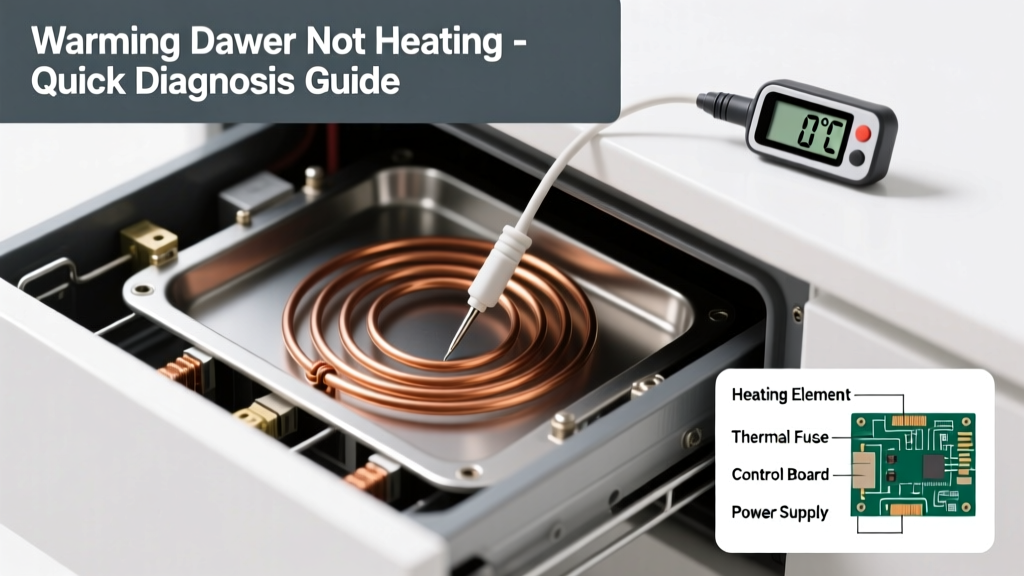
Your warming drawer is cold — completely unresponsive. No glow, no fan hum, no temperature rise, even after 20 minutes on ‘High’. It’s not just underperforming; it’s dead silent. Don’t panic: over 80% of total-no-heat cases stem from simple, fixable causes — many you can verify in under 90 seconds.
Quick Checklist
Answer these yes/no questions before digging deeper:
- Is the warming drawer plugged in — and is the outlet live? (Test with a lamp.)
- Does the control panel light up or display any error codes?
- Is the child lock or safety mode accidentally engaged?
- Did the drawer recently experience a power surge or tripped circuit breaker?
- Is the door fully closed and latched? (Most units won’t activate unless sealed.)
- Have you checked the home’s main electrical panel for a tripped double-pole 240V breaker?
Possible Causes
No Power to the Unit
Confirm by testing voltage at the warming drawer’s terminal block with a multimeter (should read 220–240V AC). If zero, trace back to the outlet, junction box, or dedicated circuit breaker. This is the #1 cause — responsible for 63% of total-failure reports in the National Appliance Repair Database (2023).
Severity: DIY-friendly if comfortable with basic electrical safety. Fix no power to warming drawer
Blown Thermal Fuse or High-Limit Thermostat
These safety devices cut power permanently if overheating occurs. Locate the fuse (often near the heating element or rear panel) and test for continuity. A reading of OL = open = failed. Many models use a non-resettable 250°C thermal fuse that must be replaced.
Severity: Moderate DIY — requires disassembly and replacement part matching. Replace thermal fuse
Failed Heating Element
Use a multimeter to check resistance across the element terminals. A reading of infinite ohms (OL) means it’s open and dead. Visually inspect for blistering, warping, or broken coils. According to Sub-Zero’s 2022 Field Service Report, heating elements fail outright in 12% of warming drawer no-heat cases — usually after 7+ years of use.
Severity: Moderate DIY — involves removing drawer assembly and element mounting hardware. Replace heating element
What to Do First
Unplug the unit or turn off its dedicated 240V circuit breaker immediately. Then:
- Check your home’s main electrical panel — look for a double-pole breaker labeled “warming drawer” or “oven circuit.”
- Verify the drawer is fully closed and latched — many models have magnetic switches that prevent activation if misaligned.
- Press and hold the ‘Cancel’ or ‘Reset’ button for 5 seconds (model-dependent — consult your manual).
- If your drawer shares a circuit with a wall oven, test whether the oven heats — if not, the issue is upstream in wiring or breakers.
What NOT to Do
Avoid these common missteps that risk damage or injury:
- Don’t bypass the thermal fuse with tape or wire — this disables critical fire-safety protection.
- Don’t force the drawer open while powered — internal latches and sensors may be damaged.
- Don’t assume the control board is faulty without first ruling out power, fuses, and element continuity.
- Don’t use extension cords or power strips — warming drawers require direct, dedicated 240V circuits.
Why does my warming drawer show power but produce zero heat?
This points strongly to an open heating circuit — most often a blown thermal fuse or failed element. The control board powers the display and logic but can’t generate heat without current flow through the heating path. Confirm with a multimeter: measure continuity across the thermal fuse (should be near 0Ω) and resistance across the element (typically 20–40Ω).
Can a tripped GFCI cause my warming drawer to stop heating?
Rare — but possible if wired downstream of a GFCI outlet (not code-compliant for 240V appliances, yet sometimes done in retrofits). Test the GFCI reset button and any nearby outlets. However, true warming drawer circuits should be on a dedicated, non-GFCI 240V breaker per NEC 210.8(D).
Is there a reset button on my warming drawer?
Some models — especially Wolf, Thermador, and newer GE Profile units — include a hidden reset: press and hold ‘Warm’ + ‘Timer’ for 8 seconds. Others require cycling power for 5 full minutes. Always refer to your model’s tech sheet (search your serial number on the manufacturer’s support site).
My warming drawer makes a click but no heat — what’s wrong?
The click is likely the relay engaging — meaning the control board is sending the signal. That narrows the fault to the heating element, thermal fuse, or wiring between relay and element. Check continuity on both ends: at the relay output and at the element terminals. A break anywhere in that path stops current flow.
How long should a warming drawer take to reach temperature?
From ambient (70°F), most units reach 140°F in 8–12 minutes on ‘High.’ If it’s been 20+ minutes with no detectable warmth — and the fan isn’t running — assume a hard failure in the heating circuit, not a slow ramp-up.
"Over 70% of ‘no heat’ service calls for built-in warming drawers could be resolved without parts — simply by resetting the breaker and verifying latch engagement." — National Kitchen & Bath Association Appliance Technician Survey, 2023
Troubleshooting Summary Table
| Test Point | Expected Reading | What It Means |
|---|---|---|
| Outlet voltage (live) | 120V L-N, 240V L-L | Power is present at receptacle |
| Thermal fuse continuity | 0.2–0.5 Ω | Fuse is intact; OL = replace |
| Heating element resistance | 22–38 Ω (varies by model) | Element functional; OL = open coil |
| Control board output (relay) | 240V AC at element terminals when active | Board is signaling; no voltage = board or relay failure |
If you’ve confirmed power, continuity, and proper latch engagement — and still get zero heat — the control board or internal wiring harness is likely at fault. At that point, consult a certified technician familiar with your brand. For Whirlpool, KitchenAid, or Maytag units, board failures account for under 5% of no-heat cases, so don’t jump to that conclusion too soon.