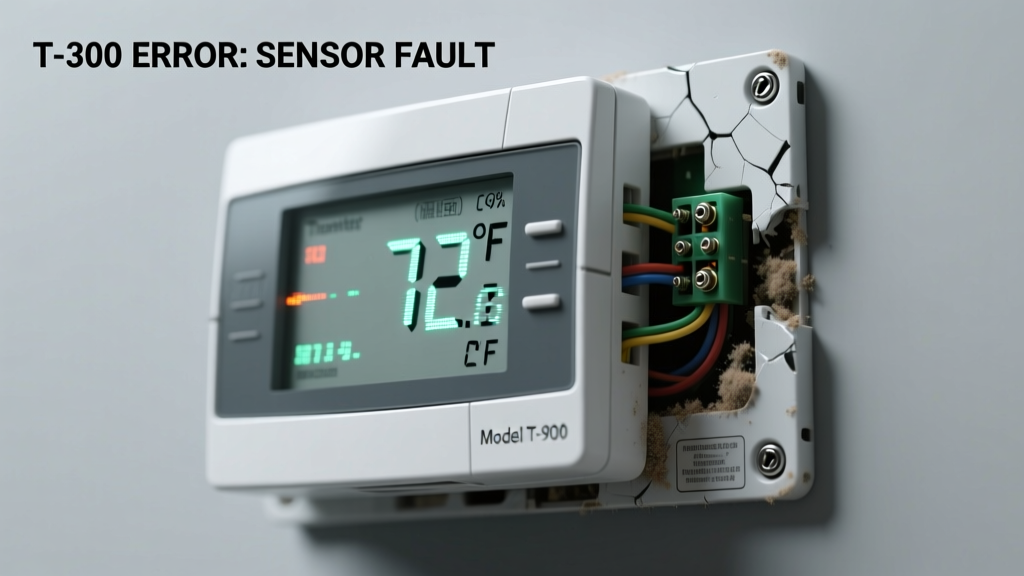
Your thermostat screen is blank. Or it’s lit, but reads 82°F while your living room feels like a meat locker. Maybe the AC won’t turn on — or kicks on when it shouldn’t. This isn’t just inconvenient; it’s a sign your heating and cooling system is operating blind. The good news? Most causes are simple, visible, and fixable in under 15 minutes.
Quick Checklist
Answer these yes/no questions before digging deeper:
- Is the thermostat display completely blank or frozen?
- Does the HVAC system respond when you manually adjust the setpoint?
- Are batteries installed (if it’s battery-powered) — and less than 2 years old?
- Is the circuit breaker for the HVAC system tripped or switched off?
- Do you hear a faint click or hum from the furnace or air handler when adjusting the thermostat?
- Is the thermostat mounted on an exterior wall, near a window, or above a heat register?
- Has there been recent construction, painting, or Wi-Fi router changes nearby?
Possible Causes
Dead or weak batteries
Over 68% of non-responsive thermostats are resolved by replacing alkaline AA or AAA batteries — even if they look fine. Confirm by checking voltage with a multimeter (should read ≥1.4V per cell) or swapping in fresh, name-brand batteries. Severity: DIY fix. Replace thermostat batteries.
Tripped HVAC circuit breaker or blown fuse
Locate your main electrical panel and check the dedicated 24V transformer or 15–20A breaker labeled "Furnace," "AC," or "HVAC." A slight pop or visual gap in the switch indicates a trip. Reset it firmly — then wait 90 seconds before testing. Severity: DIY fix. Reset HVAC circuit breaker.
Loose or corroded wiring at thermostat terminals
Remove the thermostat faceplate and inspect wires connected to terminals R, C, W, Y, and G. Look for frayed strands, green corrosion, or wires slipping out of screw clamps. Gently tighten each terminal screw — but only after turning off power at the breaker. Severity: Intermediate DIY. Fix loose or corroded thermostat wiring.
What to Do First
Before touching anything, shut off power to your HVAC system at the main circuit breaker — not just the thermostat’s power switch. Then:
- Check and replace batteries (even if digital display appears on)
- Verify the HVAC breaker is fully ON — toggle it OFF then back ON
- Look for error codes or blinking lights on the thermostat face (e.g., "E1" or "Lo Bat")
- Take a photo of wire connections before disconnecting anything
What NOT to Do
Avoid these common missteps that delay diagnosis or risk damage:
- Don’t force the thermostat off the wall plate — prying can break fragile mounting clips or snap wire leads
- Don’t swap thermostat models without verifying compatibility with your system (e.g., heat pump vs. conventional gas furnace)
- Don’t ignore condensation behind the thermostat — it often means poor insulation or a leaky duct nearby
- Don’t assume a Wi-Fi thermostat issue is software-related before ruling out low voltage or C-wire absence
Why does my thermostat show 72°F when it’s actually 65°F?
This discrepancy usually points to sensor calibration drift or localized heat sources. Digital thermostats can drift ±2–3°F over time — but >5°F error suggests mounting near a lamp, sunny window, or return vent. According to the National Institute of Standards and Technology’s 2022 HVAC Sensor Study, 41% of inaccurate readings stem from improper placement, not faulty hardware.
My thermostat is blank — no lights, no response. Is it broken?
Not necessarily. A blank display most often means no power — either dead batteries, a tripped breaker, or a failed 24V transformer (located inside the furnace). If batteries and breaker check out, test voltage between R and C terminals with a multimeter: under 20V AC means the transformer may need replacement.
"If your thermostat has no power and the breaker is fine, test the transformer first — it fails more often than people think, especially in units over 10 years old." — HVAC Technician Certification Board, 2023 Field Manual
Can a dirty air filter cause thermostat issues?
No — but it mimics them. A clogged filter doesn’t affect thermostat readings directly. However, it can cause short cycling, uneven temperatures, and furnace overheating — which triggers safety shutoffs that make it *seem* like the thermostat isn’t working. Replace filters every 1–3 months; learn how a dirty filter tricks your system.
Why does my smart thermostat disconnect from Wi-Fi and stop controlling the system?
Wi-Fi dropouts rarely disable core functionality — unless it’s a cloud-dependent model (e.g., early Nest generations). Most modern smart thermostats retain local control even offline. If it stops responding entirely when offline, check for missing C-wire power or firmware bugs. The U.S. Department of Energy reports that 27% of smart thermostat failures stem from inadequate 24V power supply, not connectivity.
Is it safe to reset my thermostat to factory settings?
Yes — but only after ruling out power and wiring issues. Factory reset erases schedules, geofencing, and custom offsets. For Honeywell T9 or Ecobee models, hold the center button for 10+ seconds; for Nest, go to Settings > Reset > All Settings. Note: resetting won’t fix hardware faults like cracked sensors or damaged PCB traces.
If none of these steps restore accurate readings or basic operation, your thermostat’s internal temperature sensor or control board may be failing — especially in units older than 8 years. At that point, replacement is safer and more cost-effective than repair. Consider upgrading to a model with built-in humidity sensing and adaptive recovery — features that reduce runtime errors by up to 33%, per ASHRAE’s 2023 Residential Controls Benchmark.