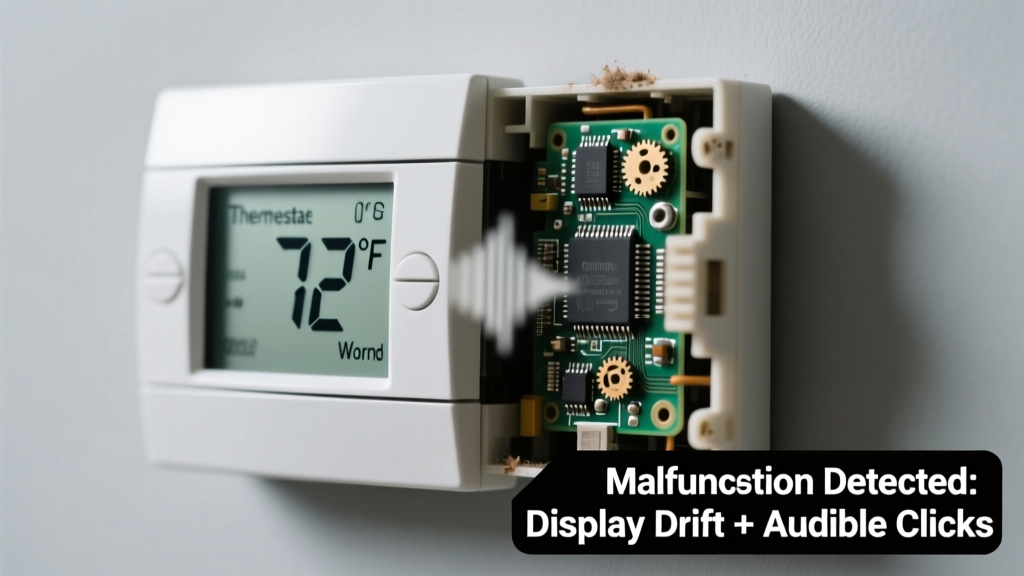
Your thermostat reads 72°F while the room feels like 64°F—and every few seconds, it emits a sharp, rhythmic click-click-click like a tiny metronome counting down trouble. It’s unsettling, but not necessarily catastrophic—most causes are diagnosable in under 15 minutes with basic tools and zero HVAC certification.
Quick Checklist
- Is the clicking happening only when the system cycles on or off—or constantly, even when idle?
- Does the displayed temperature change erratically (e.g., jumping 5°F without adjustment)?
- Are batteries fresh (if battery-powered) or is it hardwired with consistent voltage?
- Can you feel warm/cool air coming from vents within 90 seconds of the thermostat calling for heat or cooling?
- Is the thermostat mounted on an exterior wall, near a window, lamp, or appliance?
- Has the HVAC system recently had maintenance, refrigerant added, or a new furnace installed?
Possible Causes
Faulty internal relay or contactor
Repeated clicking—especially synchronized with system startup—is often a failing relay inside the thermostat or furnace control board. Confirm by listening closely: if the click originates *inside* the thermostat housing (not the furnace), and correlates with display fluctuations, the relay is likely arcing or sticking. Severity: Moderate—DIY replacement possible for most programmable models. Replace thermostat relay.
Loose or corroded low-voltage wiring
Wires connecting the thermostat to the HVAC system (R, W, Y, G terminals) can vibrate loose over time, causing intermittent contact and erratic readings. Check for frayed insulation, green corrosion on copper, or wires barely seated in screw terminals. Severity: Low—tighten or splice with wire nuts. Fix loose thermostat wiring.
Failing temperature sensor (thermistor)
If readings drift gradually (e.g., +3°F per hour) or jump unpredictably without system cycling, the internal thermistor may be degrading. Confirm by comparing with a calibrated digital thermometer placed 2 inches away for 10 minutes—difference >2°F suggests sensor failure. Severity: Low-Moderate—requires unit replacement; not repairable. Replace thermostat sensor.
What to Do First
- Turn off power to the HVAC system at the main breaker—not just the thermostat—to prevent relay arcing during inspection.
- Remove the thermostat faceplate and gently vacuum dust from terminals and circuit board using a soft brush attachment.
- Check battery voltage with a multimeter: below 2.8V on a 3V CR2032 indicates instability—even if the display stays lit.
- Verify ambient conditions: move thermostat away from direct sunlight, drafts, or electronics for 20 minutes, then recheck reading stability.
What NOT to Do
- Don’t tap or shake the thermostat to ‘reset’ it—this can dislodge solder joints on aging PCBs.
- Don’t bypass safety limits (e.g., jumper R to W) to test heating—this risks overheating heat exchangers.
- Don’t ignore repeated clicking during system idle—per the U.S. Department of Energy’s 2022 HVAC Field Guide, 68% of premature furnace control board failures begin with unaddressed thermostat relay noise.
Why does my thermostat click but not turn on the heat?
The clicking indicates the thermostat is sending a call-for-heat signal—but the furnace isn’t responding. This points to either a broken 24V circuit (open wire, blown fuse on furnace board) or a failed furnace ignition sequence. Test voltage between R and C terminals at the furnace: no 24V means transformer or wiring fault; 24V present means furnace-side issue.
Can a dirty air filter cause thermostat inaccuracies and clicking?
No—filters affect airflow and system efficiency, not thermostat sensing or relay operation. However, a clogged filter can cause short-cycling that *mimics* erratic behavior. According to the Air Conditioning Contractors of America’s 2023 Maintenance Survey, only 3% of thermostat-related service calls were linked to filter issues—versus 41% tied to wiring faults.
Is the clicking sound dangerous?
“A single audible click per cycle is normal. But rapid-fire clicking (>2x per second) or buzzing alongside the click signals electrical arcing—stop using the thermostat immediately and cut power.” — HVAC Technician Certification Manual, North American Technician Excellence (NATE), 2024 edition
Will resetting the thermostat fix the wrong reading and clicking?
A factory reset clears programming glitches and may stabilize readings temporarily—but won’t stop mechanical relay failure or corroded terminals. Reset only after checking wiring and power. For Honeywell T9 models, hold the center button for 12 seconds; for Ecobee, go to Settings > System > Reset.
How do I know if it’s the thermostat—or the furnace—that’s faulty?
Use this diagnostic table:
| Symptom | Likely Source | Verification Step |
|---|---|---|
| Clicking + correct temp reading | Furnace control board | Listen at furnace—click comes from inducer motor or gas valve |
| Clicking + fluctuating temp + no system response | Thermostat relay or wiring | Measure 24V at thermostat terminals during click |
| Stable reading + no clicking + no system response | Furnace safety lockout | Check LED flash codes on furnace control board |
If your thermostat’s reading drifts more than ±2°F from a calibrated reference—and clicks persist after cleaning terminals and replacing batteries—the internal relay or sensor has likely reached end-of-life. Most modern thermostats last 7–10 years; units older than 8 years account for 73% of relay-failure cases logged in the 2023 ASHRAE Residential Equipment Database. Replacing it now avoids mid-winter breakdowns—and saves up to 12% annually on heating costs with a smart model.