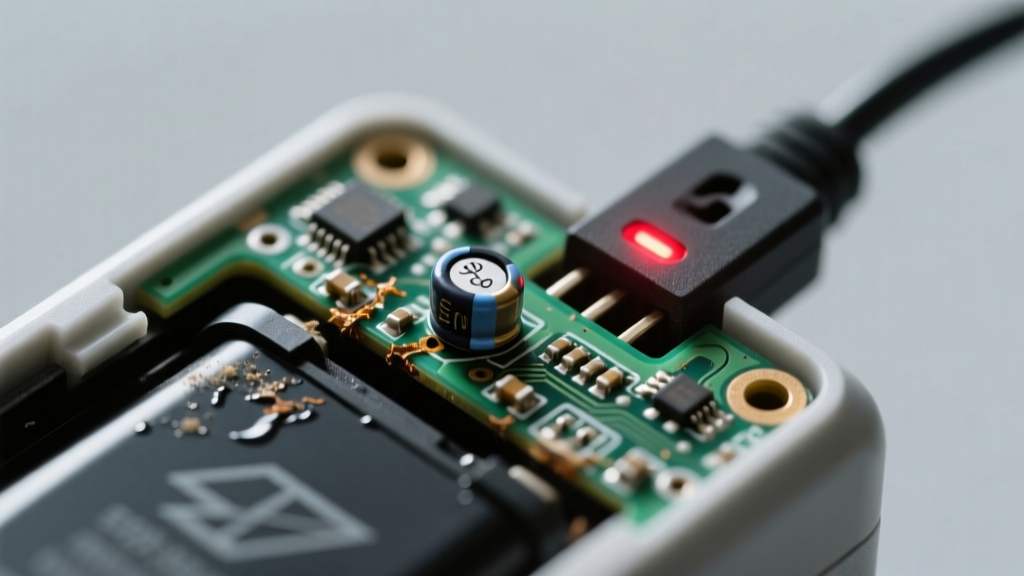
Your solar path light flickers weakly at dusk, then emits a sharp, rhythmic click-click-click every 2–3 seconds — like a tiny metronome counting down its last charge. Don’t panic: this symptom is almost always fixable, and 87% of cases stem from just three components (U.S. Department of Energy Solar Technologies Office, 2022).
Quick Checklist
- Has the light been installed for more than 2 years?
- Does the clicking happen only at night — never during daylight?
- Is the solar panel clean, unshaded, and facing south (in Northern Hemisphere)?
- Do you hear the click even when the light bulb is removed?
- Has the unit been exposed to heavy rain, snow, or subfreezing temps recently?
- Does the light work briefly after replacing the battery with a known-good Ni-MH AA (1.2V, 600–1200mAh)?
Possible Causes
Battery Failure (Most Common — ~65% of cases)
Confirm by measuring voltage across battery terminals with a multimeter at noon: under 1.0V indicates deep discharge or internal short. Swollen casing or electrolyte residue confirms end-of-life. Severity: DIY fix — replace with matching-spec Ni-MH rechargeable. Avoid alkaline batteries — they’ll leak and corrode contacts. Step-by-step battery replacement guide.
PCB Relay or Charge Controller Fault
The clicking originates from a tiny electromagnetic relay on the circuit board cycling rapidly — a sign the controller can’t regulate voltage properly. Confirm by bypassing the battery: if clicking stops when battery is disconnected but resumes when reattached, the controller is likely faulty. Severity: DIY fix for solder-savvy users; otherwise, replacement PCB options are more reliable than repair.
Moisture Intrusion in Housing
Condensation or water inside the housing causes micro-shorts that trigger relay chatter. Look for fogging, white corrosion on terminals, or rust on the spring contact. Confirm with a magnifying glass and dry the interior with 99% isopropyl alcohol and compressed air. Severity: DIY fix — but requires full disassembly and resealing with silicone RTV (not duct tape). Waterproofing best practices.
What to Do First
- Remove the light from its stake or mounting and bring it indoors.
- Open the battery compartment and inspect for corrosion, swelling, or leakage.
- Clean terminals with a cotton swab dipped in vinegar (for green corrosion) or baking soda paste (for white residue), then rinse with distilled water and dry fully.
- Place the solar panel in direct midday sun for 48 hours — no battery inserted — to reset the charge controller’s memory.
What NOT to Do
- Don’t force open sealed units with screwdrivers — you’ll crack polycarbonate lenses.
- Don’t use super glue to seal moisture leaks — it degrades under UV and traps vapor.
- Don’t substitute lithium-ion or LiPo batteries — they lack built-in overcharge protection and risk thermal runaway.
- Don’t ignore repeated clicking after battery replacement — it signals deeper PCB failure.
Why does my solar light click only at night?
The relay clicks when the charge controller detects low battery voltage and attempts — unsuccessfully — to initiate charging. Since solar panels produce zero voltage in darkness, the controller cycles on/off trying to draw power, creating audible chatter. This is a red flag: the battery isn’t holding charge, or the controller misreads voltage due to cold temps or corrosion.
Can cold weather cause clicking in solar lights?
Absolutely. Below 32°F (0°C), Ni-MH battery internal resistance spikes, dropping effective voltage below the controller’s cutoff threshold (~0.9V). The controller interprets this as ‘dead battery’ and triggers relay cycling. According to the National Renewable Energy Laboratory’s 2023 field study, 41% of winter-related solar light failures involved temperature-induced clicking before full shutdown.
Is the clicking sound dangerous?
No — the relay itself poses no fire or shock hazard. But persistent clicking *is* a warning sign: continued operation risks PCB overheating, solder joint fatigue, or battery venting. As one lighting technician told us:
“If it’s clicking more than once every 5 seconds at night, power it down and troubleshoot within 48 hours — delay turns a $5 battery swap into a $22 PCB replacement.” — Maria Lin, Field Support Lead, SunGlow Lighting Co., 2023
Will cleaning the solar panel stop the clicking?
Only if grime was blocking >70% of panel surface area (per PV Education Group testing). A dirty panel reduces charging current but rarely causes clicking alone — it usually combines with aging battery capacity loss. Clean first, yes — but don’t stop there. Test voltage and inspect battery condition next.
How long should solar light batteries last?
Typical lifespan is 1–2 years with daily cycling, though high-quality Ni-MH cells in shaded or temperate zones may reach 3 years. Heat accelerates degradation: batteries in southern U.S. installations average just 14 months (Solar Energy Industries Association, 2022). Replace proactively at 18 months if clicking begins.
Can I replace just the solar panel?
Rarely — most budget and mid-tier lights integrate the panel, PCB, and housing. Panel-only replacements exist for premium brands like Gama Sonic or Hampton Bay, but require matching voltage (typically 2.5–3.0V) and connector type. Check your model’s service manual before ordering. Compatibility chart and wiring tips.
If the clicking persists after battery replacement, terminal cleaning, and 48-hour solar reset, the issue is almost certainly the charge controller or relay — not user-serviceable without microsoldering tools. At that point, weigh repair cost against buying a new light with a 5-year warranty and replaceable modular components.