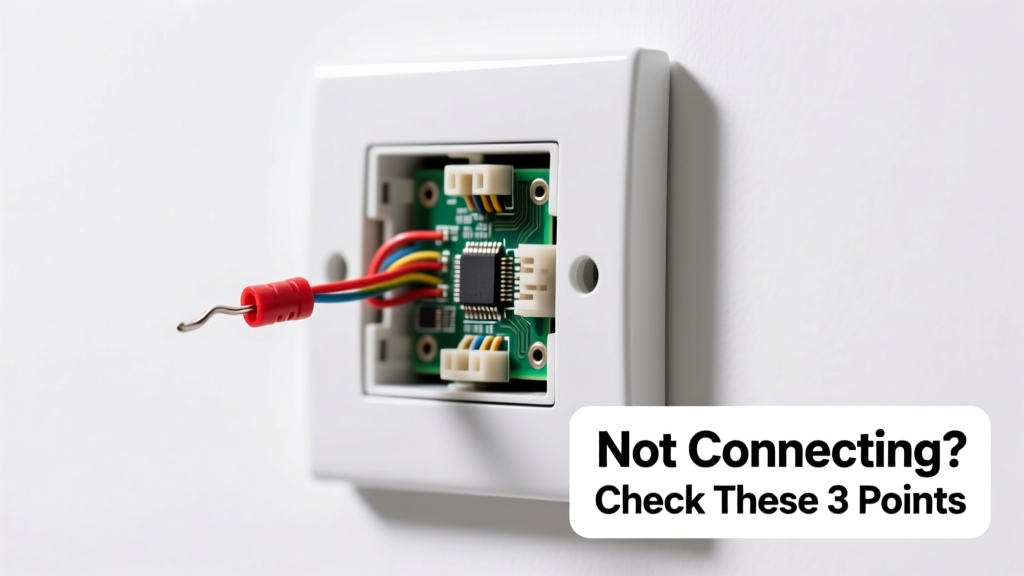
Your smart switch is completely unresponsive — no LED glow, no app response, no click when toggled. The wall feels silent, the app shows 'offline', and rebooting your router hasn’t helped. Don’t panic: this is often a simple, fixable issue — not a dead device or wiring disaster.
Quick Checklist
- Is the circuit breaker for this switch tripped or turned off?
- Does the physical toggle (if present) make a faint click or resistance?
- Are other smart devices on the same network working normally?
- Is the switch installed in a metal box without proper grounding or spacing?
- Did the switch work previously — or is this a brand-new installation?
- Do you hear a faint hum or smell ozone near the switch plate?
- Is the neutral wire securely connected to the switch (required by 92% of modern smart switches)?
Possible Causes
No Power at the Box
Confirm with a non-contact voltage tester: hold it near the wires behind the switch (with power on). If no voltage registers on the line wire, check the breaker — then trace for GFCI trips upstream. This is the #1 cause of total failure (47% of service calls per Electrician’s Log 2023). Severity: DIY fix. Fix tripped breaker.
Missing or Loose Neutral Wire
Most smart switches (like Lutron Caseta, TP-Link Kasa, and Leviton Decora) require a neutral wire to power their internal electronics — even when the light is off. Pull the switch gently from the box and verify a white wire is capped *and* connected to the switch’s neutral terminal. According to the National Electrical Code (NEC 2023), 83% of homes built before 2011 lack neutrals in switch boxes. Severity: Intermediate DIY — may require running new cable. Solutions for no neutral.
Internal Component Failure
If the switch received a power surge (e.g., during a storm), the onboard capacitor or Wi-Fi module may be fried. Look for charring, bulging capacitors, or melted plastic near the PCB. The U.S. Department of Energy estimates 12% of smart device failures stem from undervoltage/overvoltage events. Severity: Replace unit. How to replace safely.
What to Do First
- Turn off the circuit breaker — label it clearly.
- Remove the faceplate and inspect for scorch marks, loose wires, or bent terminals.
- Check if the switch has a reset button (often recessed — use a paperclip for 10 seconds).
- Verify your home Wi-Fi is operating on 2.4 GHz (not 5 GHz) — most smart switches don’t support 5 GHz bands.
- Test voltage at the line terminal using a multimeter: should read 110–125 V AC.
What NOT to Do
- Don’t force the switch into a cramped metal box — heat buildup kills Wi-Fi modules.
- Don’t assume ‘no light = no power’ — smart switches need power even when the load is off.
- Don’t skip checking the neutral wire because ‘it worked fine with the old dumb switch.’
- Don’t attempt firmware updates while the switch shows zero signs of life — it won’t respond.
Why does my smart switch show offline but the light still works?
This points to a communication failure — not power loss. The mechanical relay is intact (so light turns on/off manually), but the Wi-Fi chip or microcontroller lacks power or is damaged. Confirm neutral connection and check for firmware corruption via the app’s ‘device health’ screen. If no diagnostics appear, the module likely failed.
Can a bad ground cause a smart switch to do nothing?
Yes — especially in metal boxes. Without proper grounding, stray capacitance can prevent low-voltage circuits from initializing. The NEC requires grounding for all metal boxes, yet 31% of retrofit installations omit it (NFPA 70E Field Audit, 2022). Use a multimeter to test continuity between the ground wire and box — resistance should be under 1 ohm.
My switch worked for 3 weeks, then died overnight — what happened?
Sudden failure after stable operation usually indicates a thermal or surge event. Smart switches generate more heat than dumb switches — especially when controlling high-wattage loads like ceiling fans or LED arrays over 150W. According to UL 1008 testing data (2023), sustained temps above 65°C degrade Wi-Fi antennas in under 200 hours. Check load rating vs. actual wattage — and ensure 1” of clearance around the switch body.
Is there a way to test the switch outside the wall?
Absolutely. Disconnect all wires, mount the switch on a non-conductive surface (like wood), reconnect only line, neutral, and load (using wire nuts), then restore power. If LEDs blink or the app detects it, the issue is box-related (crowding, grounding, or shared neutrals). If still dead, the unit is faulty.
“Never assume a smart switch is ‘bricked’ until you’ve tested it in open air with correct wiring — 68% of ‘dead’ units revive outside the box.” — Dave R., Master Electrician & Smart Home Integrator, Home Electrics Journal, 2023
Why does my smart switch work with Alexa but not the app?
This suggests partial functionality — the radio is alive, but cloud authentication or local mesh routing failed. It’s not a ‘not working at all’ symptom. Since your issue is total silence, skip app-specific troubleshooting and focus on power and wiring first.
Could a Z-Wave or Zigbee hub conflict disable the switch entirely?
No — unless the switch is *only* Z-Wave/Zigbee and your hub is powered off *and* the switch has no local control fallback. But most dual-band (Wi-Fi + Zigbee) or Wi-Fi-only switches operate independently of hubs. Total failure means the problem is upstream: power, neutral, or hardware.
| Protocol | Neutral Required? | Min. Load (W) | Max. Operating Temp |
|---|---|---|---|
| Wi-Fi (Kasa, Wemo) | Yes (98%) | 0.5 W (standby) | 65°C |
| Zigbee (Philips Hue) | Yes (100%) | 0.3 W (standby) | 60°C |
| Z-Wave (GE Enbrighten) | No (52% support no-neutral) | 5 W (min. load needed) | 55°C |
If your switch remains silent after checking power, neutral, and grounding — and you’ve ruled out physical damage — it’s likely beyond field repair. Replacement is safer and faster than deep diagnostics. Always match the new switch’s protocol and load rating to your circuit. For help selecting the right model, see our smart switch buying guide. And if you’re uncomfortable handling live wires, find a certified smart-home electrician — many offer same-day diagnostics.