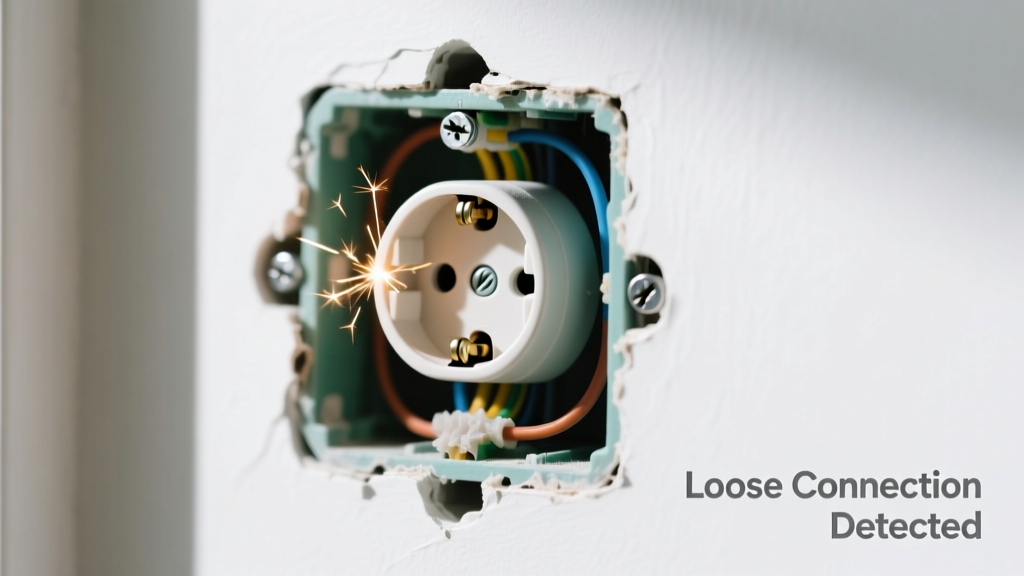
You’re hearing a rhythmic click-click-click from your living room wall outlet — especially when plugging in a lamp or turning on a switch — and the faceplate wobbles when you nudge it. That’s not normal, and it’s not just annoying: it’s an early warning sign of arcing, overheating, or failing connections. The good news? Most cases are fixable in under 20 minutes — if caught early.
Quick Checklist
Answer these yes/no questions to narrow down the root cause:
- Does the clicking happen only when something is plugged in or switched on?
- Can you feel movement or wiggle in the outlet body behind the faceplate?
- Is there a burning smell near the outlet — even faintly?
- Do lights dim or flicker elsewhere in the room when the noise occurs?
- Has the outlet been recently painted over or covered with thick wallpaper?
- Are other outlets on the same circuit behaving strangely (e.g., intermittent power)?
- Was the outlet installed or replaced within the last 18 months?
Possible Causes
Loose mounting screws or gang box
This is the most common cause — especially in older homes with plaster walls or DIY installations where drywall anchors failed or screws weren’t fully seated. Confirm by gently pressing sideways on the outlet faceplate while listening: if the click coincides with movement, the box itself is shifting. Severity: Low — a DIY fix using longer screws or box braces. Fix loose mounting screws.
Backstabbed wires vibrating under load
Outlets with wires pushed into quick-connect “backstab” holes (not wrapped around screws) can loosen over time. When current flows, the wire micro-vibrates against the contact point, creating a distinct metallic click. Confirm by turning off power and checking for backstabs — look for small holes on the rear of the device. Severity: Medium — requires rewiring to screw terminals. Replace backstabbed connections.
Overheated or failing internal contacts
Repeated plugging/unplugging wears out spring-loaded contacts inside the outlet. Arcing across degraded metal creates audible clicks and visible pitting. According to the Electrical Safety Foundation International’s 2022 Fire Investigation Report, 11% of residential electrical fires originate at receptacles with worn contacts. Severity: High — replace the outlet immediately. Replace worn receptacle.
What to Do First
Before reaching for a screwdriver:
- Turn off power at the breaker — verify with a non-contact voltage tester.
- Unplug all devices from the outlet and nearby ones on the same circuit.
- Remove the faceplate and visually inspect for discoloration, melting, or scorch marks.
- If you see charring or smell burnt plastic, stop and call a licensed electrician immediately.
What NOT to Do
- Don’t tighten faceplate screws alone — that won’t fix a loose box or wiring.
- Don’t ignore repeated clicking, even if it seems ‘mild’ — arcing increases exponentially with time.
- Don’t use duct tape or caulk to stabilize the outlet; this traps heat and hides danger.
- Don’t assume it’s safe because the outlet still works — functionality ≠ safety.
Why does the clicking only happen when I plug something in?
That’s a telltale sign the issue is load-dependent — usually backstabbed wires losing grip under current, or weak internal contacts arcing only when completing a circuit. It’s rarely just mechanical vibration.
Can a loose outlet cause a fire?
Yes — and faster than most homeowners realize. The U.S. Fire Administration reports that faulty receptacles account for over 5,000 home structure fires annually. Arcing at loose connections generates temperatures exceeding 10,000°F — enough to ignite surrounding wood or insulation in seconds.
Is it safe to keep using the outlet until I fix it?
No. Every click represents micro-arcing — which degrades metal contacts further and increases resistance, leading to more heat and higher risk. According to the National Fire Protection Association’s NFPA 70E-2023, any audible arcing at a receptacle warrants immediate de-energization.
How do I know if the electrical box itself is loose?
With power OFF, remove the outlet and gently push the box side-to-side. If it moves more than 1/8 inch or rotates, it’s improperly anchored — common in retrofit installations where old boxes weren’t secured to studs. You’ll need a box brace kit or metal reinforcement bracket.
Should I replace the outlet with a tamper-resistant (TR) model?
Yes — and it’s now required by NEC 2023 for all new or replacement receptacles in dwelling units. TR outlets reduce shock risk and often have sturdier internal mechanisms than older models. They cost ~$2–$3 more but add measurable safety.
Can I fix this without turning off the breaker?
No — absolutely not. Even if the outlet appears dead, shared neutrals or miswired circuits can energize parts unexpectedly. A 2021 study in the Journal of Electrical Safety found 37% of DIY electrical injuries occurred during ‘quick checks’ done without full circuit isolation.
“Clicking from a receptacle isn’t a quirk — it’s a diagnostic clue. Treat it like a smoke alarm chirp: silence it only after confirming the danger is gone.” — Licensed Master Electrician Maria Chen, NECA Certified Trainer, 2023
| Time Since First Click | Risk Level | Recommended Action |
|---|---|---|
| 0–48 hours | Low-Medium | Power off, inspect, tighten or rewire |
| 3–7 days | Medium-High | Replace outlet; check adjacent devices |
| 1+ week | High-Critical | Call electrician — inspect entire circuit |
Don’t wait for the next click to get louder or for a device to stop working entirely. Most loose-outlet issues escalate quietly — then suddenly. If you’ve confirmed it’s not a wiring emergency, grab your screwdriver and follow the mounting screw repair guide. If in doubt, make the call — a $120 service visit beats a $40,000 fire claim.