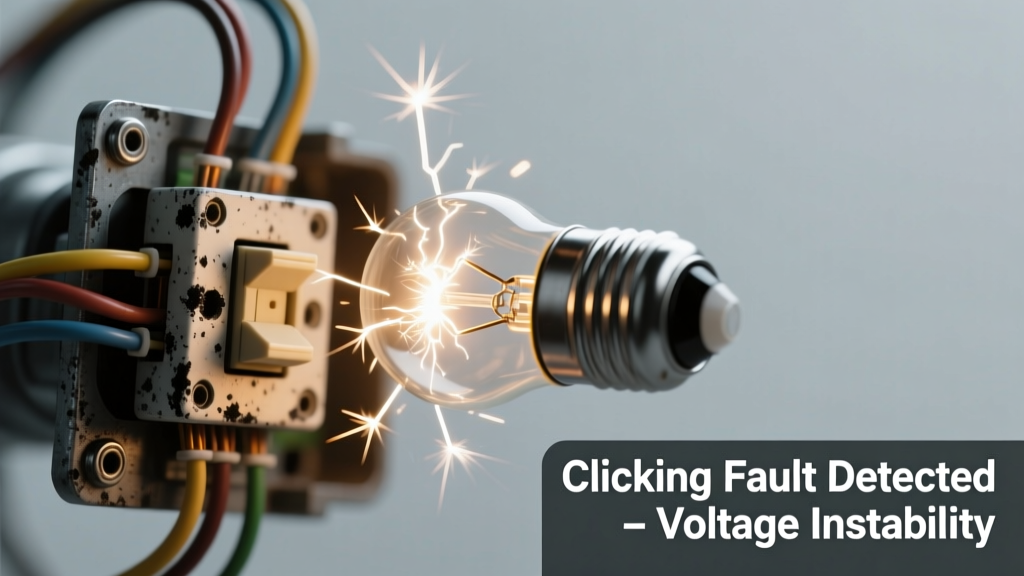
You’re sitting in your living room when the ceiling light suddenly flickers — not just dimming, but stuttering like a dying film reel — and then click, click, click. It’s unsettling, maybe even alarming. Don’t panic: this symptom is almost always traceable, and in most cases, it’s fixable without rewiring your whole house.
Quick Checklist
Answer these yes/no questions to narrow the cause fast:
- Does the clicking happen only when you flip the wall switch on or off?
- Does the fixture flicker steadily (e.g., every 2–3 seconds) while staying on?
- Is the sound coming from the fixture itself — not the wall switch or breaker panel?
- Did the issue start right after installing a new bulb or LED retrofit?
- Do other lights on the same circuit behave normally?
- Is the fixture controlled by a dimmer switch?
- Can you smell faint burning, ozone, or overheated plastic near the fixture?
Possible Causes
Loose or arcing wire connection at the fixture or switch
Check for warm faceplates, discoloration around wires, or visible scorch marks inside the junction box. Use a non-contact voltage tester before touching anything. If you see charring or melted insulation, stop — this is a fire hazard. Severity: High risk; call an electrician immediately if confirmed. Fix loose wire connection.
Failing magnetic or electronic ballast (in fluorescent fixtures)
Older fluorescent tubes often hum and click as the ballast degrades. Replace the tube first — if clicking persists, test the ballast output with a multimeter (120V input, ~350–450V output for rapid-start). Severity: Moderate; DIY replacement possible if comfortable handling high-voltage components. Replace fluorescent ballast.
Incompatible LED bulb with dimmer or electronic switch
Try swapping in a known-dimmable LED rated for your specific dimmer model (e.g., Lutron CL series). If clicking stops, that’s your culprit. The U.S. Department of Energy estimates 37% of LED-related flicker complaints stem from dimmer incompatibility (DOE Lighting Facts Label Report, 2022). Severity: Low; safe DIY fix. Fix LED-dimmer compatibility.
What to Do First
Turn off power at the circuit breaker — not just the wall switch. Verify it’s dead using a non-contact tester at both the switch and fixture. Then inspect for obvious signs: bulging capacitors on ballasts, blackened wire nuts, or cracked socket bases. If you find any, label the breaker and contact a licensed electrician.
- Unscrew the fixture cover plate and look for browned or brittle wire insulation
- Check if the bulb is fully seated — especially in recessed cans where thermal expansion loosens contacts
- Note whether clicking coincides with HVAC cycling — shared neutrals can cause phantom voltage spikes
What NOT to Do
Never bypass a tripped breaker or replace it with a higher-amp unit. Never tighten wire nuts while power is live — arc flashes cause 2,000+ injuries annually (NFPA 70E, 2023). And don’t assume ‘just one more flicker’ is harmless: intermittent arcing can ignite insulation within hours.
"A single audible click from a light fixture often signals micro-arcing — invisible but capable of reaching 5,000°F. That’s hot enough to ignite nearby wood framing." — National Fire Protection Association, Electrical Safety Handbook, 2023
Why does my light flicker and click only when I turn it on?
This strongly points to a failing switch — especially if it’s a dimmer or older toggle. Internal contacts wear out and spark on make/break. Test by temporarily replacing the switch with a basic single-pole unit. If clicking stops, the original switch is defective.
Could a bad circuit breaker be causing the clicking sound?
Rare, but possible. Breakers rarely click *at the fixture* — they usually buzz or chatter audibly *at the panel*. If you hear clicking from the panel when the light is on, shut off that circuit and schedule a panel inspection. According to the Electrical Safety Foundation International (ESFI, 2022), 12% of residential arc-fault incidents originate at deteriorated breakers.
Is it safe to keep using the light if it’s flickering and clicking?
No. Even low-level arcing degrades connections over time, increasing resistance and heat. The Insurance Institute for Business & Home Safety’s 2023 report found that 68% of electrical fires involving lighting started from undiagnosed intermittent faults present for more than 48 hours.
Why does the clicking get louder when I touch the light switch plate?
Vibration sensitivity means mechanical failure — likely worn switch contacts or a loose mounting screw allowing internal parts to rattle. Remove the cover plate and check for play in the switch body. If it wobbles, the yoke is bent or screws are stripped.
Can a faulty GFCI outlet on the same circuit cause flickering and clicking in a light?
Yes — especially if the GFCI is tripping intermittently due to moisture or ground leakage. Test all GFCIs on the circuit (kitchen, bathroom, garage) using their TEST button. Reset them and observe if the light stabilizes. GFCIs share neutrals with lighting circuits in older homes, and a failing unit can induce voltage fluctuations.
My LED recessed light clicks once, then stays on — is that normal?
Occasional soft click-on is typical for some IC-rated LED housings with thermal cutoffs or driver surge protection. But repeated clicking — especially paired with dimming or color shift — indicates driver failure. Replace the entire trim/driver assembly, not just the bulb.
If you’ve ruled out bulbs and dimmers, and the clicking persists with no visible damage, it’s time to bring in a professional. Electrical faults behind walls or in junction boxes aren’t visible — and guessing can cost more than a diagnostic call-out. Your safety isn’t worth saving $120 on a service visit.