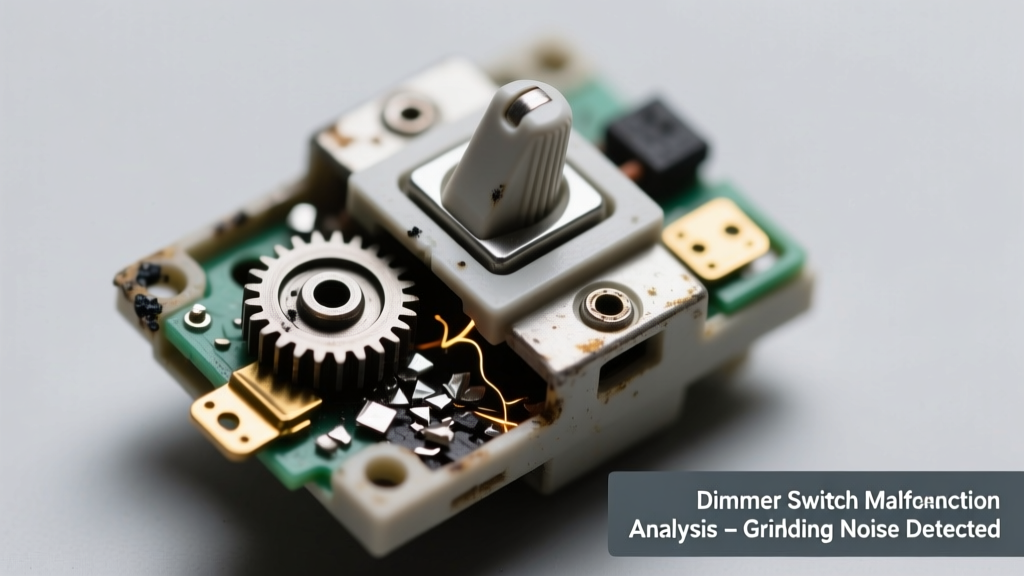
You flip the dimmer, hear a low, gritty grind—like gravel tumbling in a metal can—and nothing happens. The light stays off, or flickers weakly. It’s unsettling, but not necessarily an emergency… yet. Most grinding dimmers are signaling internal failure—not just inconvenience, but potential fire or shock risk.
Quick Checklist
- Does the grinding happen only when you move the slider or turn the knob?
- Is the wall plate warm—or even hot—to the touch?
- Do lights controlled by this dimmer flicker, buzz, or cut out intermittently?
- Was the dimmer recently installed, upgraded, or paired with new LED bulbs?
- Are other switches or outlets on the same circuit behaving strangely (e.g., tripping breakers, dimming unexpectedly)?
- Does the grinding noise change pitch or intensity when adjusting brightness?
Possible Causes
Failing Triac or Internal Relay
Over time, the semiconductor (triac) or mechanical relay inside the dimmer wears out—especially under load from incompatible or high-wattage bulbs. You’ll hear grinding during adjustment, and the dimmer may stall at one brightness level or stop responding entirely. Confirm by swapping in a known-good dimmer of the same type (e.g., Lutron Diva vs. Maestro). Severity: DIY fix if you’re comfortable turning off power and verifying wire compatibility. Replace the dimmer switch.
Overloaded Circuit or Bulb Incompatibility
LEDs drawing less than 10W per bulb—or mixing LEDs with incandescents—can cause erratic dimmer behavior. The grinding often coincides with flickering or delayed response. Confirm using a clamp meter: total connected load should be ≥10% of the dimmer’s rated minimum (e.g., ≥25W for a 250W dimmer). Severity: DIY fix. Match bulbs to dimmer specs.
Loose or Arcing Wiring Connection
A loose hot or neutral wire inside the box creates micro-arcing, generating heat, buzzing, and grinding sounds—especially under load. Check for charring, melted insulation, or scorch marks behind the plate. Severity: Call a licensed electrician immediately. According to the National Fire Protection Association’s 2023 Electrical Fire Trends Report, loose connections account for 28% of residential electrical fires.
What to Do First
- Turn off the circuit breaker controlling the dimmer—verify with a non-contact voltage tester.
- Remove the faceplate and gently inspect for warmth, discoloration, or burnt odor.
- If the dimmer feels hot or smells acrid, leave it off and call an electrician—do not re-energize.
- Check the manufacturer’s label: is the dimmer rated for your bulb type and total wattage?
What NOT to Do
- Don’t keep adjusting it—repeated grinding accelerates internal damage and increases arcing risk.
- Don’t replace with a standard switch without checking load type—some dimmers control multi-location setups requiring 3-way wiring.
- Don’t ignore warmth or buzzing—the U.S. Consumer Product Safety Commission reports 4,500+ home fires annually linked to overheated dimmers (2022 data).
- Don’t assume ‘quiet’ means safe—a dimmer that stops grinding but no longer dims may have failed silently, leaving unsafe resistance paths.
Is the grinding louder when dimming down versus up?
This often points to a failing triac gate driver—common in leading-edge dimmers used with magnetic low-voltage transformers. If yes, replacement is required; repair isn’t feasible. Leading-edge dimmers are less tolerant of modern LED loads than trailing-edge models.
Did the noise start after installing new smart bulbs or a Wi-Fi dimmer?
Many smart bulbs (e.g., Philips Hue, LIFX) aren’t designed to work with traditional wall dimmers. They expect full line voltage and interpret partial voltage as a fault—causing internal relay chatter that echoes as grinding. Bypass the dimmer entirely or use a compatible smart dimmer like the Lutron Caseta PD-6WCL.
Does the grinding persist even when no lights are connected?
If yes, the dimmer itself is faulty—no load required for the internal mechanism to fail. This rules out bulb or fixture issues. Replace immediately; do not reuse.
Are you using a dimmer with a ceiling fan or motorized shade?
Standard dimmers aren’t rated for inductive loads. Using one on a fan causes coil saturation and audible grinding—plus rapid failure. You need a fan-speed controller, not a lighting dimmer.
Does the breaker trip shortly after turning the dimmer on?
This suggests a shorted triac or internal ground fault. Do not reset the breaker repeatedly—this risks damaging the panel bus bar. A licensed electrician must test continuity and isolation before replacement.
"Grinding in a dimmer isn’t ‘just noise’—it’s the sound of failing semiconductors arcing across microscopic gaps. By the time you hear it, the device has likely exceeded its safe thermal cycle count." — John R. Delaney, Master Electrician & NEC Code Trainer, IAEI Journal 2021
| Type | Typical Noise When Failing | Bulb Compatibility Risk | Replacement Priority |
|---|---|---|---|
| Leading-edge (TRIAC) | Low grinding + high-pitched whine | High (fails with low-wattage LEDs) | Medium–High |
| Trailing-edge (ELV) | Soft buzzing → intermittent grinding | Medium (requires ELV-compatible transformers) | Medium |
| Smart (Z-Wave/Zigbee) | Clicking + grinding during firmware sync | Very High (often misconfigured) | High |
| Rotary (old incandescent-only) | Gritty, mechanical grinding | Critical (not rated for LEDs) | Immediate |
If the grinding started suddenly and the dimmer is under 3 years old, check the manufacturer’s warranty—Lutron and Leviton offer 5-year limited coverage on most residential models. But don’t delay testing: a compromised dimmer can degrade adjacent wiring insulation over weeks, raising long-term fire risk.