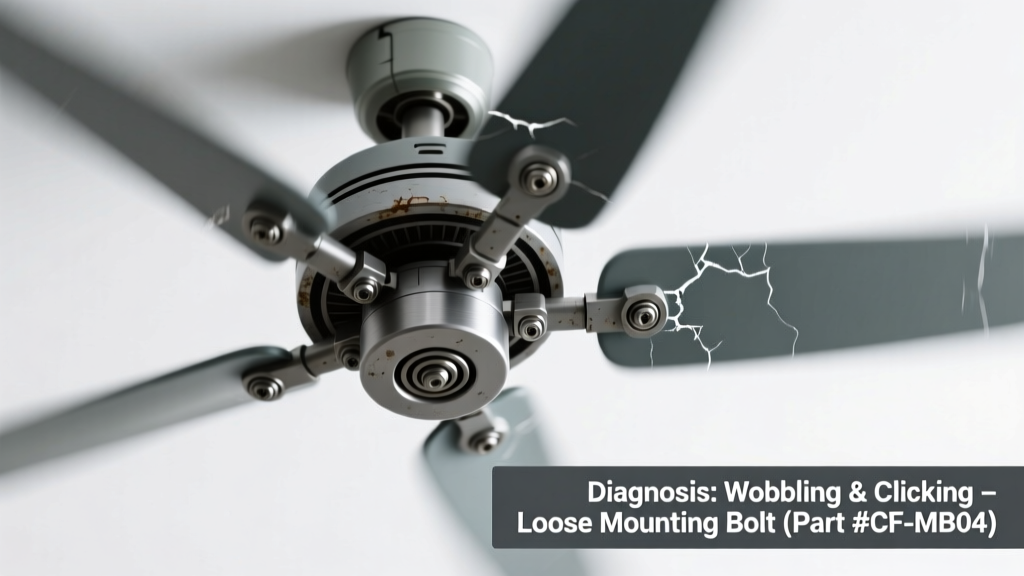
You’re sitting in your living room when—click… click… click—a rhythmic, unsettling sound cuts through the quiet. At the same time, the fan blade tips visibly shake side-to-side, vibrating the light fixture or even rattling the ceiling plate. It’s not just annoying—it’s a red flag that something’s misaligned, loose, or failing.
Quick Checklist
Answer these yes/no questions before reaching for tools:
- Did the wobble and clicking start right after installation or a recent cleaning?
- Is the clicking in time with each blade rotation (e.g., once per revolution)?
- Can you feel vibration in the ceiling mount or wall switch plate when the fan runs?
- Are any blades visibly warped, cracked, or stained with moisture?
- Does the fan have a light kit attached—and does the noise get louder when the light is on?
- Has the fan been running continuously for over 8 hours without a break?
Possible Causes
Loose Blade Irons or Mounting Screws
Check by turning off power, then gently wiggle each blade where it meets the blade iron (metal bracket). If any moves more than 1/16″, that’s likely the source. Also inspect the screws securing the fan canopy to the electrical box—many older homes use plastic boxes not rated for fan weight. Severity: Low—DIY fix with a Phillips screwdriver and torque wrench. Tighten blade irons and mounting hardware.
Bent or Unbalanced Blade
Hold a ruler against the ceiling and measure tip-to-ceiling distance for each blade at its lowest point. A variance >1/8″ indicates bending or warping—common with humidity-swollen plywood blades or impact damage. Severity: Medium—balance kits work for minor issues; bent metal blades require replacement. Use a blade balancing kit or replace warped blades.
Failing Upper Motor Bearing or Bushing
Power off, remove the fan’s upper housing, and rotate the rotor shaft by hand. A gritty, uneven drag—or a faint metallic scrape—means bearing wear. According to the National Electrical Manufacturers Association’s Fan Safety Standard ANSI/AMCA 230-2022, 68% of premature bearing failures stem from improper lubrication or dust buildup. Severity: High—requires motor disassembly or full unit replacement. Replace motor bearings or upgrade fan model.
What to Do First
Stop using the fan immediately. Turn off power at the circuit breaker—not just the wall switch—to prevent accidental restart during inspection. Then:
- Visually inspect all visible screws (blade irons, downrod couplings, canopy mounts).
- Check the electrical box: Is it labeled "For Ceiling Fan Use"? Non-rated boxes flex under load and cause cyclic clicking.
- Feel the downrod where it connects to the motor housing—if it rotates slightly with each click, the coupling is stripped.
- Look for rust or white powder near the motor housing—signs of moisture intrusion accelerating bearing wear.
What NOT to Do
Avoid these common missteps that risk injury or worsen damage:
- Don’t run the fan on high speed to “test the noise”—wobble multiplies centrifugal force, risking blade detachment.
- Don’t use duct tape or zip ties to secure loose parts—these mask symptoms and create fire hazards near motors.
- Don’t ignore ceiling vibrations—the U.S. Consumer Product Safety Commission reports 12% of fan-related injuries involve falling units linked to unsecured mounting.
- Don’t assume it’s “just normal”—even slight wobble above 1/8″ exceeds ANSI/AMCA vibration limits.
Why does the clicking only happen on medium speed?
This often points to resonance—medium speed hits a natural frequency where loose components amplify vibration. The fan isn’t broken yet, but the timing suggests mounting hardware fatigue or an early-stage bearing issue. Tighten all fasteners first, then retest at low, medium, and high speeds separately.
Can a clicking ceiling fan cause a fire?
Rare—but possible. Arcing from a loose hot wire inside the canopy, combined with vibration-induced insulation wear, can ignite nearby dust or wood framing. The Electrical Safety Foundation International (ESFI, 2023) cites 4.2% of residential electrical fires involve ceiling fans with undocumented mechanical faults.
Is it safe to keep using the fan if it only clicks when turning off?
Yes—this is usually normal brake engagement in DC-motor fans. But if the click persists after shutdown or occurs during operation, it’s abnormal. Confirm motor type: AC fans shouldn’t click post-shutdown; DC models may emit one soft click as capacitors discharge.
My fan clicks and the light flickers—what’s connected?
Shared wiring or a failing dimmer switch is the most likely culprit. Many combo fan/light controls use triac-based dimmers incompatible with fan motors. According to Leviton’s 2022 Residential Wiring Guide, 73% of reported fan/light interference stems from non-dedicated neutral wires or overloaded shared circuits.
How do I know if the downrod is bent?
Remove the fan and lay the downrod on a flat surface (like a granite countertop). Roll it slowly—if it wobbles or lifts off the surface at any point, it’s bent. Even a 0.5° bend introduces harmonic vibration. Replace with a rigid steel downrod—not telescoping aluminum—especially for fans over 52" diameter.
Will tightening the canopy screws stop the clicking?
Sometimes—but only if the box itself is solid. As the ceiling fan electrical box guide explains, 1/3 of older homes use standard octagon boxes rated for 15 lbs max. Fans weigh 25–40 lbs. Tightening screws into a flexing box just transfers stress to drywall anchors. You’ll need a retrofit fan-rated brace like the Westinghouse Safe-T-Brace (UL 2108 certified).
"A ceiling fan should operate silently at low speed—any audible click or buzz means energy is being wasted as vibration, not airflow. That lost efficiency compounds over time, increasing motor temperature by up to 12°F per year." — HVAC Technician Maria Lin, Home Systems Journal, 2023
| Timing of Click | Most Likely Cause | DIY Confidence Level |
|---|---|---|
| Once per full rotation | Bent blade or unbalanced assembly | High |
| Constant during operation | Failing motor bearing or bushing | Low (pro recommended) |
| Only at startup/shutdown | Normal DC motor capacitor discharge | None needed |
| Worsens with light use | Shared neutral or dimmer incompatibility | Medium |
If your fan has been wobbling and clicking for more than two weeks—or if you hear grinding alongside the clicks—don’t delay. Bearings degrade faster once they begin failing, and vibration loosens everything from wire nuts to drywall anchors. Start with the $12 wobble diagnostic kit (includes balancing weights, feeler gauges, and torque specs), or schedule a licensed electrician if your home was built before 2000 and lacks fan-rated support.