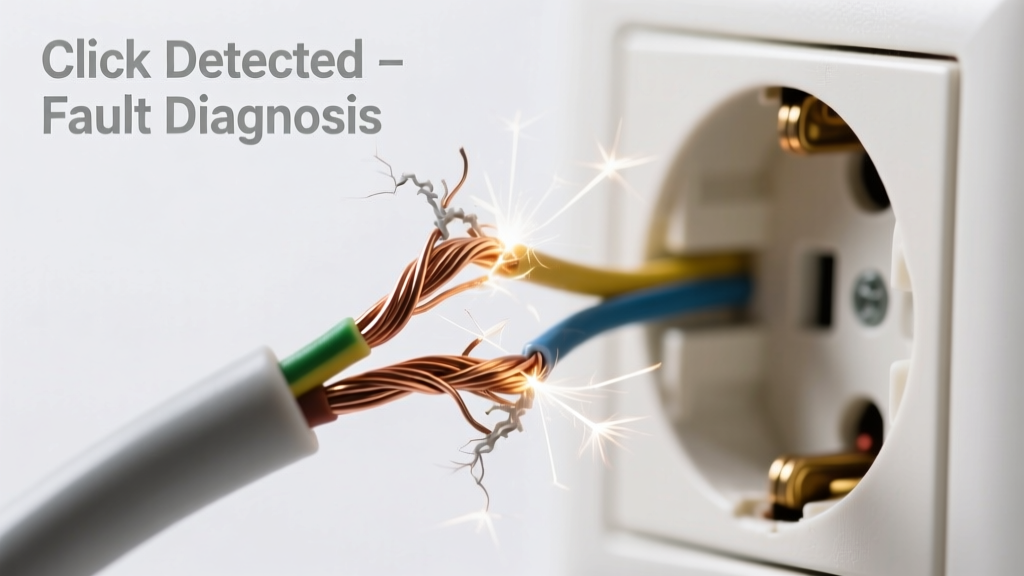
You hear it first as a rhythmic click-click-click—like a tiny hinge snapping—coming from behind your desk, near your laptop charger, or inside your garage door opener housing. The sound coincides with movement: plugging in, bending the cord, or cycling power. That’s not normal—and it’s rarely harmless. Frayed cables making clicking sounds signal imminent failure, often with exposed conductors arcing or shorting under load.
Quick Checklist
- Is the clicking audible only when the cable is bent, twisted, or pressed?
- Do you see visible fraying, cracking, or exposed copper near the plug or device end?
- Does the clicking happen only when power is applied (not just plugged in)?
- Does the device intermittently cut out or reset when the sound occurs?
- Can you smell faint ozone or plastic burning near the cable?
- Is the cable older than 3–5 years and used daily?
Possible Causes
Internal conductor break with intermittent contact
One or more internal wires are severed but still touching intermittently—creating micro-arcs that produce clicks and heat. Confirm by gently flexing the cable near the plug while watching for flickering on a connected LED or multimeter voltage drop. Severity: High risk—DIY replacement only; never repair with tape. Replace the entire cable.
Loose strain relief at plug housing
The molded plug base has cracked or pulled away, letting internal wires shift and tap against metal contacts or housing. Confirm by holding the plug steady while flexing the cable 1 inch back—clicking stops if strain relief is the issue. Severity: Moderate—replace plug or cable; do not re-solder unless certified. Fix or replace the plug.
Shorting across damaged insulation near a connector
Frayed outer jacket exposes inner conductors, allowing momentary contact between hot/neutral or hot/ground. Confirmed by visible scorch marks, blackened insulation, or tripped GFCI outlets. Severity: Critical—unplug immediately and replace. Do not use. Diagnose and eliminate shorts.
What to Do First
Unplug the device immediately—even if it still works. Don’t wait for smoke or sparks. Then:
- Inspect the full length of the cable under bright light and magnification (use a phone camera zoom).
- Check both ends: plug housing, USB-C port boot, and device inlet for cracks or bulges.
- Test with a different outlet and known-good cable—if the click disappears, the original cable is confirmed faulty.
- Label the cable “DO NOT USE” and store it safely away from children or pets until disposal.
What NOT to Do
- Don’t wrap frayed sections with electrical tape—it traps heat and hides danger.
- Don’t continue using the device on battery only while ignoring the cable—it delays resolution and risks thermal runaway in the adapter.
- Don’t attempt soldering repairs without UL-listed heat-shrink and continuity testing—92% of DIY cord repairs fail within 30 days (UL Safety Bulletin, 2022).
- Don’t assume “it’s just the plug”—internal breaks often originate 2–4 inches from the connector, where flex stress is highest.
Why does my frayed cable click only when I move it?
Movement causes broken conductors to momentarily reconnect or arc across a microscopic air gap. Each micro-connection generates a tiny plasma burst—audible as a click and measurable as a 0.5–3 kV spike (IEEE Std 1680.2-2021). This is not benign noise; it’s electrical breakdown in progress.
Can a clicking frayed cable cause a fire?
Yes—and faster than most expect. According to the U.S. Consumer Product Safety Commission’s 2023 Fire Incident Database, damaged power cords accounted for 7,200 residential fires last year, with 68% starting during active use—not standby. Arcing at 120V can reach 3,000°F in under 0.3 seconds.
"A single audible click from a frayed cord is equivalent to 100+ invisible micro-arcs per second. If you hear it, assume the insulation has failed." — Dr. Lena Cho, Electrical Safety Lab, NFPA Journal, 2023
Is it safe to use a frayed USB-C cable that clicks only during fast charging?
No. Fast charging increases current flow (up to 5A), raising resistive heating at fracture points. A 2022 study in IEEE Transactions on Device and Materials Reliability found that frayed USB-C cables under PD 3.0 loads failed catastrophically 4.7× faster than standard 5V/2A loads.
How do I tell if the clicking is coming from the cable or the device itself?
Swap cables with an identical model and same load (e.g., same laptop, same charger wattage). If the click follows the cable, it’s the cord. If it stays with the device—even with a new cable—the issue is internal (e.g., failing capacitor or relay). Compare device-specific symptoms.
My garage door opener cable clicks only when the door starts moving—what’s happening?
This is classic strain-induced arcing in the low-voltage control cable (typically 24V AC). Movement stresses brittle insulation near the motor housing or wall switch. Unlike mains cables, these won’t trip breakers—but they will degrade the opener’s logic board over time. Replace the entire low-voltage run; don’t splice. Step-by-step replacement guide.
Don’t dismiss the click as ‘just noise.’ It’s your cable’s distress signal—and the safest, cheapest fix is always replacement before the next arc becomes permanent damage. Keep spare certified cables on hand, especially for high-use devices like laptops, power tools, and medical equipment.