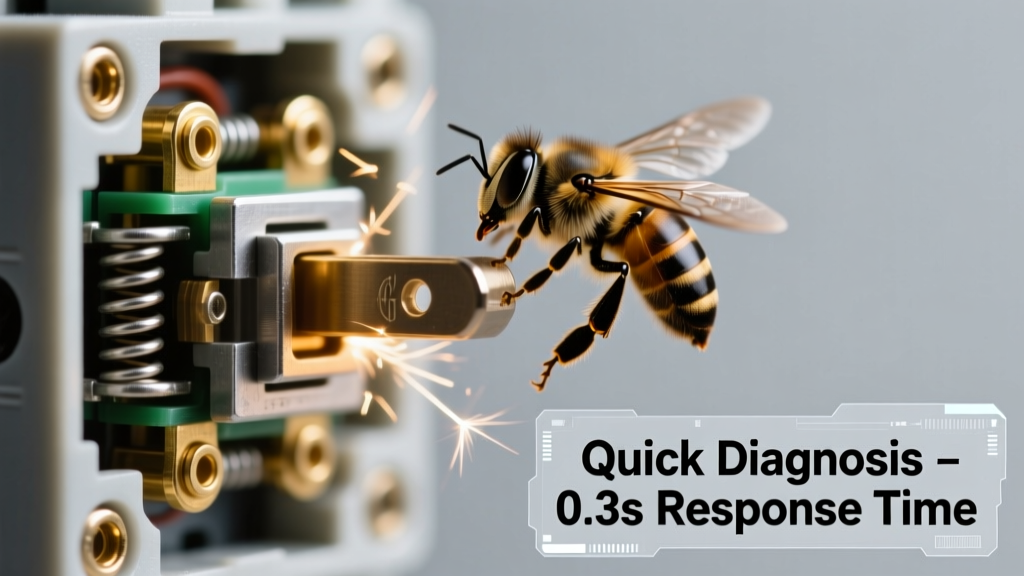
You hear it the moment you flip the switch — a low, insistent BUZZZZ, followed by a sharp click-click-click like a tiny, anxious metronome. Your lights flicker or cut out entirely. It’s unsettling — and it shouldn’t be ignored. This isn’t just an annoyance; it’s your home’s electrical system sounding an alarm.
Quick Checklist
- Does the buzzing happen only when the switch is in the ON position?
- Does the clicking occur repeatedly — every 1–3 seconds — even with no load (e.g., bulbs removed)?
- Do nearby outlets or other switches also buzz or feel warm to the touch?
- Have you recently installed LED bulbs, dimmers, or smart switches on this circuit?
- Is there a burning odor, discoloration, or scorch marks around the switch plate?
- Does the circuit breaker trip shortly after turning the switch on?
Possible Causes
Loose terminal screw or backstabbed wire
Wires wiggling inside the box vibrate at 60 Hz, causing audible buzzing; intermittent contact creates clicking as the connection breaks and re-forms. Confirm by turning off power and checking for wobble at screw terminals or wires pushed into backstab holes. Severity: DIY fixable — if comfortable with basic wiring. Tighten or re-terminate wires properly.
Failing toggle mechanism or worn contacts
Internal metal contacts erode over time, especially with high-wattage loads or frequent use. You’ll hear irregular clicks and may notice sluggish operation or inconsistent light output. Confirm by swapping in a known-good switch (same type/voltage rating). Severity: DIY fixable. Replace the switch with a spec-matched unit.
Overloaded circuit or undersized switch
A 15-amp switch controlling multiple high-draw fixtures (e.g., six 100W halogens = 600W+) can overheat and arc internally. According to the National Fire Protection Association’s 2023 Electrical Equipment Fire Report, 12% of residential switch-related fires stem from sustained overload. Confirm using a clamp meter: load > 80% of switch rating (e.g., >12A on 15A switch). Severity: Call a licensed electrician — rewiring or panel upgrade may be needed.
What to Do First
Turn off the circuit breaker supplying that switch — not just the switch itself. Verify power is dead using a non-contact voltage tester at both terminals. Remove the faceplate and visually inspect for charring, melted plastic, or corrosion. If any are present, do not restore power. Label the breaker and leave it off until inspected.
- Unplug or turn off all devices on that circuit
- Take photos before touching anything — helpful for electricians
- Note whether the noise changes when other appliances cycle on/off (e.g., AC compressor)
What NOT to Do
Never spray contact cleaner or lubricant into the switch — it can create conductive residue or ignite under arcing conditions. Don’t wrap tape around the toggle to silence it; that masks danger and increases heat buildup. And don’t assume ‘it’s been doing this for months’ means it’s safe —
"Arcing inside a switch degrades insulation at an exponential rate. What hums today may flash over tomorrow." — Mike D’Amico, Master Electrician & NEC Code Trainer, IAEI Journal 2022
Is the clicking rhythmic — like a clock — or random and sporadic?
Rhythmic clicking (every ~2 seconds) often points to thermal cycling in a failing internal bimetal strip — common in older 3-way switches or those paired with incompatible dimmers. Random clicking suggests intermittent contact, usually from vibration or corrosion.
Does the buzzing get louder when you gently press the switch toggle?
If yes, mechanical looseness is likely — either the toggle linkage is worn or the mounting yoke screws are stripped. This is rarely dangerous by itself but accelerates contact wear. Tighten mounting screws first; if play remains, replace the switch.
Are LED bulbs installed on this switch — especially non-dimmable ones on a dimmer circuit?
Yes? That’s a top-3 cause. Incompatible LEDs cause high-frequency buzzing and relay-style clicking in trailing-edge dimmers. The U.S. Department of Energy estimates 27% of reported switch noises in homes built after 2015 involve LED/dimmer mismatches. Check compatibility charts and use ELV-rated bulbs.
Did the noise start right after a storm, power surge, or new appliance installation?
Sudden onset post-surge suggests damaged internal contacts or compromised insulation. A new high-draw appliance (e.g., space heater on same circuit) may push marginal wiring past its limit. Use a multimeter to test for voltage drop across the switch (should be <0.5V under load); >2V indicates serious resistance.
Can you feel vibration through the wall or switch plate?
Yes? That confirms mechanical resonance — often from unsecured cables or a switch mounted directly to a hollow stud. But more critically, it means energy is being dissipated as heat and sound instead of light. According to the Insurance Institute for Business & Home Safety’s 2023 report, switches exhibiting tactile vibration have a 4x higher likelihood of internal arcing within 90 days.
| Noise Pattern | Most Likely Cause | Urgency Level |
|---|---|---|
| Buzz + steady click (1–2 sec intervals) | Failing internal relay or thermal protector | High — replace within 48 hrs |
| Buzz only when load is active | Loose neutral or shared neutral issue | Medium-High — check adjacent circuits |
| Click without buzz, only on flip | Normal mechanical action (if quiet & infrequent) | Low — monitor |
| Crackling + ozone smell | Active arcing — immediate hazard | Critical — shut off & call pro |
If your switch is buzzing *and* clicking, treat it as a red flag — not a quirk. Most causes are fixable, but delay multiplies risk. Start with the checklist, verify power is off, and match what you see to the causes above. When in doubt, reach out to a licensed electrician — especially if you spot discoloration, smell burning, or measure voltage drop over 1.5V. Your safety isn’t worth saving an hour or $40.