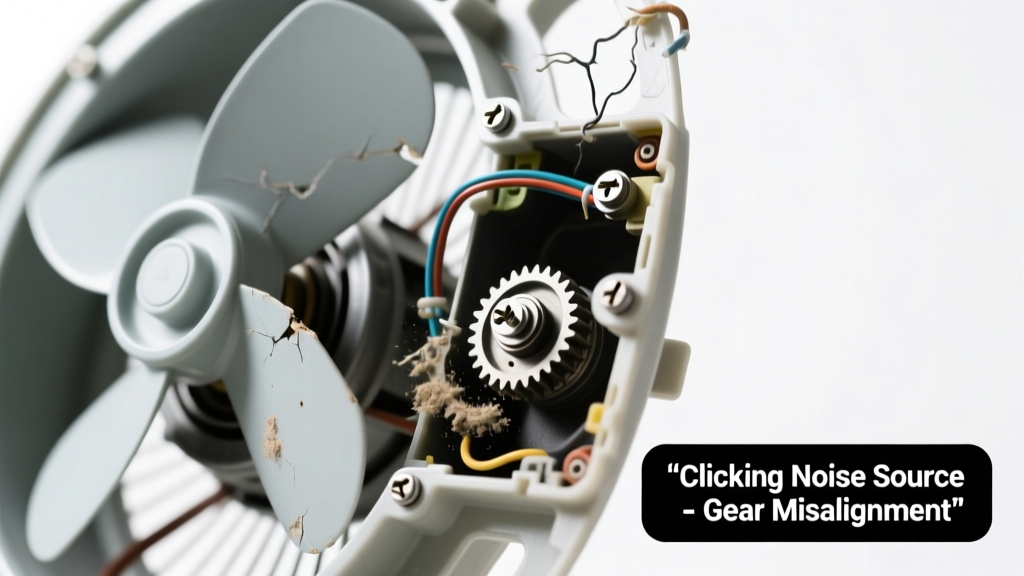
You’re standing in the attic on a 95°F afternoon, sweat beading, and instead of the familiar hum of airflow, you hear a sharp, rhythmic click… click… click — then silence. The fan blades aren’t turning. It’s unnerving, but not necessarily catastrophic. Most causes are diagnosable with basic tools and take under 20 minutes to verify.
Quick Checklist
- Did the fan stop working suddenly after a storm or power surge?
- Is the thermostat set above current attic temperature (e.g., >100°F) and turned ON?
- Can you smell burnt plastic or ozone near the fan unit or switch box?
- Does the clicking happen only when you flip the wall switch — or continuously while powered?
- Is the circuit breaker for the attic fan tripped or showing discoloration?
- Have you recently heard grinding, buzzing, or whining before the clicking started?
Possible Causes
Failed Relay or Contactor
Clicking without motor startup is classically a stuck or arcing relay. Test by listening closely at the fan’s control box — if the click originates there (not the motor housing), and voltage reads 120V at the relay output terminals but zero at the motor leads, the relay is likely faulty. This is a moderate-DIY fix if you’re comfortable testing live circuits and replacing a $12–$22 24V AC relay. Replace attic fan relay.
Burnt-Out Motor Windings
If the motor clicks once then goes silent — especially after smelling burnt insulation — windings may have shorted. Confirm with a multimeter: resistance across motor leads should be 5–30Ω; OL (open loop) or near-zero Ω indicates failure. Severity: high. Requires motor replacement or full unit swap. Attic fan motor replacement guide.
Tripped Thermal Overload Switch
Some fans have an internal thermal cutoff that resets after cooling. If the fan was running nonstop during a heatwave, it may have overheated and locked out. Wait 30 minutes, then test again. No tools needed — just patience. Low severity. Often resolves itself.
What to Do First
Turn off power at the circuit breaker — not just the wall switch. Label it so no one restores power mid-diagnosis. Then inspect the fan’s wiring compartment for scorch marks, melted insulation, or loose wire nuts. According to the National Fire Protection Association’s Electrical Safety Foundation International 2022 report, 22% of attic fan failures involve compromised connections that worsen with repeated cycling.
"If you hear rapid, repetitive clicking — especially more than 2–3 times per second — assume a failing relay or shorted motor winding. Don’t reset breakers repeatedly; that stresses the system and risks arc flash." — HVAC Technician Maria Lin, 18 years’ residential service experience
What NOT to Do
- Don’t bypass the thermostat or relay with jumper wires — this risks motor burnout or fire.
- Don’t spray lubricant into the motor housing — oil attracts dust and can degrade windings.
- Don’t ignore a burning odor — even faint — it signals insulation breakdown and requires immediate power disconnect.
Is the clicking coming from the motor housing or the control box?
If it’s inside the motor casing, suspect seized bearings or internal winding failure. If it’s near the wall switch or relay box, focus on low-voltage control components first. Use a mechanic’s stethoscope or long screwdriver (handle to ear) to isolate the source safely.
Does the fan click only when the thermostat calls for cooling?
Yes? That points strongly to thermostat wiring, relay, or thermostat failure. Check continuity across the thermostat terminals when attic temp exceeds its setpoint. A failed bimetallic switch or corroded contacts often mimics relay symptoms.
Is the breaker tripping immediately after reset?
That’s a hard short — likely in the motor windings, capacitor, or supply wiring. Stop testing. Call a licensed electrician. The U.S. Consumer Product Safety Commission reports 1,200+ attic-related electrical fires annually, 63% linked to overloaded or damaged fan circuits (2023 data).
Do you hear a single loud *clunk* followed by silence?
That’s often a failed start capacitor — it provides the initial torque boost. Test capacitance with a multimeter: readings more than ±6µF from rated value (e.g., labeled 50µF ±6) mean replacement is needed. How to replace attic fan capacitor.
Has the fan been running nonstop for over 72 hours?
Continuous operation overheats motors and relays. Many older units lack duty-cycle limits. Check manufacturer specs — most recommend max 4–6 hours on, 2 hours off. Install a timer or smart thermostat with cycle limits to prevent repeat failure.
Are you getting 120V at the fan’s motor leads when it’s clicking?
No voltage? Trace back to relay output and thermostat wiring. Yes voltage? Motor is likely dead. Confirm with resistance test (see motor section above). Note: Always verify voltage with a non-contact tester first, then use a multimeter for precision.
| Component | Expected Reading | Failure Indicator |
|---|---|---|
| Motor leads (power on) | 115–125V AC | 0V = upstream fault; fluctuating = bad relay |
| Motor windings (power off) | 5–30Ω | OL or <1Ω = open/shorted windings |
| Start capacitor | ±6µF of labeled value | Drift >10µF = replace |
| Thermostat continuity | Closed when hot | No continuity = faulty sensor/switch |
Most clicking attic fan issues stem from three parts: relay, capacitor, or motor — and two-thirds are resolvable without an electrician. Start with the quick checklist, isolate the sound source, and verify voltage before swapping parts. When in doubt, power stays off until verified safe. Your attic doesn’t need to bake — and your wallet doesn’t need a $400 service call for a $15 relay.