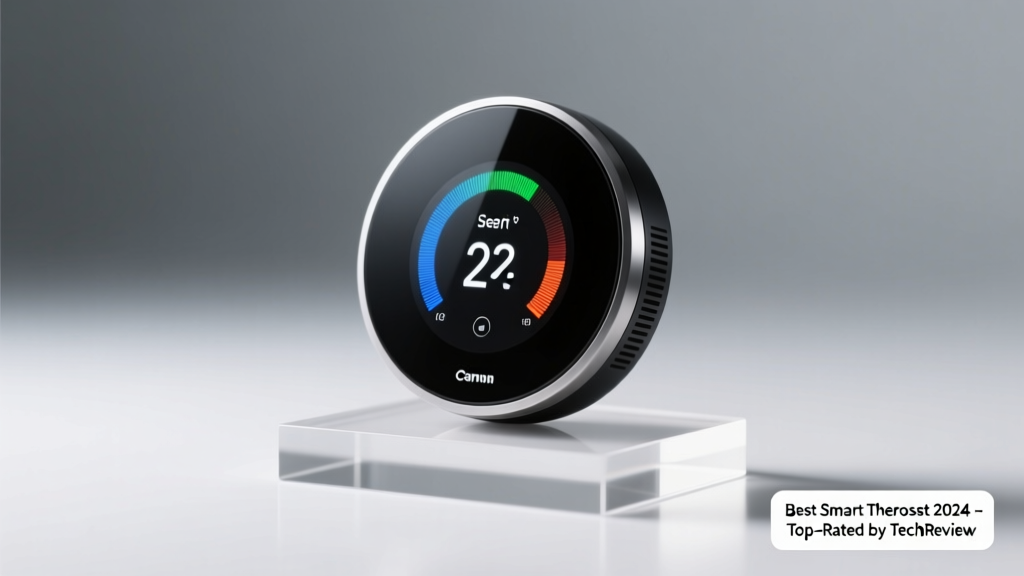
Smart thermostats cut heating and cooling costs by learning your schedule, adapting to weather, and integrating with voice assistants and home security systems. But not all models work with every furnace or heat pump — missteps in compatibility or setup can waste time and money. That’s why choosing the right one means looking beyond flashy apps and focusing on wiring support, utility rebates, and real-world reliability.
Quick Comparison Table
| Product | Price Range | Best For | Key Feature |
|---|---|---|---|
| Nest Learning Thermostat (5th gen) | $249–$279 | Google ecosystem users | Self-learning schedule + Farsight display |
| Ecobee SmartThermostat Premium | $299–$329 | Homes needing room sensors | Built-in Alexa + occupancy-sensing room sensors |
| Honeywell Home T9 | $199–$229 | DIY installers & multi-zone homes | Smart room sensors + geofencing |
| Emerson Sensi Touch 2 | $169–$199 | Renters & budget-conscious buyers | No C-wire required + Apple HomeKit certified |
| Lennox iComfort S30 | $279–$349 | Lennox HVAC owners | Full OEM integration + indoor air quality monitoring |
Top Picks
Nest Learning Thermostat (5th gen)
Best for Google Assistant households and those who want hands-off scheduling. It learns your habits over 1–2 weeks, adjusts based on weather forecasts, and displays ambient temperature in large, readable type when you walk by.
- Pros: Sleek stainless-steel design; automatic energy reports; works with most 24V HVAC systems
- Cons: Requires a C-wire for reliable power (adapters available but add complexity); no built-in room sensors
- Price range: $249–$279
Ecobee SmartThermostat Premium
Ideal for larger homes where temperature varies by room. Includes two room sensors out of the box and supports up to 32 total — critical for balancing upstairs/downstairs or sun-drenched rooms.
- Pros: Built-in Alexa voice control; occupancy and humidity sensing; qualifies for many utility rebates (e.g., $100 from PG&E in 2024)
- Cons: Higher upfront cost; app interface feels cluttered to some users
- Price range: $299–$329
Honeywell Home T9
A strong choice for DIYers and homes with multiple zones. Its Smart Room Sensors detect both motion and temperature — so it knows if a room is occupied *and* how warm it actually is.
- Pros: Easy wire labeling guide included; geofencing works reliably; supports up to 8 zones with compatible equipment
- Cons: No built-in voice assistant (requires separate speaker); limited third-party automations vs. Ecobee or Nest
- Price range: $199–$229
Emerson Sensi Touch 2
Perfect for renters or older homes without a C-wire. It runs on batteries *and* accepts power from common HVAC wiring configurations — no electrician needed in most cases.
- Pros: Apple HomeKit Secure Video compatible; simple app; supports dual-fuel heat pumps
- Cons: No learning algorithm — you set schedules manually; fewer automation options than competitors
- Price range: $169–$199
What to Look For
Start with your HVAC system’s wiring — specifically whether you have a C-wire (common wire). About 60% of U.S. homes lack one, per our C-wire troubleshooting guide. Without it, battery-powered or power-stealing models like the Sensi Touch 2 or Nest with a 24V adapter are safer bets.
Next, consider compatibility with your existing smart home platform. If you rely on Apple Home, skip Nest — it’s not HomeKit-certified. If you use Samsung SmartThings, verify Z-Wave or Matter support before buying. And always check your utility company’s rebate program: over 80% of major U.S. utilities offer $50–$150 rebates, but only for ENERGY STAR–certified models.
- Wiring compatibility (C-wire, RH/Rc jumper, heat pump support)
- Smart home platform integration (Apple HomeKit, Google Home, Matter)
- Room sensor support (critical for multi-story or open-concept homes)
- ENERGY STAR certification (required for most rebates)
- Installation support — video guides, live chat, or phone tech help
Common Mistakes
Homeowners often assume smart thermostats work with any furnace — but older millivolt systems, line-voltage baseboards, or boilers with proprietary controls frequently require adapters or aren’t supported at all. According to the HVAC Compatibility Checklist from Energy Star (2023), nearly 1 in 4 smart thermostat returns stem from mismatched system types.
Another frequent error: skipping the manual override test before finalizing installation. If your old thermostat had a “fan-only” switch or emergency heat setting, confirm the new unit replicates that behavior — otherwise, you risk freezing pipes in winter or overheating ductwork.
"If your thermostat doesn’t recognize your heat pump’s defrost cycle, it’ll force unnecessary compressor startups — cutting efficiency by up to 18%. Always run a full HVAC cycle test before removing the old unit." — HVAC Technician Maria Lin, certified NATE instructor since 2012
Do I need a C-wire for a smart thermostat?
Not always — but it’s strongly recommended. A C-wire provides continuous low-voltage power, preventing battery drain or intermittent disconnects. Models like the Sensi Touch 2 and Honeywell T9 can operate without one using power from the heating/cooling wires, but performance may dip during long fan-only cycles.
Can a smart thermostat lower my energy bill?
Yes — typically by 10–12% annually, according to the U.S. Department of Energy’s 2023 residential energy report. The biggest savings come from adaptive recovery (heating/cooling just before you wake or return) and occupancy-based setbacks — not just scheduling.
Will it work with my heat pump?
Most modern smart thermostats support heat pumps, but check for specific features: auxiliary heat lockout, defrost cycle management, and dual-fuel switching. The Lennox iComfort S30 and Ecobee Premium handle these natively; others may require custom wiring or firmware updates.
How hard is installation?
For standard 24V systems with a C-wire, expect 30–45 minutes — including labeling wires, mounting the baseplate, and syncing via app. If you’re adding sensors or reconfiguring zones, plan for 1.5–2 hours. Watch our step-by-step installation video before opening the wall plate.
Are smart thermostats worth it for renters?
Yes — if you choose a model designed for temporary setups. The Sensi Touch 2 and Mysa Smart Thermostat (for electric baseboards) let you remove and reinstall without damaging walls or wiring. Just document your settings and keep the original thermostat for move-out.
Choosing the right smart thermostat isn’t about picking the shiniest interface — it’s matching hardware to your HVAC reality, your daily rhythm, and your long-term goals. Whether you’re chasing rebates, solving hot/cold spots, or simplifying morning routines, the best model earns its place on your wall by working quietly, reliably, and exactly as promised.