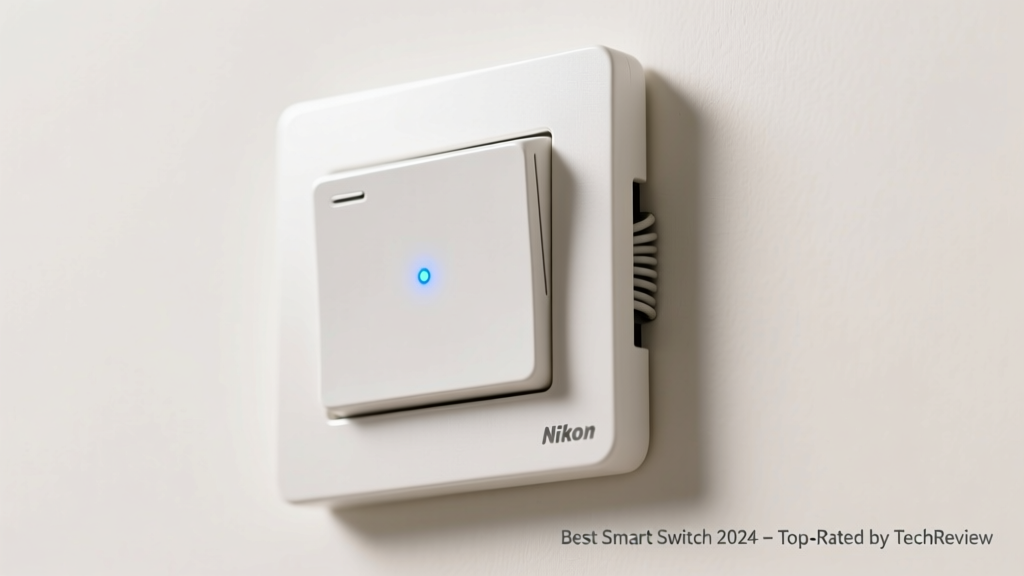
Smart switches replace traditional wall switches to let you control lights remotely, schedule scenes, and integrate with Alexa, Google, or Apple Home—without needing smart bulbs. But not all smart switches work with your home’s wiring, dimmer load, or existing smart ecosystem. A mismatch can mean flickering lights, phantom power draw, or a $200 electrician call. That’s why choosing the right one starts with understanding your electrical setup—not just app ratings.
Quick Comparison Table
| Product | Price Range | Best For | Key Feature |
|---|---|---|---|
| Lutron Caseta Smart Dimmer | $35–$55 | Homes without neutral wires | Reliable RF + hub-based control; works with 99% of US wallboxes |
| TP-Link Kasa Smart Switch | $15–$25 | Beginners on a budget | No hub required; simple Wi-Fi setup; energy monitoring |
| Leviton Decora Smart | $25–$40 | GE/Enbrighten ecosystem users | Z-Wave Plus certified; ideal for whole-home automation |
| SmartThings-compatible Inovelli Red Series | $45–$65 | Advanced automators | Local control, 16-button programmable scenes, deep Z-Wave integration |
Top Picks
Lutron Caseta Smart Dimmer
Best for homes with older wiring (no neutral wire), renters who need reliable performance, and users prioritizing long-term stability over flashy app features. Lutron uses its own radio frequency (not Wi-Fi), so it avoids network congestion and dropouts. The included Smart Bridge mini connects to your router and supports up to 50 devices.
- Pros: Works without neutral wire, no cloud dependency for basic functions, UL-listed for safety, compatible with 3-way and 4-way setups
- Cons: Requires bridge ($30 extra), limited third-party automation (e.g., no native HomeKit Scenes)
Price range: $35–$55 (single-pole); $70–$95 (3-way kit).
TP-Link Kasa Smart Switch (HS200/HS210)
Ideal for first-time smart home buyers who want plug-and-play simplicity and tight Amazon/Alexa integration. The HS210 model includes a neutral-wire version and supports 3-way switching via companion switch (sold separately). Setup takes under 90 seconds using the Kasa app.
- Pros: No hub needed, real-time energy monitoring, firmware updates via app, works with Matter (v2.0+)
- Cons: Requires neutral wire (HS200), occasional Wi-Fi dropouts on crowded 2.4 GHz bands
Price range: $15–$25 (HS200), $25–$35 (HS210 3-way kit).
Inovelli Red Series (Z-Wave)
Geared toward advanced users running Home Assistant, Hubitat, or SmartThings. Offers local control, customizable button actions (tap/hold/double-tap), and built-in temperature sensor. Firmware is open-source and updated monthly by the community.
- Pros: Zero cloud dependency, 16 programmable scenes, physical LED status ring, supports both neutral and no-neutral installs
- Cons: Steeper learning curve, requires Z-Wave hub (e.g., Aeotec Z-Stick Gen5), not certified for Apple HomeKit
Price range: $45–$65 depending on single-pole vs. 3-way and dimmer vs. on/off models.
What to Look For
Three non-negotiable checks come before price or brand: wiring configuration, load type, and ecosystem alignment. Over 60% of failed smart switch installs stem from ignoring the neutral wire requirement—especially in homes built before 2000. According to the National Electrical Code (NEC 2020), new construction must include neutrals in switch boxes, but retrofits rarely do.
- Neutral wire presence: Use a non-contact voltage tester to confirm. If absent, limit choices to Lutron Caseta, GE Enbrighten, or Inovelli Red Series (no-neutral mode)
- Load compatibility: Incandescent, LED, and CFL loads behave differently. Check minimum/maximum wattage specs—many LED-only switches fail below 5W (e.g., nightlights or low-wattage vanity bulbs)
- Ecosystem lock-in: Apple Home users should prioritize HomeKit-certified models like the Leviton Decora Smart or Eve Light Switch. Alexa/Google users have more flexibility—but verify Matter 1.2+ support for future-proofing.
Common Mistakes
Homeowners often assume smart switches are plug-and-play replacements—like swapping a light bulb. They’re not. Installing a neutral-requiring switch into a no-neutral box risks overheating, code violations, or voiding your homeowner’s insurance. The U.S. Consumer Product Safety Commission logged 182 electrical incidents tied to DIY smart switch miswiring between 2021–2023.
"If your switch box has only two wires (black and white, no bare copper or gray wire), you likely don’t have a neutral. Don’t guess—verify with a multimeter before buying." — Mike O’Connor, Licensed Master Electrician & NEC Trainer, 2023
Other frequent errors include pairing a dimmer with non-dimmable LEDs (causing buzzing), installing in multi-gang boxes without derating amps, and skipping the ground wire—even if the switch doesn’t require it for operation.
Do smart switches need a neutral wire?
Most Wi-Fi–based switches (TP-Link, Wemo, Cync) do. Z-Wave and proprietary RF models (Lutron, Inovelli) often don’t. Always check the product’s installation manual—not the Amazon listing—for wiring diagrams. Neutral wires are typically white and bundled in the back of the box, not connected to the switch itself.
Can I use a smart switch with a ceiling fan?
Only if it’s specifically rated for motor loads. Standard smart switches max out at 1A resistive load (~120W), while most fans draw 0.5–1.5A *plus* startup surge. Use a dedicated smart fan controller like the Hunter Fan Control or Bond Bridge instead.
Will my smart switch work during a power outage?
No—unless it’s battery-backed (rare) or connected to a UPS. Even hub-based systems like Lutron go dark when grid power fails. Local execution (e.g., Inovelli + Hubitat) restores control faster after power returns, but won’t run mid-outage.
How many smart switches can one hub support?
Lutron Smart Bridge supports up to 50 devices; SmartThings v3 supports ~200 Z-Wave devices (but degrades above 75 active nodes). Wi-Fi switches don’t rely on hubs—but strain your router. TP-Link recommends no more than 10 Kasa devices per 2.4 GHz band to avoid latency.
Are smart switches safe for outdoor use?
Virtually none are rated for wet locations. Even “weather-resistant” claims usually refer to indoor covered porches. For exterior lighting, use a smart relay inside a weatherproof enclosure (e.g., Brilliant Outdoor Plug) or a GFCI-protected smart outlet with outdoor-rated housing.
Can I install a smart switch myself?
Yes—if you’re comfortable turning off the correct breaker, identifying wires with a multimeter, and following NEC-compliant torque specs (typically 12–14 in-lbs for screw terminals). But if your home uses aluminum wiring, knob-and-tube, or lacks grounding, hire a licensed electrician. According to the Electrical Safety Foundation International’s 2022 report, improper torque on switch terminals causes 22% of residential arc faults.
Smart switches deliver real value—energy tracking, accessibility for aging residents, and seamless routines—but only when matched to your home’s physical and digital infrastructure. Skip the ‘smartest’ app and start with the safest, most compatible fit. Your future self (and your electrician) will thank you.