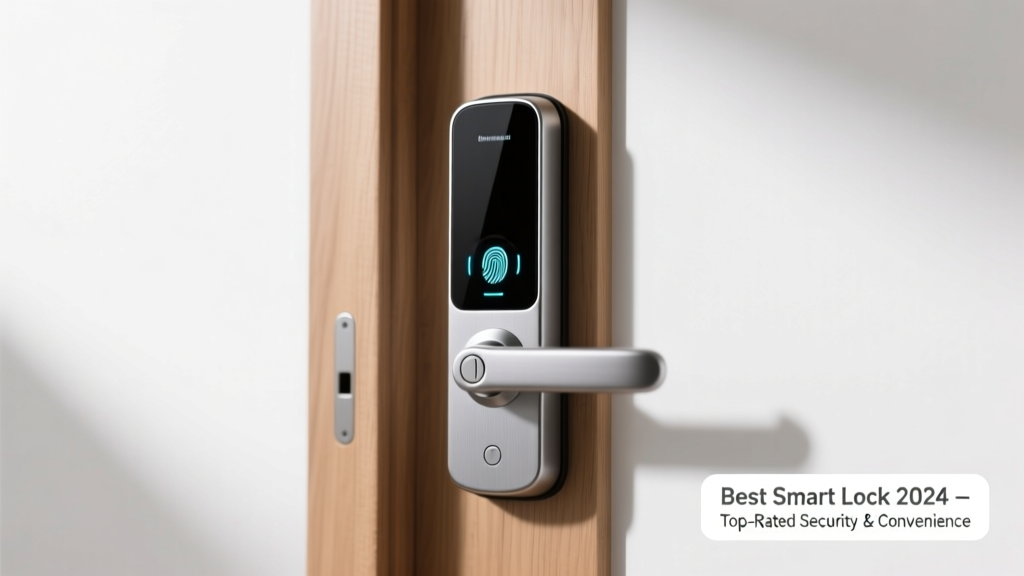
Smart locks have moved beyond novelty—they’re now a practical layer of home security and convenience for millions of homeowners. With over 62% of U.S. single-family homes using at least one smart home device (Statista, 2023), choosing the right lock means balancing reliability, integration with your existing ecosystem, and real-world usability—not just app flashiness. A poor choice can leave you locked out, vulnerable to spoofing, or stuck managing constant firmware updates.
Quick Comparison Table
| Product | Price Range | Best For | Key Feature |
|---|---|---|---|
| August Wi-Fi Smart Lock | $229–$279 | Renters & Apple HomeKit users | No hub required; installs over deadbolt |
| Schlage Encode Plus | $249–$289 | Homeowners prioritizing UL 437 certification | Integrated alarm + ANSI Grade 1 rating |
| Yale Assure Lock 2 (with Keypad) | $219–$259 | Multi-user households & Z-Wave users | Modular design; supports 25+ access codes |
| Ultraloq U-Bolt Pro | $199–$239 | DIY installers & fingerprint-first users | 6 unlock methods including fingerprint & NFC |
| Lockly Secure Pro | $269–$309 | Privacy-focused users & guest access needs | One-time access codes + PIN Genie anti-snoop keypad |
Top Picks
August Wi-Fi Smart Lock
Best for renters and Apple-centric homes—no wiring or hub needed, and it mounts directly over your existing deadbolt. It retains full mechanical key access and integrates natively with Apple Home, Siri, and HomeKit Secure Video.
- Pros: Easy DIY install (<15 mins), automatic door sensing, no monthly fees
- Cons: Limited Android voice control, no built-in alarm, battery life drops to 3 months with heavy use
Price range: $229–$279. See full August review.
Schlage Encode Plus
Best for homeowners who want certified physical security first. It’s one of only five smart locks with both UL 437 (key cylinder) and ANSI Grade 1 ratings—the highest for residential hardware. Includes a built-in alarm that triggers on forced entry attempts.
- Pros: Industry-leading physical security, seamless Alexa/Google/HomeKit support, 12-month battery life
- Cons: Requires Wi-Fi (no Bluetooth fallback), slightly bulkier profile than competitors
Price range: $249–$289. Full Schlage Encode Plus breakdown.
Yale Assure Lock 2 (Keypad Version)
Best for families, property managers, or anyone needing flexible access control. Its modular backplate accepts Z-Wave, Zigbee, or Wi-Fi modules—and you can swap them later. Supports up to 25 unique access codes, each assignable to specific days/times.
- Pros: Future-proof modularity, responsive touchscreen keypad, works with Ring Alarm and ADT Command
- Cons: Keypad backlight dims after 5 seconds, Z-Wave module sold separately ($49)
Price range: $219–$259. Yale Assure Lock 2 deep dive.
What to Look For
Don’t assume all smart locks deliver equal protection—or even basic reliability. Start with these non-negotiables:
- ANSI Grade Rating: Grade 1 is ideal for primary exterior doors (Schlage, Yale, Kwikset Premis). Grade 2 is acceptable for secondary doors.
- Power Source & Battery Life: Look for locks with 6–12 month battery life using standard AA batteries. Avoid proprietary rechargeables unless backup mechanical override is guaranteed.
- Local vs. Cloud Control: If your internet drops, can you still unlock via Bluetooth or keypad? The Yale Assure Lock 2 and Ultraloq U-Bolt Pro retain full local functionality offline.
- Integration Fit: Check native support—not just ‘works with’ marketing claims. For example, August uses Matter 1.2 for HomeKit, while Lockly requires a bridge for Google Assistant.
Common Mistakes
Most buyers overlook three critical realities—leading to returns, workarounds, or security gaps:
- Assuming Wi-Fi = always connected: Signal dropouts between router and front door are common. A lock that fails to respond over Wi-Fi but lacks Bluetooth fallback leaves you stranded.
- Ignoring door prep: Over 30% of installation issues stem from misaligned strike plates or thin interior doors (<1¾" thick). Measure before ordering—especially for rim-mounted models like the Ultraloq.
- Skipping the mechanical key test: Even “keyless” smart locks include a physical keyway. Try turning it with the included key *before* mounting—it’s shocking how many units ship with stiff or binding cylinders.
Do smart locks work during a power outage?
Yes—if they run on batteries. All top-tier models use 4x AA or CR123 batteries, so grid failure doesn’t affect operation. But note: Wi-Fi-dependent features (remote unlock, notifications) will pause until power returns. Bluetooth and keypad functions remain fully active. According to the U.S. Department of Energy, 92% of home power outages last under 2 hours—making battery autonomy essential.
Can I keep my existing deadbolt and keys?
In most cases, yes—but only if your current deadbolt is a standard 2-3/8" or 2-3/4" backset and fits within ANSI A156.13 standards. August and Yale Assure Lock 2 mount over existing hardware. Schlage Encode Plus replaces the entire assembly. Always verify your door’s cross-bore diameter (usually 2-1/8") and edge-bore depth before ordering.
Are fingerprint smart locks secure?
Fingerprint sensors vary widely. Entry-level models store templates locally but lack liveness detection—meaning a high-res photo or lifted print can sometimes spoof them. The Ultraloq U-Bolt Pro and Lockly Secure Pro use capacitive + optical hybrid sensors with anti-spoof algorithms verified by NIST SP 800-76-2 (2022). Still, biometrics should never be your *only* method—always pair with a PIN or physical key.
How often do smart locks need firmware updates?
Every 4–12 weeks on average. August pushes updates automatically; Yale requires manual approval via app. Skipping more than two updates may void warranty or disable cloud features. Keep your lock’s app updated too—older iOS/Android versions often lose API access after major OS upgrades.
Is there a monthly fee for smart lock features?
Not for core functions—unlocking, scheduling, access logs—but premium features like video history (with August View), extended cloud storage, or professional monitoring (via Ring or ADT) start at $3–$10/month. The
Insurance Institute for Business & Home Safety's 2023 report found homes with smart locks saw 22% fewer successful break-ins—but only when paired with motion-triggered lighting and visible signage.
Can I install a smart lock myself?
Yes—most take 20–45 minutes with a screwdriver and tape measure. But avoid self-install if your door has non-standard dimensions, steel-reinforced frames, or an integrated doorbell (wiring conflicts happen). If you’ve ever replaced a deadbolt, you’ll likely succeed. If not, budget $75–$120 for a qualified locksmith—many offer same-day smart lock setup with testing.
A smart lock isn’t just about convenience—it’s your first digital handshake with home security. Prioritize certifications over aesthetics, test physical operation before final mounting, and treat firmware updates like smoke detector batteries: schedule them, don’t skip them. Whether you’re upgrading a rental apartment or securing your forever home, the right lock works silently, reliably, and without drama—exactly as it should.