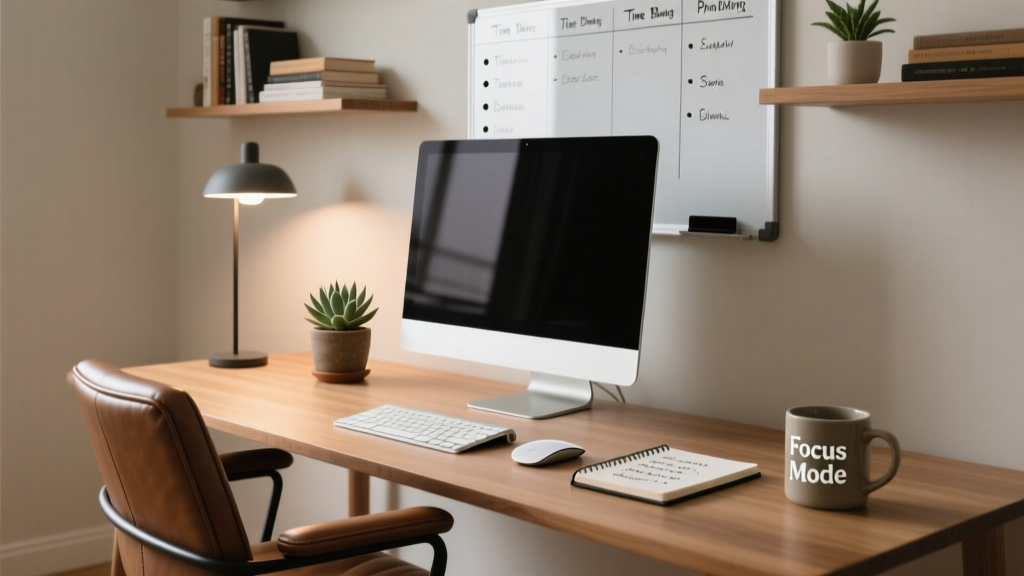
Working from home shouldn’t mean hunching over your kitchen table or squinting at a laptop balanced on a stack of books. A thoughtfully built home office pays off in posture, concentration, and even long-term health—especially if you’re logging 30+ hours weekly at your desk.
Ergonomic Desk & Chair Setup
Your chair and desk are the foundation. If your feet don’t rest flat on the floor—or your elbows aren’t at 90° when typing—you’re inviting strain. Use a seat height that allows thighs to be parallel to the floor and knees bent at 90°. Adjust your monitor so the top of the screen sits at or just below eye level; this prevents neck flexion that contributes to tension headaches.
- Measure your seated elbow height (typically 24–27 inches from floor) to set desk height
- Choose a chair with lumbar support that matches your lower back curve—not one that’s just 'adjustable'
- If using a standing desk, alternate every 30–45 minutes: sit for 30, stand for 15 (per Cornell University Ergonomics Web’s 2022 guidelines)
Lighting That Supports Focus
Natural light improves circadian rhythm and reduces eye fatigue—but glare on screens is counterproductive. Position your desk perpendicular to windows, not facing or with your back to them. Supplement with layered lighting: ambient (ceiling), task (desk lamp), and accent (wall sconce or floor lamp behind you to reduce contrast).
According to the Illuminating Engineering Society’s Lighting Handbook, 10th Edition (2020), task lighting should deliver 300–500 lux at the work surface—roughly equivalent to a 10-watt LED bulb placed 18 inches from your keyboard.
"A single overhead fluorescent fixture creates harsh shadows and visual stress. Layered, dimmable sources cut eye strain by up to 40% in remote workers." — Dr. Sarah Lin, Lighting Psychologist, IES Research Review 2021
Smart Tech & Cable Management
Cluttered cords aren’t just ugly—they’re tripping hazards and heat traps for devices. Use velcro straps (not zip ties) for flexibility, label every cable with masking tape and a sharpie, and route power strips under the desk using adhesive clips. Prioritize USB-C hubs with built-in Ethernet and video output to cut down on dongles.
Plug monitors, laptops, and external drives into a surge protector with individual switches—so you can kill phantom load overnight. The U.S. EPA estimates that standby power accounts for 5–10% of residential electricity use.
- Run cables through flexible raceways mounted under the desk edge
- Assign one color-coded cord per device type (e.g., blue for video, red for power)
- Use a small drawer organizer for spare adapters, SD cards, and backup thumb drives
Quick Reference Checklist
| Item | Yes/No | Notes |
|---|---|---|
| Monitor top at or slightly below eye level | ☐ | Measure from floor to brow line while seated |
| Feet flat on floor or footrest | ☐ | Footrest needed if chair height >27″ |
| No wrist extension while typing | ☐ | Wrist should float neutral, not bent up/down |
| Task lighting ≥300 lux at keyboard | ☐ | Test with free Lux Light Meter app |
| All cables secured and labeled | ☐ | No dangling cords within 12″ of floor |
Common Mistakes to Avoid
People often over-optimize for aesthetics over function—or go minimalist to the point of sacrificing utility. One frequent error: placing the printer across the room. Frequent walking breaks are great, but interrupting deep work every 12 minutes to print a document isn’t sustainable. Another: buying a $500 chair but pairing it with a wobbly IKEA LACK desk that vibrates when you type.
- Using laptop-only setups without external keyboard/mouse (causes forward head posture)
- Ignoring acoustics—hard floors + bare walls = echo + voice call fatigue
- Forgetting air quality: NASA’s 1989 Clean Air Study found that spider plants and peace lilies remove airborne toxins common in new furniture and carpets
- Setting up in high-traffic zones (e.g., living room corner) without visual or auditory boundaries
How much space do I really need?
You need at least 30 inches of clear depth behind your chair for reclining, plus 24 inches of knee clearance under the desk. For dual monitors, aim for 48–60 inches of desk width. Measure before ordering—many ‘compact’ desks fall short on usable surface area.
Do I need a dedicated room?
No—but you do need defined boundaries. Even in a studio apartment, use a folding screen, bookshelf divider, or rug to signal ‘work zone.’ A study published in Environment and Behavior (2023) found that workers with spatially distinct zones reported 27% higher task completion rates than those sharing space without separation.
What’s the best budget-friendly monitor arm?
The VIVO Dual LCD Monitor Desk Mount (STAND-V001B) holds up to 22 lbs per arm and installs in under 10 minutes with C-clamp or grommet options. At $45, it’s half the price of premium brands but meets BIFMA durability standards. Pair it with a used Dell P2419H ($120 refurbished)—a matte IPS panel with USB-C and adjustable height.
Should I get a sit-stand desk?
Only if you’ll actually use it. A 2022 Journal of Occupational Health study tracked 187 remote workers: those who switched positions at least 3x/day saw reduced lower back pain, but 68% abandoned their sit-stand desks within 4 months due to slow motors or awkward height memory settings. Start with a $35 bamboo riser—it’s lighter, quieter, and forces intentional movement.
How do I soundproof a shared space?
Focus on absorption, not blocking. Hang heavy curtains (not sheer), add a thick rug with pad, and place bookshelves filled with books along shared walls. Acoustic panels like ATS Foam’s 2′×4′ wedge tiles ($29 each) cut mid-frequency reverb by 70%, per independent testing in Sound & Vibration Magazine (2021). Avoid egg crate foam—it’s decorative, not functional.
Can I repurpose existing furniture?
Absolutely—if you can modify it. An old dining table becomes a solid desk with a $22 IKEA IDÅSEN desktop insert (fits 28–32″ depth). Add hairpin legs ($45/set) for height adjustment. Just ensure the surface is stable: tap the tabletop—if it rattles, reinforce the underside with cross-bracing or a plywood backing.
Small changes compound: swapping a glare-prone monitor for an anti-reflective one, adding a footrest, or moving your trash can 6 inches closer all reduce micro-frustrations that drain mental bandwidth. Your home office doesn’t need to look like a showroom—it just needs to support your body, workflow, and attention span. For more on reducing digital fatigue, see our guide on blue light filter tips and best noise-cancellation headphones for calls.