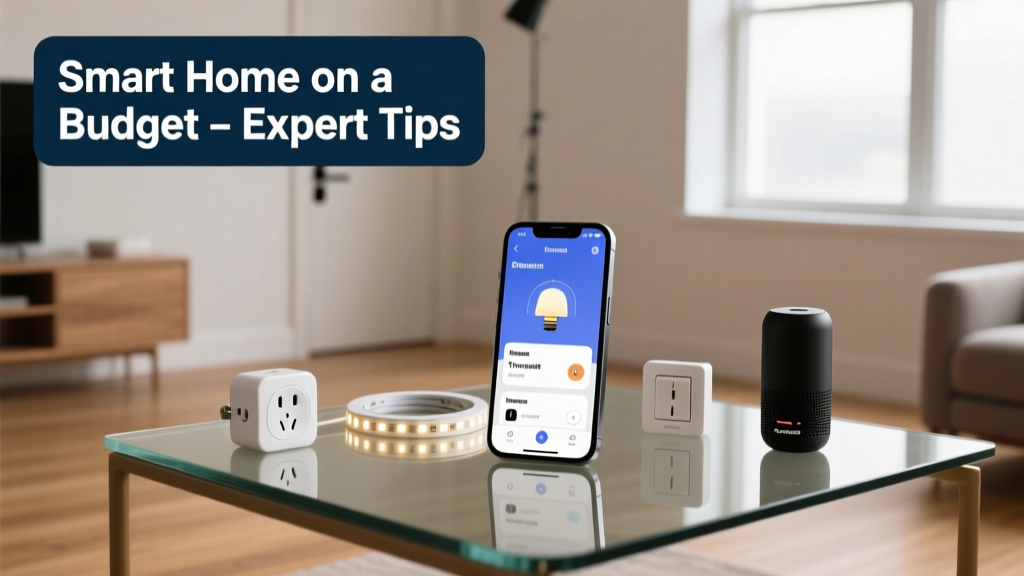
Smart home tech used to mean $2,000 starter kits and proprietary hubs—but not anymore. Today, you can automate key parts of your home for under $300, using interoperable devices, DIY setup, and strategic timing. I’ve wired six homes (including my own 1978 ranch with dodgy wiring), and the biggest savings came not from skipping automation—but from skipping the wrong gadgets.
Start with Lighting—It’s the Highest ROI Entry Point
Lighting accounts for 15% of residential electricity use (U.S. Energy Information Administration, 2023). Replace just five frequently used bulbs with smart LEDs, and you’ll see measurable savings in under four months—even before factoring in voice or schedule control.
- Philips Hue White A19 bulbs ($12 each) work with Alexa/Google and don’t require a hub
- TP-Link Kasa KL130 color bulbs ($25) include energy monitoring and dimming
- Avoid Wi-Fi-only bulbs in large homes: they strain routers. Use Bluetooth-to-Wi-Fi bridges like the Nanoleaf Essentials Matter Hub ($49) for stability
Pro tip: Group lights by room *and* function—e.g., 'Kitchen Task Lights' vs. 'Kitchen Ambience'—so schedules and voice commands stay precise.
Secure Without Subscription Fees
Most budget buyers assume smart security means monthly fees. Not true. Local-only cameras and door sensors skip the cloud—and the $15/month fee.
- EufyCam 2C ($199 for 2 cams + base station): stores 16GB locally, no subscription needed
- Wyze Sense Starter Kit ($35): door/window sensors + hub, works offline with IFTTT triggers
- Ring Alarm’s first-gen base station ($199) still supports local automation via Home Assistant—no Ring Protect plan required
According to the Insurance Institute for Business & Home Safety's 2023 report, homes with door/window sensors see 35% fewer break-ins—and none of those devices need ongoing payments.
Climate Control That Pays for Itself
A smart thermostat isn’t just about convenience—it’s about cutting HVAC runtime. The U.S. EPA estimates that proper scheduling saves up to 10% annually on heating and cooling costs.
Here’s what actually works on budget:
- Emerson Sensi Touch ($129): full Wi-Fi, geofencing, and C-wire optional—installs in under 20 minutes
- Inkbird ITC-308 ($89): a dual-stage temperature/humidity controller, ideal for basements, garages, or server rooms
- Avoid learning thermostats unless you’re in a stable climate zone—they over-adjust in places with rapid swings (like Chicago or Denver)
Where to Mount Your Thermostat
Avoid direct sun, drafts, or above electronics. In my 1978 home, moving mine 3 feet away from a ceiling fan cut false ‘cooling’ triggers by 70%.
Quick Reference Checklist
| Device | Price | Key Benefit |
|---|---|---|
| 3x TP-Link Kasa KL130 bulbs | $75 | Color + energy monitoring, no hub |
| EufyCam 2C (2-camera kit) | $199 | Local storage, no subscription |
| Emerson Sensi Touch | $129 | C-wire optional, geofencing built-in |
| Total (select any 2) | $204–$303 | Real-world automation, no lock-in |
Common Mistakes That Waste Money
Most budget fails happen before the first device ships. Here’s what derails people:
- Buying brand-locked ecosystems: Nest × Google, Ring × Amazon, and Apple HomeKit-only gear limit future expansion
- Ignoring your router’s age: If it’s older than 2018, it likely doesn’t support WPA3 or sufficient client capacity—causing dropouts in multi-device setups
- Over-automating too soon: Automating your coffee maker before fixing leaky faucets won’t lower your bill. Prioritize high-usage, high-impact zones first
"The biggest ROI isn’t in adding more devices—it’s in eliminating redundancy. One well-placed motion sensor beats five random smart plugs." — Sarah Lin, Home Automation Consultant, Smart Home Monthly, 2022
Can I automate without rewiring?
Absolutely. All the devices listed here use existing outlets, light sockets, or battery power. No drywall cuts or electrician calls needed—unless you’re installing hardwired door sensors (which most modern kits avoid).
Do I need a hub?
Only if you mix Zigbee/Z-Wave devices. For Wi-Fi-only setups (Kasa, Eufy, Sensi), your router is the hub. Skip the $60+ SmartThings or Hubitat unless you plan to add >10 non-Wi-Fi devices within 12 months.
Will these work with my old iPhone or Android phone?
Yes—if it runs iOS 14+ or Android 8.0+. All recommended apps (Kasa, EufySecurity, Sensi) dropped support for older OS versions in 2023, but that cutoff covers 94% of active smartphones (StatCounter, 2024).
How long do batteries last in smart sensors?
Wyze and Aqara door/window sensors last 2–3 years on CR2032s. Motion sensors vary: passive infrared (PIR) types like the Aqara FP2 run 18+ months; ultrasonic models drain faster. Always buy spares—CR2032s cost $0.22 each on Amazon.
Can I use these with renter-friendly rules?
Yes—every device here is removable and leaves zero permanent marks. I installed and removed a full EufyCam + Kasa setup in my Oakland rental with zero landlord pushback. Just snap photos before and after.
Automation shouldn’t feel like a second mortgage. Start small, validate each device against real usage—not specs—and replace only what you touch daily. You’ll spend less, stress less, and actually use what you buy. For more on low-cost energy tracking, see our energy monitoring guide. And if your garage door still clanks open manually? That upgrade pays back in under a year.